


Despite being built on Unreal Engine 5, ARC Raiders is one of the most optimized games that's been released on PC. While the game runs smoothly, even on mid-range hardware, it occasionally stutters and drops frames. This usually happens during intense combat encounters with ARC machines and other players. To ensure consistent performance, here are the best PC settings that will optimize the game and prevent FPS drops from hindering your extractions.

How to Get All ARC Raiders Pre-Order & Deluxe Edition Bonuses
Here is how to claim and equip all the pre-order bonuses like cosmetics, outfits, and accessories that players have received in ARC Raiders.
Most Optimized PC Settings for ARC Raiders

There are several graphics settings for ARC Raiders that players can tweak to optimize the game's performance on PC. Each setting is divided into a subsection, like display, graphics, and quality. You can freely tweak settings from each category, which will impact different aspects of how the game looks and works on your hardware.
So, without any further delay, let's work on optimizing ARC Raiders by using these best settings on PC.
|
Setting Type |
Name |
Best Settings |
Notes |
|---|---|---|---|
|
Display |
Window Mode |
Borderless Fullscreen |
- |
|
Display Resolution |
Native |
Selecting any resolution lower than native will make textures blurry. It's best to use an upscaler instead of lowering the base resolution. |
|
|
Nvidia DLSS Frame Generation |
Off |
While DLSS Frame Generation massively improves FPS, it can cause latency, which isn't optimal considering the competitive nature of the game. |
|
|
VSync |
Disabled |
- |
|
|
Nvidia Reflex Low Latency |
On |
This helps further reduce latency. |
|
|
Frame Rate Limit |
Unlimited |
It's best to avoid capping your frame rate to enjoy a smooth experience with ARC Raiders. |
|
|
Resolution Scaling & Anti-Aliasing |
Upscaled Resolution |
100% - Native |
It's recommended to keep the resolution slider to 100% to avoid a loss of clarity in textures. Instead, you'll get performance gains by using an AI Upscaler. |
|
Resolution Scaling Method |
DLSS or FSR |
ARC Raiders supports the latest versions of both AMD FSR and Nvidia DLSS. For RTX GPU users, DLSS is the way to go. AMD FSR does an equally great job at upscaling resolution for other GPUs. |
|
|
Nvidia DLSS Quality |
Balanced |
Balanced is a great sweet spot between great visuals and performance. |
|
|
Nvidia DLSS Model |
CNN |
The performance gains from the Transformer model are a lot less compared to the CNN model. While the Transformer model is newer and meant to look better, it introduces awkward light-trails and ghosting in-game, which is quite distracting in ARC Raiders. |
|
|
Graphics |
Field of View |
Player's Preference |
Cranking up the field of view will allow players to expand their viewable area on screen. It's best to start at 60 FOV and adjust the slider from there for an optimal experience. |
|
Motion Blur |
Off |
- |
|
|
Ray Tracing |
Nvidia RTX Global Illumination |
Static |
Ray Tracing heavily costs FPS and isn't recommended to be used in a multiplayer-focused game like ARC Raiders. Best stick with Static. |
|
Quality |
View Distance |
High |
ARC Raider features expansive maps, and this is the best setting on PC to allow players to view far-off objects and enemy players. |
|
Anti-Aliasing |
Medium |
Since AI Upscalers are doing their job, you won't need to set AA to more than medium. |
|
|
Shadows |
High |
High has a moderate impact on performance compared to Epic, but will allow you to see the player's shadows more clearly in daylight scenarios. |
|
|
Post-Processing |
Epic |
- |
|
|
Texture |
GPU VRAM Dependent |
4GB VRAM: Medium, 6GB VRAM: High, 8GB+ VRAM: Epic |
|
|
Effects |
Epic |
- |
|
|
Reflections |
Medium |
Another taxing setting that will drop your FPS in areas with reflective surfaces, e.g., inside research facilities or near bodies of water. |
|
|
Foliage |
Low |
While putting foliage to low does improve performance, it also disables dense bushes, which are a popular hiding spot for players in ARC Raiders. If you set Foliage to low, you'll be able to clearly see enemy players hiding in bushes. |
|
|
Global Illumination Resolution |
Medium |
Global Illumination is another taxing setting, which should be set to medium to avoid stutters and FPS drops. |
So, these were the best settings for ARC Raiders that are geared towards optimizing the game's performance on PC. These optimized settings were tested on a PC with an Intel i9-14900HX CPU, Nvidia RTX 4080 GPU, and 32GB RAM.
The FPS averaged around the 150 FPS mark, while 1% lows were at 120 FPS, which are some staggering numbers compared to other poorly optimized UE5-based games. ARC Raiders optimization is exemplary, and it'll hopefully improve even further with future performance passes.
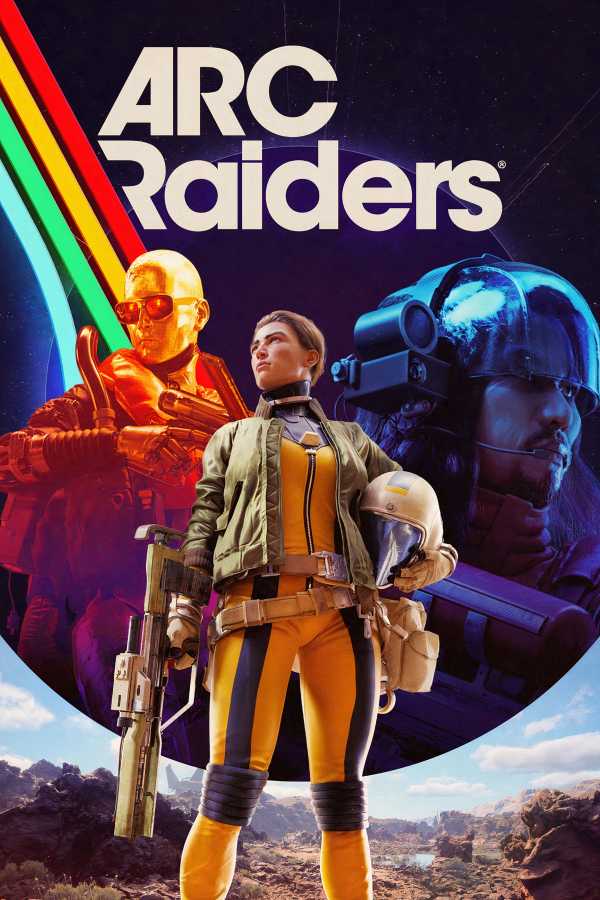

ARC Raiders



-
 OpenCritic Reviews
- Top Critic Avg: 87 /100 Critics Rec: 93%
- Released
- October 30, 2025
- ESRB
- Teen / Violence, Blood
- Developer(s)
- Embark Studios
- Publisher(s)
- Embark Studios







WHERE TO PLAY





- Multiplayer
- Online Multiplayer, Online Co-Op
- Cross-Platform Play
- Yes - all platforms
- Cross Save
- Yes - via Embark ID
- Number of Players
- Single-player
- Steam Deck Compatibility
- Unknown
- PC Release Date
- October 30, 2025
- Xbox Series X|S Release Date
- October 30, 2025
- PS5 Release Date
- October 30, 2025
- Genre(s)
- Extraction, Shooter, Third-Person Shooter, Survival
- Platform(s)
- PlayStation 5, Xbox Series X, Xbox Series S, PC
