
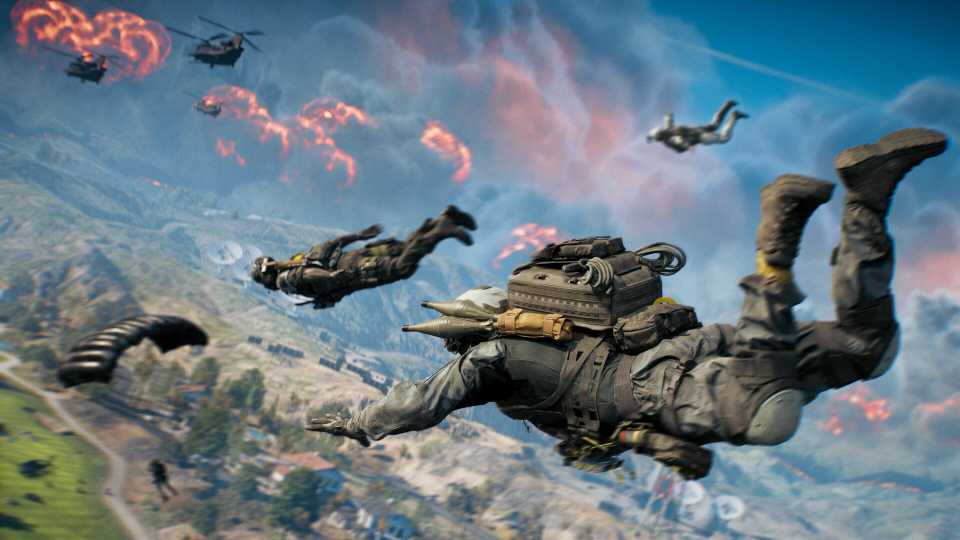

Battlefield 6 is getting its own free-to-play Battle Royale experience to celebrate the launch of Season 1. Battlefield RedSec takes players to Fort Lyndon, a massive open map where squads deploy into the area, fight for survival, and battle it out until only one team remains, all while escaping the deadly closing firestorm.
As a free-to-play title, Battlefield RedSec is shaping up to be one of the biggest Battle Royale releases of the year. However, some players might be unsure how to get in. If you’re having trouble downloading the game, here’s a quick guide on how to install Battlefield RedSec so you can jump in as soon as it launches.

Battlefield 6 Weapon Tier List
Battlefield 6 launches with 45 weapons. Here’s a quick tier list ranking them all, from top meta picks to ones you might want to skip.
How To Download Battlefield RedSec
How To Download/Pre-Download RedSec Through Battlefield 6

The first to download Battlefield RedSec ahead of launch is through Battlefield 6. For those who own the premium title, Battlefield RedSec can be pre-downloaded and installed ahead of launch directly through Battlefield 6, cutting down on the wait time to jump in. To do this, follow these steps:
- Head to Settings, then go to System.
- Navigate to Setup, then select Install/Uninstall.
- Check Battlefield REDSEC and wait for the installation process to complete.
Once the download is finished, players will be able to jump straight into Battlefield RedSec as soon as it goes live with Season 1 on October 28 at 8 AM PT. For those jumping in after launch, you can still download Battlefield RedSec through Battlefield 6, and you may have already done so upon installing the Season 1 content update. Be sure to still check to see if Battlefield RedSec is installed through the above method.

Alternatively, for those who have Battlefield 6 on the EA App, you can also download Battlefield RedSec by doing the following:
- Head to Battlefield 6 and select Manage.
- Select Modify Install.
- Check Battlefield 6 REDSEC to download and install the mode.
How To Download RedSec For Free-To-Play Players

For those who do not already own Battlefield 6 and are looking to jump into the mode purely for free, Battlefield RedSec can also be downloaded directly from your platform’s storefront. The game will be available on the EA App (and the Epic Games Store through the EA App), Steam, Xbox Series X/S, and PlayStation 5.
However, unlike Battlefield 6 owners, free-to-play players cannot pre-download the Battle Royale mode ahead of its release. Instead, if you are purely a free-to-play player, you will need to wait until after the mode launches on October 28 at 8 AM PT, when Battlefield RedSec officially goes live on each platform’s storefront. Once available, it can be downloaded completely free as a standalone release and launched directly on its own without Battlefield 6.
Here is where you can currently download Battlefield RedSec for free:

Battlefield REDSEC
- Released
- October 28, 2025



WHERE TO PLAY





- ESRB
- Mature 17+ / Blood, Strong Language, Violence, Users Interact, In-Game Purchases
- Developer(s)
- Battlefield Studios
- Franchise
- Battlefield
- Genre(s)
- First-Person Shooter, Battle Royale
- Platform(s)
- PlayStation 5, Xbox Series X, Xbox Series S, PC
