


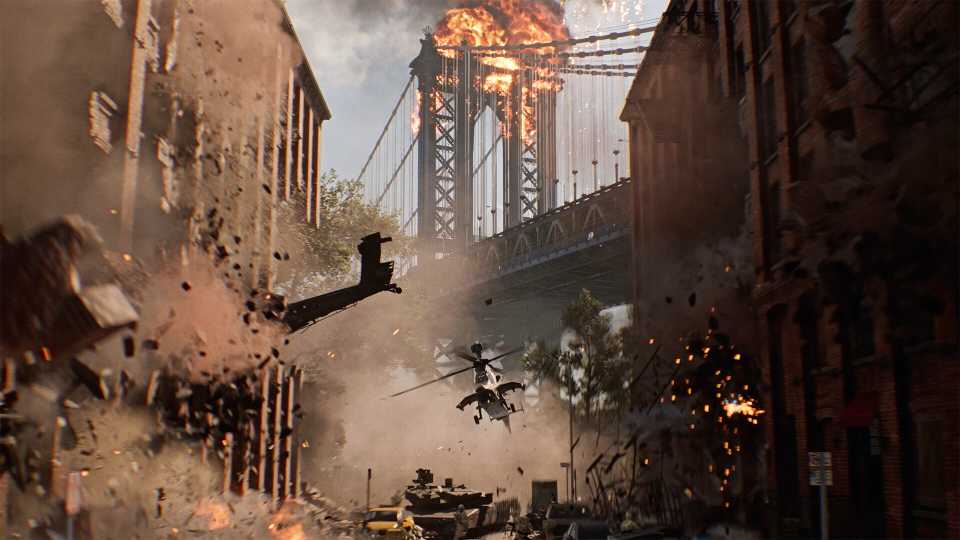
Battlefield 6 manages to throw players into these large-scale battles with a ton of destructible environments. While team play and great aim are vital to securing your victory in these battles, so is how smoothly the game runs on your PC. While the game's overall optimization is actually pretty great, some high-stakes moments, like buildings crumbling away and the presence of several players on your screen at once, can also drop your FPS. So, this guide aims to help you pick the best graphics settings for BF6 to optimize the game's performance even more on your PC.

Battlefield 6: Best Tips, Tricks, and Game Settings
Here are a few gameplay tips and the best game settings in Battlefield 6 to help you reach the top of the scoreboard more often.
Best Graphics Settings for Battlefield 6 on PC (Optimization Guide)

Battlefield 6 features extensive graphics and display options to help players tune how the game looks according to their taste and performance expectations. There are also a lot of customization options for the camera and various aesthetics for the game, which won't be discussed, as the main focus of this guide will be on optimizing the game's performance and reducing any instances of players experiencing low FPS, stuttering, or FPS drops.
So, without pulling you away from your battle-cravings for too long from your battle-cravings, here's the complete rundown of the best settings for Battlefield 6 on PC.
|
Type |
Option Name |
Best BF6 Settings |
Notes |
|---|---|---|---|
|
Graphics |
Performance Preset |
Custom |
We'll tweak individual settings, so there's no need to choose a static preset for all the settings. |
|
Graphics Preset |
|||
|
Sharpness |
Player's Preference |
It's recommended to start from 30% sharpness and either increase or decrease from there. Oversharpening the game makes the visuals look bad. |
|
|
Display |
Fullscreen Mode |
Borderless |
Makes it easier to Alt+Tab out of the game, and there isn't any performance reduction compared to using the exclusive full-screen mode. |
|
Fullscreen Resolution |
Native |
It's best that players use the native resolution of their monitor to get the best visual experience in Battlefield 6. |
|
|
Aspect Ratio |
Auto |
- |
|
|
Vertical Sync |
Off |
- |
|
|
Advanced Graphics Settings |
Fixed Resolution Scale |
100% |
Lowering this scale will result in low-rest muddy textures. Keep it at 100%, and we'll use an upscaler to get performance gains instead. |
|
Frame Rate Limited |
Off |
It's best to keep your FPS uncapped to have the most responsive experience in the game, especially during gunfights. |
|
|
Dynamic Resolution Scale |
Off |
This option will automatically downscale your resolution during intense scenes to maintain high FPS. Definitely won't be needing this. |
|
|
Nvidia Reflex Low Latency |
Enabled |
Reduce latency in-game that might be produced with upscalers or frame generation. Not sure if there's AMD Anti-Lag as well, but if AMD users can spot that, make sure to use it. |
|
|
Anti-Aliasing |
Off |
Since we'll use the Upscaling Technique below, this option will be greyed out automatically. But for players who want to attain the max visuals in the single-player campaign, go for DLAA or FSR Native AA. |
|
|
Upscaling Technique |
DLSS or FSR |
It's best to use Nvidia DLSS or AMD FSR to get a performance boost in multiplayer and other competitive modes. |
|
|
Upscaling Quality |
Quality Mode |
Battlefield 6's performance is stable enough that players can switch to quality mode and still get an FPS boost while maintaining high visual fidelity. |
|
|
Frame Generation |
On |
Frame Generation is one of the best settings for Battlefield 6 that you can use to get a huge performance uplift. Since your base FPS (before turning on FG) will be decent, you won't be experiencing any noticeable input lag. |
|
|
Future Frame Rendering |
Players' Preference |
Future Frame Rendering takes the Frame Generation feature a step further by making the gameplay even smoother, but at the cost of input lag. So, it's recommended to try this setting out yourself and see if you're not at a competitive disadvantage. |
|
|
Graphics Quality |
Texture Quality |
GPU VRAM Dependent |
Low-Medium: 6GB VRAM, High: 8GB VRAM, Ultra: 12GB VRAM, Overkill: 16GB VRAM |
|
Texture Filtering |
Overkill |
It does not impact CPU or GPU performance that much, but improves texture quality significantly. |
|
|
Mesh Quality |
High |
Improves the level of detail for environments, excluding other players or vehicles. High is a sweet spot between quality and performance. |
|
|
Terrain Quality |
Medium |
Will control how the ground surfaces with rocks or grass look in Battlefield 6, and medium is the best setting preset here for performance. |
|
|
Undergrowth Quality |
|||
|
Effects Quality |
High |
Battlefield 6 features some jaw-dropping effects when buildings get hit by explosives and crumble, and an aerial vehicle shoots out flares. Setting it to low will help you attain some FPS, but will lower the visual fidelity of the aforementioned effects. |
|
|
Volumetric Quality |
High |
Will impact how fog or smoke effects interact with the in-game lighting to add depth to them. High is the best setting for Battlefield 6 here in terms of balancing visuals with performance. |
|
|
Lighting Quality |
GPU VRAM Dependent |
6–8 GB VRAM: Low, 12GB+ VRAM: High |
|
|
Local Light & Shadow Quality |
High |
One of the most intensive settings here, and it will balance the look of shadows and local lighting in all BF6 maps. |
|
|
Sun Shadow Quality |
Medium |
The medium preset for Sun Shadow Quality looks good enough and will also boost FPS significantly. For players who have performance to spare, they can go for Ultra. |
|
|
Shadow Filtering |
PCF |
While PCSS (Percentage-Closer Soft Shadows) gives a realistic feeling to shadows produced in-game, PCF (Percentage Closer Filtering) is a much more performance-friendly option for most players. |
|
|
Reflection Quality |
Medium |
Another one of the most taxing settings on Battlefield 6's performance & GPU VRAM on PC, which should be kept at medium to preserve stable FPS. |
|
|
Screen Space Reflections (SSR) |
Low |
SSR mainly handles the light reflections bounced off different objects in the maps. This can cause FPS drops in certain indoor environments with an abundance of objects with reflective surfaces. |
|
|
Post Process Quality |
Ultra |
It does not impact the FPS a lot, but it will improve the look of any post-processing effects you have enabled, like DOF, bloom, or motion blur. |
|
|
Screen Space AO (Ambient Occlusion) & GI (Global Illumination) |
GTAO High |
GTAO is the most performance-friendly option out of the bunch, as SSGI will simulate indirect lighting, which is a taxing technique. |
|
|
High Fidelity Objects Amount |
High |
Improves the animation and visual quality of other players and vehicles on the screen. High is a sweet spot between graphics and performance. |
Well, these were the best settings for Battlefield 6 that will improve the game's performance, especially in multiplayer modes. These optimized settings were tested on a gaming laptop with an Intel i9-14900HX CPU, Nvidia RTX 4080 GPU, and 32GB RAM. The FPS that resulted from using these settings averaged around 150–170 FPS, with 1% lows in packed multiplayer areas were 120 FPS, which is not bad and a testament to BF6 devs optimizing the game.
Due to the optimized nature of the game, players can try and crank up a few settings if they want to focus on the quality of the game more than performance (usually for the single-player campaign).


Battlefield 6



-
 OpenCritic Reviews
- Top Critic Avg: 83 /100 Critics Rec: 90%
- Released
- October 10, 2025
- ESRB
- Mature 17+ / Blood and Gore, Intense Violence, Strong Language, In-App Purchases, Users Interact
- Developer(s)
- Battlefield Studios
- Publisher(s)
- EA



WHERE TO PLAY





- Multiplayer
- Online Multiplayer, Online Co-Op
- Cross-Platform Play
- All platforms
- Cross Save
- Via EA Account
- Franchise
- Battlefield
- Number of Players
- Single-player
- Steam Deck Compatibility
- Unsupported
- PC Release Date
- October 10, 2025
- Xbox Series X|S Release Date
- October 10, 2025
- PS5 Release Date
- October 10, 2025
- Platform(s)
- PlayStation 5, Xbox Series X, Xbox Series S, PC
- X|S Optimized
- Yes
