


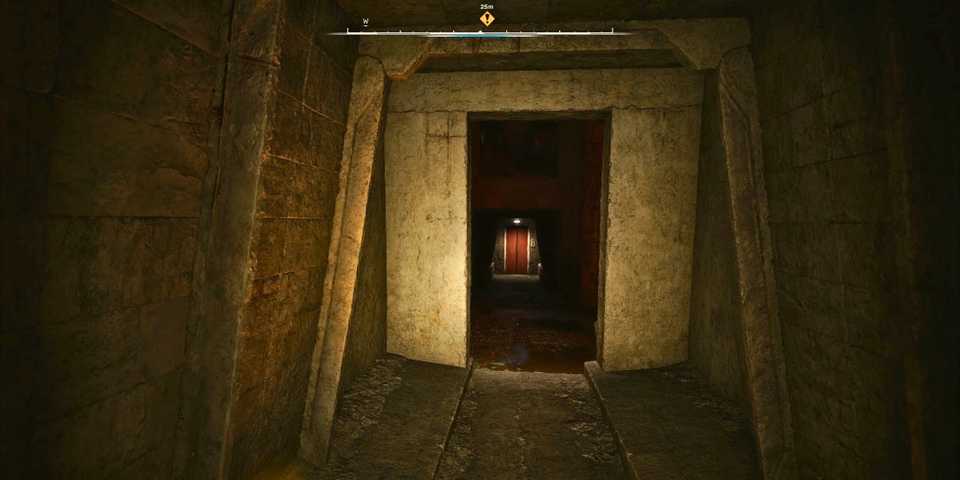
Stalker Legends of the Zone Enhanced Edition includes all three classic entries and has been graphically updated for modern PC hardware. While it's not a complete overhaul of the games, the enhanced visuals look great, allowing OG and newcomers to dive into these lore-rich Stalker titles. All three games have updated graphics settings with modern graphical features like AI upscaling. So, let's figure out the best settings that you should use with these games on your PC.

STALKER: Clear Sky – Factions Explained
STALKER: Clear Sky added a new Faction War system that was not present in the first game.
Best PC Settings for Stalker Legends of the Zone Enhanced Edition
Stalker Shadow of Chornobyl, Call of Pripyat, and Clear Sky enhanced editions all come with an extensive graphics settings menu that divides the visual settings into two categories: Basic and Advanced. While the games aren't very taxing on your PC, it's still better to understand what each setting does and how to play them without facing any issues or crashes.
Here are all the best settings for Stalker Legends of the Zone Enhanced Edition on PC.
|
Type |
Setting Name |
Best Preset |
Notes |
|---|---|---|---|
|
Basic Same For All Games |
Display Mode |
Windowed Borderless |
Enables seamless switching between the game and Windows. |
|
Resolution |
Native |
For the best visual experience. Selecting anything lower will degrade the graphics. |
|
|
Vertical Sync |
On |
Although Vsync introduces input lag, in this instance, it's recommended that you turn it on to reduce excessive screen tearing during high FPS. |
|
|
Frame Rate Limit |
Off |
Enjoy the uncapped FPS experience when playing the Stalker games. |
|
|
Field of View |
Personal Preference |
Players can easily use anywhere from 50% to 80% increased FOV. Going higher or lower isn't game-breaking, but it may look weird in some scenarios due to the age of the games. |
|
|
Advanced Some Settings Differ From Game To Game |
Motion Blur |
Adjust the slider according to the values on the left for the most optimal visual settings in Stalker Legends of the Zone Enhanced Edition. |
|
|
Vision Distance |
10 |
||
|
Object Detail |
7 |
||
|
Texture Detail |
5 |
||
|
Anisotropic Filtering |
16 |
||
|
Anti-Aliasing |
MLAA |
Morphological Anti-Aliasing is the best technique that players should use in the game. However, it may get overridden by AMD FSR. |
|
|
Grass Detail Density |
15 |
A good sweet spot for the grass to look dense, and not impact the PC performance too much. |
|
|
Sun Shadow |
On |
Shadows enhance the feel of the games, without impacting the FPS too much. |
|
|
Grass Shadow |
On |
||
|
Lighting Distance |
9 |
- |
|
|
Shadow Quality |
4 |
- |
|
|
Grass Rendering Distance |
30 |
- |
|
|
NPC Flashlights |
On |
- |
|
|
Detail Bump |
On |
- |
|
|
Steep Parallax |
On |
- |
|
|
Sun Quality |
Maximum |
Improves the look of daylight scenes, so this setting should be used at the maximum preset. |
|
|
Sun Rays |
High |
These are part of the Stalker Legends of the Zone Enhanced Edition package and shouldn't be turned off. The performance difference is quite minimal in mid-range and high-tier PC systems. |
|
|
Screen Space Shadows |
On |
||
|
Screen Space Reflections |
On |
||
|
Async Compute |
On |
- |
|
|
Screen Space Global Illumination |
On |
Screen Space Global Illumination looks great, but players can disable this setting to enable SSAO mode. |
|
|
SSAO Mode |
Nvidia: HBAO AMD: HDAO |
If SSGI is disabled, you can manually set the SSAO mode and its quality. |
|
|
SSAO Quality |
High |
High works well, even with entry-level PC hardware. |
|
|
Soft Water |
On |
All are graphical effects part of the enhanced editions. It's best not to disable these as they don't cost a lot of performance. |
|
|
Depth of Field |
|||
|
Volumetric Light |
|||
|
Wet Surfaces |
|||
|
AMD FSR |
On |
There isn't a DLSS option available at launch, so it is best to use FSR to get a boost in average frame rates. |
|
|
FSR Sharpeness |
Personal Preference |
- |
|
|
FSR Frame Generation |
On |
Massively increases performance, allowing players to experience Stalker class games at a smooth, high FPS. If your game is crashing, it is best to turn frame generation off. |
|
|
FSR Mode |
Native/Quality |
If you have performance to spare, playing in Native FSR mode is recommended. Otherwise, quality is the next best option, and players will get an FPS boost with an unnoticeable change in visuals. |
These were the best settings players should use in Stalker Legends of the Zone Enhanced Edition for all three games (where applicable). Using the optimized PC settings above, the FPS averaged around 80-90 in Stalker Shadow of Chornobyl and Clear Sky Enhanced Edition, while being slightly less in Call of Pripyat Enhanced Edition at 75-85.
There weren't any game-breaking bugs encountered during the testing process, so players can freely explore the game's world without fearing any crashes and losing in-game progress.





-
 OpenCritic Reviews
- Top Critic Avg: 80 /100 Critics Rec: 60%
- Released
- March 6, 2024
- ESRB
- M For Mature 17+ // Blood, Language, Use of Alcohol, Violence
- Developer(s)
- GSC Game World
- Publisher(s)
- GSC Game World






WHERE TO PLAY




- Franchise
- S.T.A.L.K.E.R.
- PC Release Date
- May 20, 2025
- Xbox Series X|S Release Date
- May 20, 2025
- PS5 Release Date
- May 20, 2025
- Nintendo Switch Release Date
- October 31, 2024
- Genre(s)
- RPG, FPS, Survival, Open-World
- Platform(s)
- PC, PlayStation 4, PlayStation 5, Xbox One, Xbox Series X, Xbox Series S
- PS Plus Availability
- Extra & Premium
