


Gaming headsets are more popular than ever, but the best computer speakers free listeners from wearing these devices continuously. PC speakers can fill a room with sound while playing games or watching movies, much to the delight of friends and family who gather together. More than just functional, speakers add a finishing touch to gaming desk with modern styling and flashy RGB lighting.


Which Wired Headset is the Best in 2024?
Battle-tested and reliable, the best wired headsets can make a world of difference when gaming on the Xbox, Playstation, or PC.
How to Find Amazing Sounding PC Speakers
To narrow down which computer speakers are the right choice for a setup, prioritize potential purchases using these considerations:
- Wired vs. Wireless Connectivity: If a buyer is mainly interested in using speakers with a PC, devices with USB-C or analog audio connections are more than adequate. However, Bluetooth-compatible speakers allow sources like mobile phones and handheld consoles to pair with them for music and gaming audio.
- Number of Speakers: Speakers and soundbars with two channels provide a traditional left and right-channel stereo listening experience. For more immersive gaming audio, speaker systems add a subwoofer for improved bass and additional speakers that surround listeners. Despite their compact size, some innovative soundbars can simulate a 5.1 or 7.1-channel speaker configuration.
- Desk Space: Buyers should also consider how much desk space they have for new speakers. Even among two-channel and surround sound candidates, there is considerable variation in how compact PC speakers are.
- Sound Quality: The most important factor for many gamers is the quality of the soundscape PC speaker output. Every listener has different preferences, but generally, the most highly rated speakers provide a balance between low, mid, and high tones.
The following list represents the best speakers for gamers in a wide variety of categories.
TheBestWarGames's Top Picks for the Best PC Speakers

Logitech Z407 Bluetooth Computer Speakers
- Connection
- Bluetooth, Wired, USB
- Number Included
- 2+ Subwoofer
- Brand
- Logitech
The Logitech Z407 Bluetooth Speakers are the only speakers a gamer needs in their setup. With Bluetooth, micro USB, and wired connections, listeners can connect almost any device to the Logitech Z407, and easily switch between multiple sources with the wireless control dial.
The Z407 pumps out an ample 80 watts of power and utilizes Digital Signal Processing (DSP) to ensure high mid and low tones are all distinguishable. The included subwoofer produces 20 watts of room-rattling bass giving a cinematic experience to game playing or movie watching. The sleek Z407 left and right speakers are suited for vertical or horizontal placement to fit any space.
- Powerful and well-balanced sound
- Convenient wireless control dial
- Connects to both Bluetooth and wired sources
- Subwoofer distorts at high volume
- Power saving feature is annoying
Most PC setups are already cluttered, so having multiple speaker systems for different sources is not an attractive option. The Logitech Z407 Bluetooth PC Speakers is a solution that gives listeners a top-notch wired speaker experience while allowing other devices, including the Nintendo Switch, to pair via Bluetooth. With the option of connecting to PCs and other devices with an analog audio input, micro USB, or Bluetooth, the Logitech Z407 can fit in with any gaming setup. Users can also save space by mounting the two left and right speakers either vertically or horizontally.
-1.jpg?q=49&fit=crop&w=140&h=98&dpr=2)
Steam Deck: How to Connect Bluetooth Headphones
The Steam Deck is an impressive piece of hardware with a surprisingly accessible system for connecting Bluetooth audio devices like headphones.
The Logitech Z407 includes a subwoofer best placed underneath desks, giving a more cinematic feel than typical PC speakers playing games or watching movies. Despite some annoyances with its power-saving feature turning off the system while gamers are idling, the Z407 is the total package in terms of connectivity and impressive sound quality.
As the overall best computer speaker, the Logitech Z407 offers a powerful audio output at 80 watts, while its host of wired and wireless connection options gives it unmatched value.

Creative Pebble Plus 2.1 USB Desktop Speakers
- Connection
- Wired, USB
- Number Included
- 2+ Subwoofer
- Brand
- Creative
Building upon the success of the original Creative Pebble speakers, the Pebble Plus 2.1 USB PC speakers add a standalone 4" down-firing subwoofer while maintaining its surprisingly low price tag. The iconic stone-shaped speakers are compact and designed with dual far-field drivers sending crisp and clear audio toward the listener at a 45-degree angle.
The Pebble Plus 2.1 speakers can connect to a wall outlet with available USB power adapters for High Gain Mode, enabling an even more robust sound. Otherwise, listeners can connect the Pebble Plus 2.1 to most PCs and laptops without the need for an additional power source.
- Powerful sound for the price
- Angled speakers direct sound right to ears
- Includes subwoofer
- Only one input
- Not wireless compatible
The original Creative Pebble Speakers turned heads with its design, which looked as much like a partially sliced-up egg as it did a pebble. Adding a subwoofer to the speaker system, Creative soon unveiled the Pebble Plus 2.1, which appeals to buyers demanding a more complete soundscape for an affordable price.
By positioning the Pebble Plus 2.1 left and right speakers up at a 45-degree angle, like with the HyperX Cloud III headset drivers, listeners benefit from the sound going right toward their eardrums. The speakers don't offer Bluetooth compatibility, but the fact that most desktops or laptops can power the system through USB removes the need for an additional power cord. With a unique design that excels in desktop setups and an included subwoofer, the Pebble Plus 2.1 has little competition in its price range and is one of the best speakers for PC users.

Creative T60 2.0 Hi-Fi Desktop Speakers
- Connection
- USB, Wired, Bluetooth
- Number Included
- 2
- Brand
- Creative
The Creative T60 2.0 Hi-Fi Desktop Speakers emphasize audio clarity but don't sacrifice power either with 2.75" full-range drivers and an output of up to 60W. Powered by Creative's famous Sound Blaster technology for a richer sound, the system also benefits from BasXPort which produces intense tones for a 2.0 speaker setup.
The Creative T60 is the ideal speaker system for headset users with the ability to easily switch between the 3.5 mm Aux-in port and headphones. Creative's SmartComms Kit software filters out background noise and makes voices sound better than ever. Bluetooth 5.0 connections are also available to connect to wireless audio sources.
- Offers connections for wired headset and headphone users
- SmartComms software improves voice quality
- Bluetooth 5.0 compatibility
- Lacks a subwoofer
- Glossy finish attracts fingerprints
There are many inexpensive 2.0 Bluetooth speakers on the market, but most lack the sound quality and connectivity of the Creative T60 2.0 Hi-Fi system. The Creative T60 combines the simplicity of Bluetooth-compatible 2.0 speakers with the performance and features of the best computer speakers.
The Creative T60 offers connections for the top gaming headsets, headphones, USB audio, and a standard Aux-in jack, with a convenient button to switch between headphones and audio sources. Creative's SmartComms software improves voice clarity, preventing embarrassing miscommunication during conference calls or multiplayer gaming. Listeners can also easily connect sources using Bluetooth 5.0, while keeping the system connected to PC and media devices for playing games and watching movies.
Even though its glossy finish attracts fingerprints, the Creative T60 is an affordable choice with balanced sound that supports most wired and wireless sources.

LENRUE Computer Speakers
- Connection
- USB/Bluetooth
- Number Included
- 1
- Brand
- LENRUE
The LENRUE Computer Speakers are decorative and colorful speakers that can connect to any device with a wired or Bluetooth connection. Customize any gaming rig and connect the LENRUE Computer Speakers directly to a PC, or use Bluetooth connectivity to use the speakers for a phone or TV. The LENRUE Computer Speakers come in three colors for more customization of any game space: black, white, and RGB.
Checkbox: control the expandable behavior of the extra info- Tremendous value
- Surprisingly solid build-quality
- Very compact
- Not all ports are labeled
- Audio quality lessens with volume
Adding powerful and attractive-looking speakers to a PC gaming setup doesn't have to come at a high cost, especially with the LENRUE Computer Speaker. Equipped with subtle yet detailed RGB lighting on each side, the LENRUE speaker is perfect for a gaming room or as a decorative living room speaker. The LENRUE speaker is powerful, using upgraded sound technology to enhance users' listening experience during movies, shows, and video games. Volume is easy to adjust, with a knob on the device as well as wireless control via the device that the LENRUE speaker is connected to.

The Best Budget Gaming Monitors in 2024
Need a budget gaming monitor without making any compromises? Here are some of the best in the business.
The LENRUE Computer Speakers can connect to devices in two easy ways: via USB connection or Bluetooth connection. No drivers are needed to enjoy the LENRUE speaker on a PC: plug it in, and it's good to go. Switching the speakers between devices is easy thanks to seamless transitioning between audio devices in the LENRUE's software. Simply press play from the device a user wants to hear, and the LENRUE will take care of the rest. Even with some degrading sound quality at higher volumes, the LENRUE Computer Speakers are the best speakers for PC gamers on a budget.
Where the Logitech Z313 excels is with a healthy power output and a balanced soundscape. The bass levels aren't adjustable, but most gamers will find that blasts in shooting games pack a punch while mid and high tones come through crystal clear. The output of inexpensive speakers often fails to distinguish between sound effects in games, but the Z313 makes it easier to detect approaching enemies.
The Logitech Z313 is one of the best values in 2.1 speaker systems, with a powerful and dynamic sound that's ideal for all sources.

Logitech Z207 Stereo Speaker
- Connection
- Wired/Wireless
- Number Included
- 2
- Brand
- Logitech
The Logitech Z207 Stereo Speaker is a capable set of speakers that connect easily to computers and other devices. Produced by Logitech, these speakers are versatile and powerful, allowing users to switch seamlessly between audio connections with easy-to-access controls. Unlike many wireless speaker systems, listeners can connect two sources using the Z207's Bluetooth connection. Watch something on a PC with a wired connection, or choose to switch over to a phone or tablet using a wireless connection.
Checkbox: control the expandable behavior of the extra info- Connect up to 3 wired or wireless devices
- Simple setup
- Excellent audio quality for price
- Larger than many desktop speakers
- Lacks remote control
The Logitech Z207 is a versatile set of speakers that easily connects to any device, be it a PC, tablet, smartphone, or TV. The unique software provided with Logitech's Easy Switch allows users to switch from device to device seamlessly for every audio need. Stream audio directly from PC using a wired connection, then continue streaming music from the speakers using a phone's Bluetooth connection. Switching audio between devices is as easy as pausing it on one and pressing play on the other.
Each speaker in the set has active drivers that deliver a full range of crisp sounds. The system also has one passive driver that acts as an extension to the bass, bringing out higher audio quality without pushing the device's limits. The on-speaker headphone jack attached to the device is convenient for control and easy switching from device to device. The Z207 is a perfect complement to any gaming setup, with excellent gaming headsets from Logitech and other brands connecting easily to the system.

Razer Nommo V2 Pro
- Connection
- Wired, USB, Bluetooth
- Number Included
- 2+ subwoofer
- Brand
- Razer
The Razer Nommo V2 Pro is the ultimate speaker system for PC and PlayStation gamers. Featuring 3" full-range drivers, the Nommo V2 Pro produces accurate sound aided by aluminum phase plugs. THX Spatial Audio offers spatial audio tuned for specific games, while the included wireless subwoofer adds room-shaking bass effects to the listening experience.
The Nommo V2 Pro is also compatible with PlayStation consoles through a USB connection, or mobile devices with available Bluetooth connectivity.
- THX Spatial Audio enhances PC gaming
- Great volume and bass tones
- Easy adjustments with wireless control pod
- Very pricey
- Synapse software required for adjustments
For the best speakers for PC users primarily interested in gaming, it's no surprise that a Razer entry ranks at the top of the list. With the Razer Nommo V2 Pro, the manufacturer largely sticks to the cylindrical design of its past Nommo offerings, but here, the speakers are wider and pointed upward directly at listeners. Along with the left and right speakers, the system ships with a wireless subwoofer ideal for placement underneath gaming desks and a wireless control pod for easy adjustments.
The Razer Nommo V2 Pro is expensive for a system without rear speakers, but it sounds as powerful as any gaming speakers. Thanks to 3-inch full-range drivers and aluminum phase plugs that prevent sound from bouncing around, the main two speakers pump out audio that is not only extremely loud but also balanced between mid, low, and high tones. The powered subwoofer connects wirelessly to the speakers and includes 5.5-inch drivers with bass effects that rival home theater-oriented alternatives.
When optimized, spatial audio in PC gaming adds another level of immersion, allowing gamers to pinpoint where sound effects emanate from. However, it can often be a hit-or-miss proposition, which is why the Razer Nommo V2 Pro relies on THX Game Profiles specifically designed for certain PC titles like Cyberpunk 2077. Using the Synapse software, supported titles will automatically take advantage of these profiles to emulate a 7.1 surround sound experience.
PC gamers who own a PS4 or PS5 will appreciate that the Razer Nommo V2 Pro connects to those consoles using a USB cable. Also, the Nintendo Switch and mobile devices are not left behind since the speaker system has Bluetooth connectivity. However, non-PC functionality is rather basic, with THX spatial audio not supported, limited adjustments in sound profiles, and only one RGB effect. That's unfortunate since the Razer Chroma lighting on the back of the speakers casts an impressive amount of backlighting on desks and walls and can also sync with gameplay events in specific titles.
The Razer Nommo V2 Pro gives PC gamers the best listening experience from a 2.1 speaker system boosted by convincing spatial audio. Although it demands a high asking price, Razer's speakers improve upon its Nommo line in both sound quality and enhanced spatial audio integration with popular games.

Steelseries Arctis Nova Pro Wireless Headset Review
The SteelSeries Arctis Nova Pro wireless gaming headset is one of the best on the market. Here's everything you need to know about it!

SteelSeries Arena 9 5.1 Gaming Speakers
- Connection
- Wired, USB, Optical, Bluetooth
- Number Included
- 5+ Subwoofer
- Brand
- SteelSeries
For gamers who demand more than two stereo speakers, the SteelSeries Arena 9 5.1 speaker system provides an authentic room-filling surround sound experience. Over a single USB connection, games come to life with the sound of approaching footsteps easily recognized on wireless rear speakers. High-performance front speakers with silk-dome tweeters and organic-fiber woofers provide unmatched audio fidelity.
The Arena 9 has connections standard in high-end AV receivers with USB, optical, Bluetooth, and auxiliary inputs with sources controlled by a pod that displays information. PrismSync RGB responds to game events, immersing users in pulsating light and sound.
- Rare 5.1 surround sound PC speakers
- Tons of connections
- Immersive RGB effects
- Not fully compatible with PS5
- Very expensive
Most 2.1 speaker systems and soundbars do their best to emulate authentic surround sound, but there remains no substitute for a proper 5.1 channel system with rear speakers. Normally, a PC user's only option is to employ AV receivers and large speakers with messy wiring, but the SteelSeries Arena 9 offers a more sensible alternative.
The SteelSeries Arena 9's rear speakers connect wirelessly to the included 200-watt, 6.5" subwoofer, avoiding the need to run wires across floors. The 5.1 system includes connections not commonly found with PC speakers, including an optical input, Bluetooth, and a USB connection for desktops and laptops. Gamers will appreciate the PrismSync RGB used in SteelSeries gaming keyboards, which responds to changing scenes and sounds in games and movies without additional LED strips. SteelSeries' Arena 9 is an expensive option compared to other PC speakers, but its performance and connectivity make it one of the best gaming speakers.

Creative Sound Blaster Katana SE
- Brand
- Creative
- Connection
- Bluetooth, HDMI ARC, Optical-in, AUX-in, USB-C, SXFI-Out
- Dimensions
- 25.6 x 4.3 x 3.1 inches
Gamers looking for a full-featured soundbar should look no further than the Creative Sound Blaster Katana SE. Reasonably compact, the Katana SE can fill a room with 5.1 virtual surround sound. A bi-amplified acoustic system with four drivers and dual DSP-controlled amplifiers produces crystal-clear dynamic sound. Extensive connectivity makes the Katana SE an option for any source in living rooms or gaming rooms. Also, RGB lighting and a built-in beamforming mic allow the soundbar to thrive in any gaming setup.
Checkbox: control the expandable behavior of the extra info- Versatile input selection
- Decent bass
- Powerful software enhancements
- Lacks high bandwidth Bluetooth connectivity
- No HDMI passthrough
For gamers with more money to spend, the Creative Sound Blaster Katana SE is a significant upgrade over smaller soundbars like the Razer Leviathan V2 X. Not that the Katana SE is large, since at just over two feet wide, it's still more compact than the typical home theater alternative. This Creative Soundbar combines the best elements of a higher-end TV soundbar with gaming-friendly features.
The Katana SE utilizes an innovative design where a pair of stereo amps powers each of the four drivers in the soundbar. This configuration also allows the Katana SE to pump out ample bass without a subwoofer. Unlike most TV soundbars, with a slanted front side, the Katana SE directs sound towards gamers directly facing the device.
Where the Katana SE makes its biggest mark with its plentiful connectivity options. Many PC soundbars will only have a USB-C or analog audio port, but the Katana SE includes HDMI ARC and optical inputs, allowing it to thrive even in living rooms. Bluetooth is also available, though its 5.0 protocol is somewhat outdated. Another consideration for home theater setups is that there is no HDMI passthrough, so video signals must run directly to displays.
The Katana SE boasts some fairly impressive RGB effects on the bottom of the soundbar, even if it doesn't sync with the vast Razer Chroma ecosystem. On the other hand, the software that is compatible with the soundbar is stellar. Users can fine-tune audio mixes, and gamers can activate modes that enhance spatial audio and amplify the most subtle sound effects. A built-in microphone also allows the soundbar to simulate a standalone mic in a gaming or streaming setup.

The Best Streaming Gear For Gamers in 2024
Whether it's time to start a new streaming channel or upgrade an existing one, these tools are essential for gaming streamers to succeed!
Although it demands a high asking price, the Katana SE delivers unmatched connectivity and a soundscape that convincingly simulates a surround sound layout.

Redragon GS520 RGB Desktop Speakers
- Connection
- USB/Wireless
- Number Included
- 2
- Brand
- Redragon
Get all the important PC accessories from one place with the Redragon GS520 RGB Desktop Speakers. For those familiar with Redragon PC accessories, these speakers are sure to be a step in the right direction for their gaming rig. Decorated with vivid RGB lighting all the way down, these Redragon speakers look the part to make any gaming setup look clean and in sync with the rest of the gear. These minimalist-designed speakers can fit on any desktop, short enough to fit under monitors or in front of a keyboard easily.
Checkbox: control the expandable behavior of the extra info- Attractive RGB lighting
- Strong bass
- Premium brushed metal finish
- Speakers revert to max volume when reset
- Large size
Redragon has developed a reputation for delivering stunning RGB keyboards, mice, and speakers at affordable prices. With plenty of players having some Redragon gear on their desks, it's no surprise that another of their accessories has made this list. Even for those who aren't already fans, the Redragon GS520 RGB Desktop Speakers are a great choice for any desktop, regardless of what other gear looks like.

The Best RGB Gaming Mice for 2024
These are the best RGB mice that offer not only some of the best LED game lighting, but also some incredible performance specs.
Gamers can use the Redragon speaker's clear sound with an enhanced full range 2.0 channel stereo core while enjoying the surprisingly hefty bass the pint-sized speakers provide. With the touch-controlled RGB lighting display, these speakers offer both a great sound outlet for a PC and a bit of decoration for an entire desk.
Both speakers in the Redragon set are easily adaptable to most PC gaming rigs. Buyers can place them on top of the tower, underneath the monitors, or even right in front of a keyboard without issue. The connectivity of the Redragon GS520 RGB Desktop Speakers is versatile. If users want to connect these to a phone, they are only a few steps away with Bluetooth audio connection. As the best speakers for PC gamers who are addicted to RGB lighting, the Redragon GS520 can connect to anything with a USB port or audio port using flexible wired systems included with the device
What Else to Know When Choosing PC Speakers
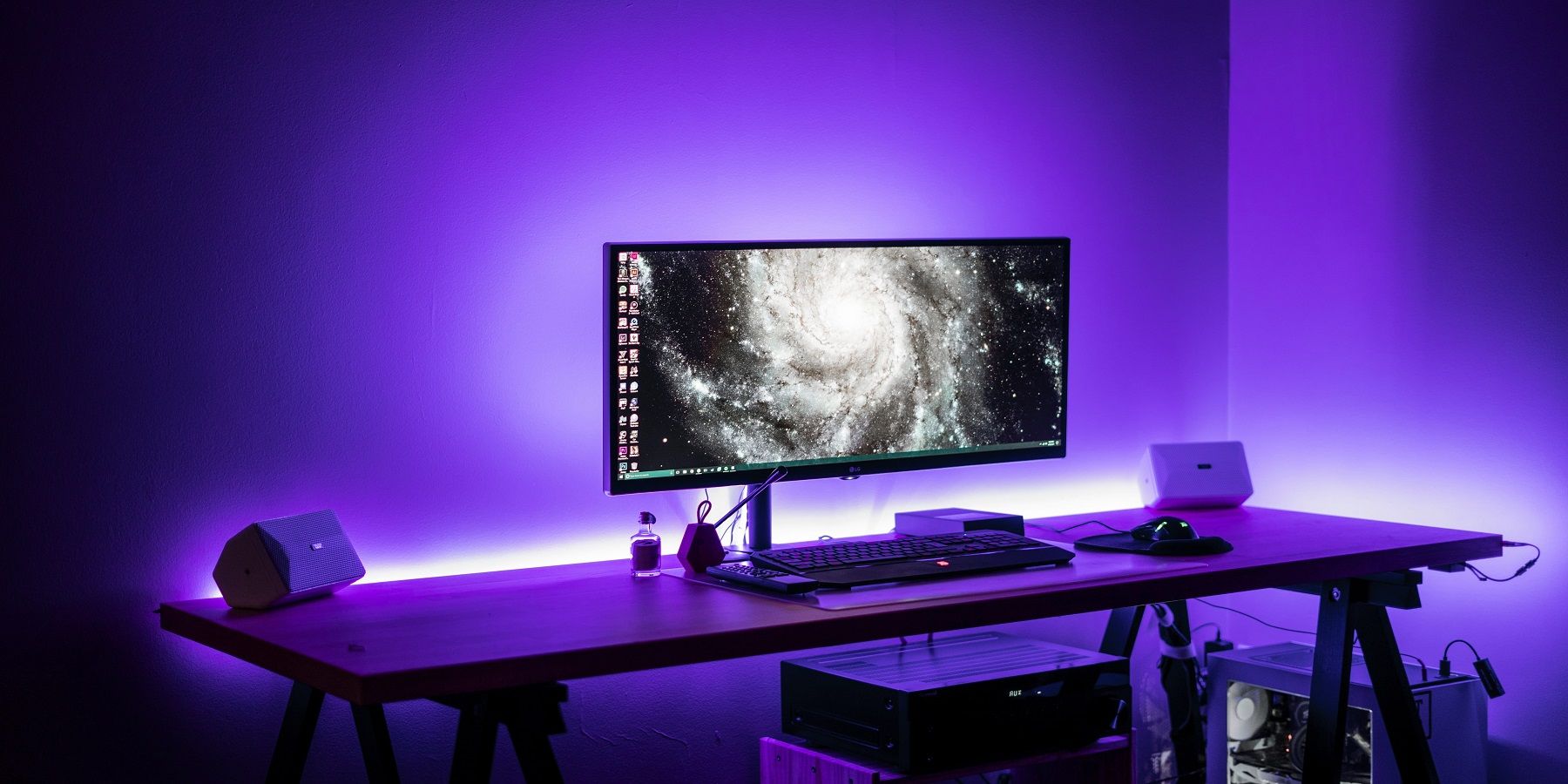
Regardless of how sweet a gaming headset might be or how great a PC sounds, at some point, a serious gamer will need some additional oomph and add great PC speakers to the setup. That said, how can a gamer choose the right PC speaker? From 5.1 surround PC speakers to Bluetooth bullets, let’s look at what to keep in mind when picking speakers for a PC:
Physical Connections
Before buying a PC speaker, determine connections that work best or are compatible with a setup. Some PCs don’t support optical connections and only use USB. Also, if the USB slots on the PC are already connected to other peripherals, the best option would be to go for a 3.5mm jack. So, the bottom line here is the more, the better. It will give users flexibility when connecting their PC speakers.
Although it also supports Bluetooth sources, the Creative Sound Blaster Katana SE is a soundbar that excels with wired connectivity. With capabilities matching home theater AV receivers, gamers can hook up sources using USB, HDMI, analog, or optical audio cables.
Wired vs. Wireless
Another crucial factor gamers should consider when buying a PC speaker is whether to use wireless or wired speakers. Wired options are usually more reliable and produce quality sound because they are connected directly to the PC. Nonetheless, cable management and setup issues can inconvenience some gamers. On the other hand, wireless options are straightforward, and gamers can move them around without worrying about the cables. But they are usually more expensive than their wired counterparts, and the sound quality may not be as high as wired PC speakers.
One of the best values in wireless computer speakers is the Creative T60. These two-channel speakers provide loud and crystal-clear audio through USB-C or analog connections to PCs and also boast Bluetooth 5.0 compatibility.
Value for Money
There are many PC speakers available to suit different budgets. The cheaper options cost around $20, while high-end options cost up to $400—those in the mid-range cost around $100. The cheap ones usually lack bass and lighting features and feature fewer connectivity options. But gamers will get PC speakers with better bass, connectivity, advanced lighting, and audio quality as they move up the price ladder. However, note that the most expensive PC speakers are not usually the best in terms of performance. So, do not spend a fortune on a speaker. A wide range of options at lower prices can do the job.
Soundbars from manufacturers like Lenrue can provide surprisingly powerful audio at a budget-friendly price point. On the other hand, the Razer Nommo V2 Pro is one of the priciest 2.1 speakers, though it's capable of the same room-rattling spatial audio of large home theater surround sound systems.
Computer Speaker Controls
While some gamers prefer simple PC speakers with just off and on buttons, others prefer more sophisticated PC speakers with features like an app and mid, low, and high-end dials. The best approach here is for gamers to think about their needs and determine the controls that work for them. If the additional audio control features don’t matter and just a power switch is needed, go for PC speakers with fewer buttons. However, for audio control freaks, it's wide not to limit their options.
Desk Space
For gamers with more than one keyboard for playing different games, chances are there is not enough space under the monitor for a big soundbar. Also, for players with their desktop PC on the floor, there often isn't enough space for a massive subwoofer like the Logitech Z906 5.1. So consider desk space when shopping for PC speakers. The speaker’s design and size should fit a particular setup. Small ones are suitable for small spaces, and bigger ones might sound better. Besides, consider the room size. Big rooms need strong speakers to make enough sound to reach every corner.
Sound Quality
If there’s no significant improvement in the sound that a new purchase outputs , return the newly purchased PC speakers! Do not go for speakers that don’t enhance the audio sound considerably. The level of difference will depend on the price. However, many budget PC speakers like the Logitech Z313 can upgrade any setup without requiring gamers to spend a fortune.
Speaker Configuration
Think about how many speakers are best for a gaming rig. Stereo 2.0 has two speakers, while 2.1 has two speakers and a subwoofer for better bass. The 5.1 surround sound is more advanced and gives a movie-like experience. Pick the one that suits a listener's preferences and can work in the intended room.
Most audiophiles agree that if enough space is available, a 5.1 system such as the SteelSeries Arena 9 is the preferred way to amplify gaming experiences.
2.0 or 2.1 Speakers for Gaming?
Most gamers use 2.0 PC speakers on their PCs. These are small speakers to the right and left of the PC monitor. However, note that they do not have a subwoofer, so bass quality will be low. So, for gamers who prefer speakers with quality bass, the 2.1 option would be the best. These are two small speakers with a subwoofer to enhance the bass. Also, stereo sound is great for competitive shooter titles, while surround sound is great for titles like flight or racing sims as they add to the immersion.
The Logitech Z333 is an excellent example of a 2.1 system with great sound quality and a surprisingly beefy subwoofer for additional bass.
Recommendations on Watts
The best watts for PC speakers is 40 watts or higher. For example, if it is a 2.1 system, the satellite speakers should have 10 watts each, while the subwoofer should have at least 20 watts. This will usually cost around $100.
These are some of the main points to consider when buying PC speakers. Go for good PC speakers with comprehensive frequency response, suitable connection options, and higher power output. Also, think about whether wireless or wireless will work for the setup. Don’t forget to go for value for money. Pick the best PC speakers with the right features and select the most affordable option.
TheBestWarGames believes the Logitech Z407 offers the best balance of wireless and wired connectivity and power in a reasonably compact form factor. Still, depending on a buyer's specific needs, any other choice discussed in this guide can give a gaming headset a much-deserved rest.

Astro A50 X Gaming Headset Review
Astro takes versatility to the next level with its A50 X, a wireless gaming headset that's tailor-made for the three major platforms.
FAQ
Q: What's the difference between a soundbar and regular speakers?
Regular speakers for your PC have benefits in comparison to a soundbar. While a soundbar may have deeper sound, regular speakers are smaller and can fit more appropriately on your desk. Soundbars may be louder but may need to be put in different locations, such as under the desk or on top of the computer tower.
Q: What's the difference between wireless and wired connections for speakers?
Generally, it doesn't matter whether you get wired or wireless speakers on your PC. For older speakers and models, wireless bluetooth audio had generally lower quality than wired audio. Now with modern editions of both, they remain more or less equal.
Q: What should I look for when buying speakers?
There are many features to look for when considering speakers for your PC. First is features and connectivity. Can the speaker connect to everything or just your PC? Second is looks. Do they look good on your desk? Can they fit on your desk? Third is sound quality. How easily can you control the sound? Are there extra sound control features?