


Black Myth: Wukong is by far one of the best games to come out in 2024. Its high concurrent player count on Steam highlights an important point that most Western game developers miss: giving the players what they want. While Black Myth: Wukong does a lot of things right, it is not without its problems.
Speaking of problems with Black Myth: Wukong, many players are facing an Out of Video Memory Error on their PCs. If you are seeing this error and are not sure what you need to do to fix it, you are in the right place. This guide will cover everything there is to know about fixing the Out of Video Memory Error in Black Myth: Wukong, along with other useful information.

Black Myth: Wukong - How To Upgrade Spirits
Upgrading spirits is essential in Black Myth: Wukong if players wish to have an advantage while fighting tough enemies.
Fixes for Out of Video Memory Error in Black Myth: Wukong

If you have tried fixes like lowering the resolution or closing other unessential apps to free up resources to run Black Myth: Wukong, then try the following fixes instead:
Update Motherboard BIOS
While updating a BIOS may seem like a daunting task, it is not that complicated and could solve the issue you are facing while playing Black Myth: Wukong. Additionally, this is even more important because Intel released the microcode 0x129 update, which specifically targets the Out of Video Memory Error in Black Myth: Wukong.
Make sure you have a power backup while updating your BIOS to avoid a power outage that could brick your motherboard.
Adjust Performance Core Ratios
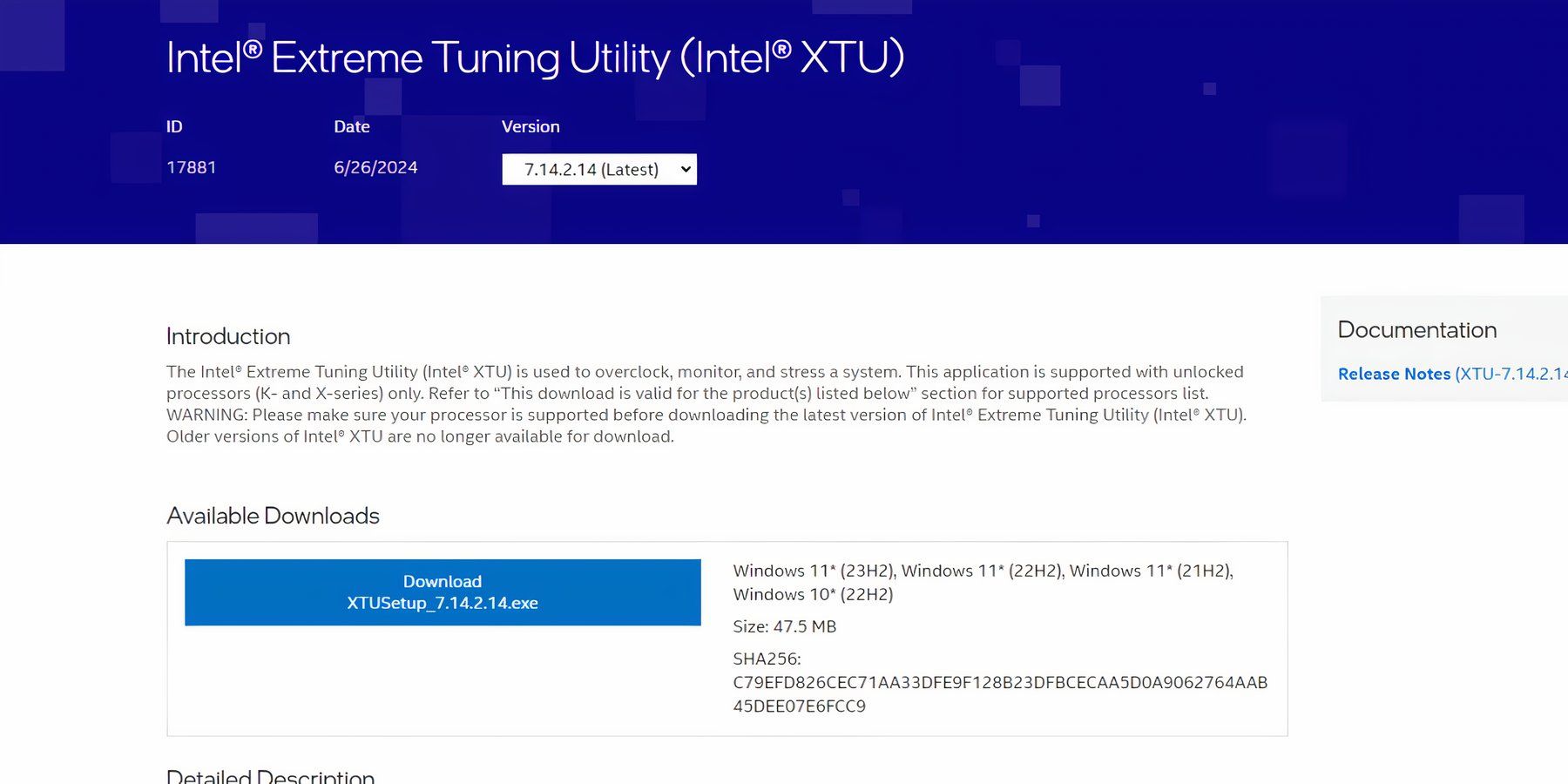
If updating the BIOS does not fix the error, your next bet would be to adjust the Performance Core Ratios for your Intel CPU by following these simple steps:
- Install Intel’s Extreme Tuning Utility.
- Execute the utility app, and under Basic Tuning, set the Performace Core Ratio to 55x, 54x, 53x, or 52x, and hit apply.
- Make sure the utility is running in the background to ensure you do not come across the error again.
Change Windows Power Plan
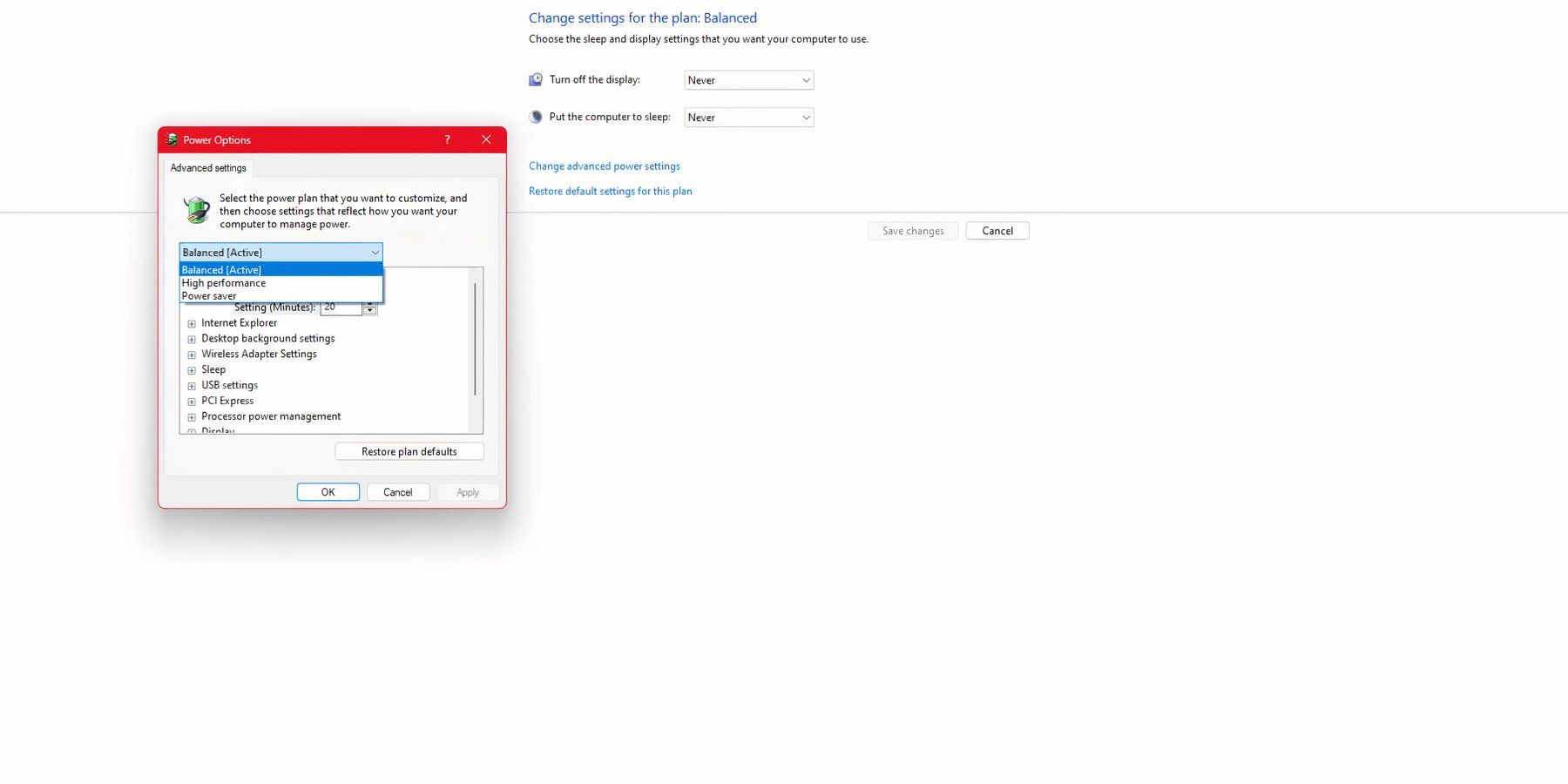
Strangely, changing the Windows Power Plan to Power Saver or Balanced has solved the Out of Video Memory Error for many Black Myth: Wukong players. To do so, follow these steps:
- Use Windows Search and type Edit Power Plan.
- Access the first result.
- Under Power Options, select Power Saver or Balanced.
Run with DirectX 11
Some gamers have reported that running the game with DirectX 11 fixes this annoying error, largely because there are still kinks between the Unreal Engine and DirectX 12. To run Black Myth: Wukong with DirectX 11, here is what you need to do:
Steam
- Run Steam.
- Locate Black Myth Wukong and right-click to access Properties.
- In the General tab, under Launch Options, enter -dx11.
- Save and launch the game.
Epic Games Launcher
- Access the Epic Games Launcher.
- Click on your profile picture on the top right side of the screen.
- Select Settings.
- Locate and select Black Myth: Wukong.
- Tick the box for Additional Command Line Arguments, enter -dx11.
- Launch the game.
Update your GPU Drivers

When a new game is released, GPU manufacturers mostly release new updates, which most players need to pay more attention to. In most cases, these GPU updates come with fixes that could fix problems like the Out of Video Memory Error. To update your GPU drivers, visit the manufacturer's website and enter the model you own, after which you can download the drivers.
Repair Game Files
Corrupted or missing files could be a reason why you are facing the Out of Video Memory Error, which can be fixed by repairing the game files by following these steps:
Steam
- Run Steam.
- Locate Black Myth: Wukong in your library and right-click to access Properties.
- Select Installed Files > Verify the integrity of game files.
Epic Game Launcher
- Access the Epic Games Launcher.
- Locate Black Myth: Wukong from your library and click the three dots on the right side of the game title.
- Select Manage > Verify.

Black Myth: Wukong

- Released
- August 20, 2024



WHERE TO PLAY





- ESRB
- M For Mature 17+ // Blood, Violence
- Developer(s)
- Game Science
- Publisher(s)
- Game Science
- Engine
- Unreal Engine 5
- Steam Deck Compatibility
- Unknown
- Platform(s)
- PlayStation 5, PC, Xbox Series X, Xbox Series S
- Genre(s)
- Action RPG
- How Long To Beat
- 39 hours

