


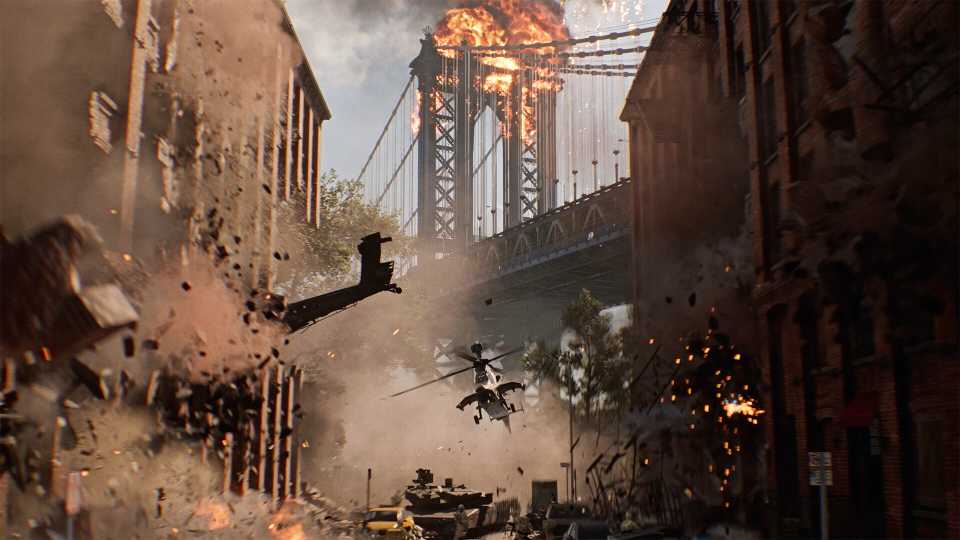
The series' iconic vehicular combat returns in Battlefield 6, with a large array of both ground and air vehicles. Players can take these vehicles into the fight to gain the upper hand against an enemy squad. However, all vehicles have limited HP, and they are bound to blow up if it reaches zero. To prevent that from happening, players can use the repair tool to repair the vehicles. There are also several challenges associated with vehicle repair, and this guide will help you complete them fast.

How to Complete a Mission Without Firing a Gun in Battlefield 6 (Challenge Expert 1)
Want tips on completing Challenge Expert 1 in Battlefield 6? Here's the best mission to complete this difficult challenge in.
How to Repair Vehicles in Battlefield 6

To repair vehicles, players will need to pick the "Engineer" class during the selection briefing screen before a match in Battlefield 6. The Engineer class comes with a utility called Repair Tool, which is essentially a blowtorch with unlimited ammo that will restore a vehicle's HP during combat.
During a match, when you spot a vehicle that might need repairs, you'll need to equip the Repair Tool first. Players can equip the repair tool by pressing the D-Pad Up button on controllers (Xbox/PlayStation) or the "X" key on Keyboard and Mouse. Now, approach a vehicle and start repairing it by pressing the default shoot button.

You'll be able to see the vehicle's HP gauge slowly going up during the repairs. Although the ammo for the repair tool is unlimited, it'll require a cooldown/reload period to continue repairing.
How to Complete Repair Vehicle Challenges Fast in Battlefield 6

There are several challenges in Battlefield 6 that require players to repair a certain number of vehicles in multiplayer modes. This is particularly challenging when you're either pitted against a really good team or the vehicle repair isn't being registered/counted towards the challenge.

To make things a lot easier, you can try playing the Player Created Content modes for Battlefield 6. These are custom-built modes designed by the community with varying map and rule combinations. Some of these modes allow players to fill the ally and enemy squads with bots, which can make completing the repair vehicle challenges a lot easier in BF6.
Start by heading into the "Community" tab in the main menu and going inside the Search Experiences menu. Here, you'll need to select the game mode as Conquest and the map as Operation Firestorm. Once you're done, type "Bots" into the search bar and click okay. Make sure to sort by popular or recently updated for the game to show you working maps without bugs.

Once you've found a custom mode based around Operation Firestorm, make sure the boxes under "Other Progression" are all checked in. These ensure that you'll receive XP that will count towards completing challenges, similar to playing an actual BF6 match against other players.

Once you're done, load onto the conquest map and choose the Engineer class at the start of the match in Battlefield 6. You'll spawn in the HQ area, which is perfect as it'll have all the available vehicles on standby. Get into a vehicle like a buggy with a mounted turret or a tank, and damage another friendly vehicle nearby.
On controllers, you can press the "A" button for Xbox, or the "X" button on PlayStation, to switch seats between the driver's seat and the mounted turret on a buggy.

Once the other vehicle's HP is deleted as low as possible (without totaling it), exit your vehicle and use the repair tool on the damaged vehicle. Once the vehicle is back to full HP, keep repeating the process until your challenge is complete.
Now, all your repair vehicle challenges will be completed in Battlefield 6, without ever needing to step out into a combat zone against human players.


Battlefield 6



-
 OpenCritic Reviews
- Top Critic Avg: 83 /100 Critics Rec: 90%
- Released
- October 10, 2025
- ESRB
- Mature 17+ / Blood and Gore, Intense Violence, Strong Language, In-App Purchases, Users Interact
- Developer(s)
- Battlefield Studios
- Publisher(s)
- EA




WHERE TO PLAY





- Multiplayer
- Online Multiplayer, Online Co-Op
- Cross-Platform Play
- All platforms
- Cross Save
- Via EA Account
- Franchise
- Battlefield
- Number of Players
- Single-player
- Steam Deck Compatibility
- Unsupported
- PC Release Date
- October 10, 2025
- Xbox Series X|S Release Date
- October 10, 2025
- PS5 Release Date
- October 10, 2025
- Platform(s)
- PlayStation 5, Xbox Series X, Xbox Series S, PC
- How Long To Beat
- 6 hours
- X|S Optimized
- Yes
- File Size Xbox Series
- 87.44 GB
