


Counter-Strike 2 is a highly popular, free-to-play first-person shooter that is an update to CS: GO and lets you bring everything, including your skins and gear from CS: GO. Counter-Strike 2 keeps many features from its previous version, CS: GO, and among them is the replay option. Not only does it help you spot suspicious opponents, but you can also use it to improve your movement and skills since it allows you to go back to your matches and learn from them.
The game even allows you to fast-forward replays so that you can quickly get to the part of a match where you or a teammate did something amazing or embarrassing. Here is how you can fast-forward when watching a replay of a match.

Counter Strike 2 Weapons Tier List (CS2 Best Guns)
Here is the complete tier list of all the weapons available in Counter-Strike 2.
How to Fast Forward Replays in Counter-Strike 2

Before we talk about fast-forwarding replays, let's first learn how to watch them.
- Launch CS2 and go to the TV Icon in the upper left corner of your screen.
- In the menu, select a game from your matches to view the replay.
- After choosing one, press the green “Download Button” in the bottom-right corner of the screen and wait for the clip to download.
- Once the match has been downloaded, click on the green watch button in the bottom-right corner of the screen.
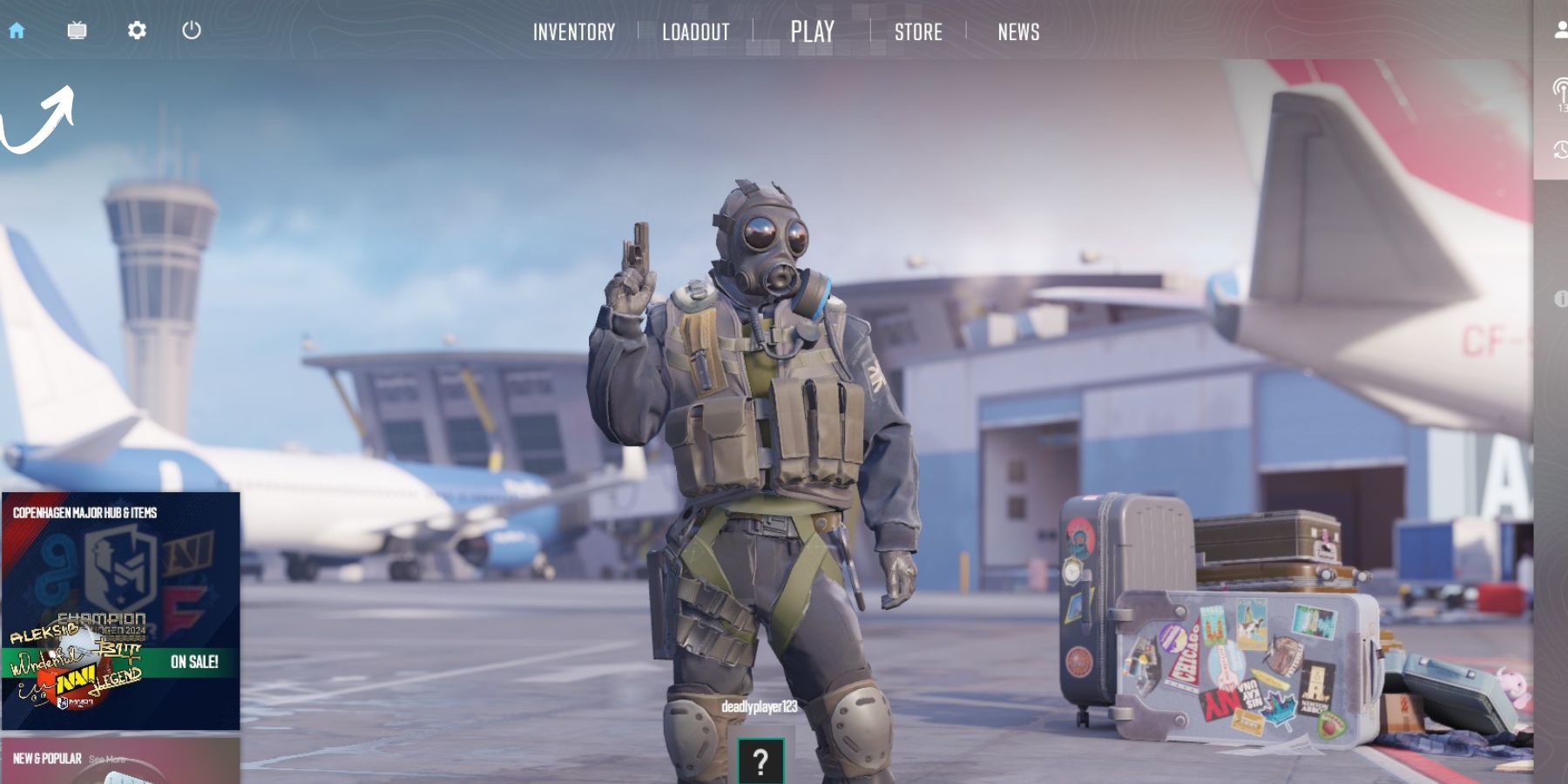 Once you have downloaded the clip, here’s how you can use the fast-forwarding replay feature.
- Once the video clip has been loaded, press Shift + F2 to activate the replay console.
- Once loaded, you can view the match using various options, including a fast-forward feature.
- The fast-forward buttons are next to the previous/ next round buttons, and you can choose the speed at which you want to view your video clip.
Apart from the aforementioned method, you can also fast-forward your CS2 replays using a console command. For this purpose, you will need to open the console first by pressing the ‘~’ button on your keyboard. Next, type 'demo_timescale' and any number. For example, entering 'demo_timescale 2' will play the replay at 2x. After opening a replay, you can also use the slider to move ahead or backward.
If you press the tilde key and the console doesn’t open, you can rebind the console key. For that, go to the ‘Game’ section in settings and click the ‘go to console key binding’ option.

Counter-Strike 2
- Released
- September 27, 2023


