


The first of The Unwritten Realms quests, Maleficent's Gift, is necessary to keep the mistress of evil from disappearing in Disney Dreamlight Valley. After waiting eons at the reception and solving a puzzle, you can retrieve an Anchor Moment for Maleficent to help her remember the 'gift' she gave to Princess Aurora.

Disney Dreamlight Valley: Shadows On The Wall Quest Guide
Players can explore the Skull Rock Island after triggering the Shadows on the Wall quest in Disney Dreamlight Valley.
How To Trigger Maleficent's Gift Quest In DDV - Disney Dreamlight Valley
After solving the puzzle and unlocking The Unwritten Realms entrance, players will immediately trigger the Maleficent's Gift quest in DDV. Talk with the sorceress to discover that she can't seem to communicate with the Magic Quill at the reception, and send you to talk with it.
Since The Unwritten Realms follows a system, you need to get a ticket and wait for your turn to ask questions. Instead of waiting 'billions of years', collect the torn pieces of Maleficent's ticket to trick the system into thinking it's your turn.
Maleficent's Ticket Pieces Location In DDV - Disney Dreamlight Valley

Maleficent's ticket pieces are all located in the waiting room in DDV. One can be found near the floor's entrance, the second one is located near the couches, while the third one is cleverly hidden behind the Magic Quill at the desk. To change the numbers on the machine to match Maleficent's number, you need to figure out the numbers and their order on the torn pieces.
Alternatively, open the main menu and search for Maleficent's Journey, which you assembled in A Storm of Stories quest in DDV, to find her clutching the ticket in one hand, and it shows the numbers clearly: 9375. Insert the numbers in the machine to speak with the Magic Quill.
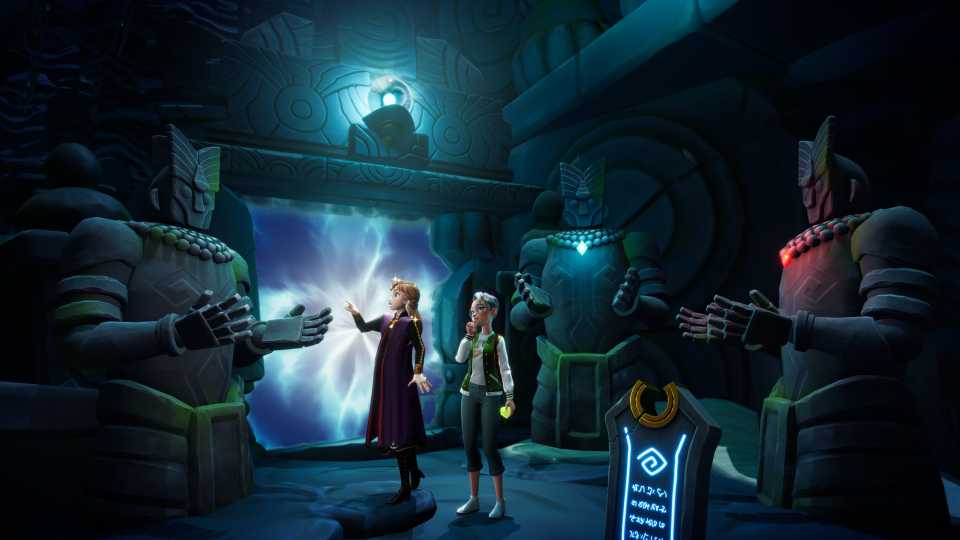
Ask it about Maleficent, and the Quill reveals that she's in the process of getting erased from the Vale. If Dreamers wish to save the villainess, they need to collect her Anchor Moments. Head to the Review Floor and speak with the Quill there, and it says you can go to the processing room and get the Anchor Moments yourself. Charge the Royal Net and use it on the wheel to summon the portal and head inside.
How To Solve The Puzzle To Get Maleficent's First Anchor Moment In DDV - Disney Dreamlight Valley
As you arrive inside the processing room, players are tasked with completing the puzzle in DDV to unlock the room containing Maleficent's first Anchor Moment. But first, a tile is missing from the puzzle, so you need to find it.
To open the other locked door where the tile is, find three dragon heads and correct their position. Luckily, all three are easy to find as one is near the door, the other is surrounded by green flame obstacles, and the last is on the other side of the room. Enter the newly opened door and fish out the Missing Tile.
To solve the stone tile puzzle, you need to figure out which tile has a skull and which has a dragon by using the guide in the top left corner and the hints available in the room. Here's a more straightforward solution to the Maleficent quest stone tile puzzle in DDV:
- Skull → Dragon → Skull (Top)
- Dragon → Skull → Dragon (Middle)
- Skull → Dragon → Dragon (Bottom)
Enter the room and get the first Maleficent's Anchor Moment and give it back to her to end the quest and immediately trigger the next one, The Spinning Wheel quest.






-
 OpenCritic Reviews
- Top Critic Avg: 75 /100 Critics Rec: 77%











WHERE TO PLAY






- Engine
- unity
- Genre(s)
- Life Simulation, Casual
