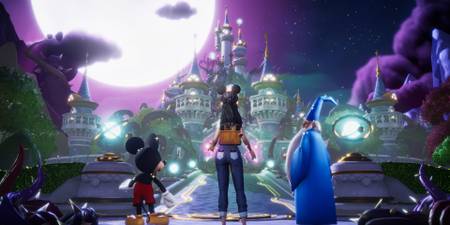
In the magical world of Disney Dreamlight Valley, each of its expansive biomes features a wishing well that players can unlock and use to quickly return to that region. These wishing wells serve no other purpose, and can be freely relocated within the biome while in the game's Furniture mode. Players will unlock their first well by completing the quest, “Friendship Is Everything,” which unlocks the wishing well in the Peaceful Meadow.
While the teleportation feature offered by wells is convenient, players can achieve the same result through use of the Fast Travel menu. This menu enables players to teleport to any unlocked well in either the Valley or Eternity Isle biomes. To use this feature, players simply need to press the corresponding hotkey while in the Map tab of the game menu. Players can also Fast Travel to any Realm they have unlocked within the Dream Castle, though they will have to exit a Realm through its normal exit portal.

However, one of Disney Dreamlight Valley's wells is a bit more special than the others. The magnificent well located in the center of the Plaza is not just a functional hub, but also a visual representation of player progress. Here’s everything players need to know about upgrading the appearance of the Plaza’s Wishing Well in Disney Dreamlight Valley.
About the Plaza Wishing Well

In Disney Dreamlight Valley, the Plaza's Wishing Well is not just a game feature, but a key aesthetic element. It is one of the first landmarks new players will encounter, situated at the heart of the Plaza and standing at the entry point to the majestic Dream Castle. When new characters move to the Valley, they’ll make a grand appearance at the Plaza’s Wishing Well, and players have a photo opportunity to capture the moment.
The Wishing Well’s prominent placement and overall design significantly enhance the Plaza’s ambiance, contributing to the appeal of this small but incredibly charming town square. The Plaza's Wishing Well also serves as a visual representation of the player’s progress. As players achieve certain milestones through completing specific tasks, they may notice the well's appearance evolving, reflecting their journey and achievements within the game. This feature isn’t actually mentioned anywhere in the game, so many players may not even notice it’s happening.
Players have the option to interact with the Plaza well to access the Dreamlight menu, showing their Dreamlight total and tasks. However, this information is also available anytime through the game's main menu.
The Plaza Wishing Well in Disney Dreamlight Valley evolves through a total of 5 stages of growth after it has been unlocked at the very start of the game. Each new level of growth changes its visual appearance, specifically resulting in updates to the foliage surrounding the well, including a tree which will grow larger and more prominent with each upgrade.
How to Upgrade the Plaza Wishing Well
Upgrades to the Plaza Wishing Well are based on the current total number of Dreamlight Tasks, elements of the cumulative goals listed in the "Dreamlight" category in the in-game menu, that the player has completed. These are not to be confused with the rotating assortment of Dreamlight Duties which populate the topmost category. The Wishing Well's appearance will automatically upgrade once the player reaches one of these milestones:
- Stage #1 requires the player to have completed 10% of the available Dreamlight Tasks.
- Stage #2 requires the player to have completed 30% of the available Dreamlight Tasks.
- Stage #3 requires the player to have completed 50% of the available Dreamlight Tasks.
- Stage #4 requires the player to have completed 70% of the available Dreamlight Tasks.
- Stage #5 requires the player to have completed 90% of the available Dreamlight Tasks.
Unfortunately, the current percentage of completed tasks is not displayed in-game, unlike how the “Collection” tab shows the player’s progress in collecting in-game items and other completion tasks. Instead, players actively looking to improve the appearance of the Plaza Wishing Well have to rely on checking each category in the Dreamlight menu and manually tallying their progress.

Disney Dreamlight Valley: What You Should Do Every Day (Daily To-Do Checklist)
Make the most of your new life in Dreamlight Valley by keeping up with these daily activities.
How Many Tasks Are There in Disney Dreamlight Valley?

Disney Dreamlight Valley's base game features a total of 494 Tasks that players can complete in 8 unique categories. Purchasing the A Rift in Time expansion adds the Eternity Isle category which features an additional 224 Tasks, bringing the total count to 718 Tasks for 100% completion.
To avoid confusion, below we will refer to each entry in a category as a "Goal," and each individual bar within that Goal as a Task, as the latter is what counts towards the completion percentage. Here is a complete breakdown of how many Tasks each category contains:
|
Category |
Unique Goals |
Total Task Count |
|---|---|---|
|
Foraging |
|
162 Tasks |
|
Gardening |
|
58 Tasks |
|
Fishing |
|
56 Tasks |
|
Cooking |
|
65 Tasks |
|
Collection |
|
5 Task |
|
Friendship |
|
48 Tasks |
|
Village |
|
30 Tasks |
|
Mining |
|
70 Tasks |
Players who have purchased Disney Dreamlight Valley's paid DLC expansion A Rift in Time will have a new category, Eternity Isle, added at the bottom of the list in the Dreamlight tab. Players who have not acquired this expansion are not required to include these tasks in their total when calculating their completion percentage. However, players who have purchased the expansion must take into account these additional tasks for an accurate calculation of their completion percentage.

|
Category |
Unique Goals |
Total Task Count |
|---|---|---|
|
Eternity Isle |
|
224 Tasks |
When players purchase the A Rift in Time expansion, their Plaza Wishing Well may de-level. This happens because the number of available tasks increases with the addition of new Eternity Isle tasks, altering upgrade requirements as they are based on a percentage of the total tasks available.
How Many Tasks Are Required for Each Well Upgrade?

The only effective method of calculating current progress toward a Well upgrade is to manually count the individual bars filled in for each Goal across every category in the Dreamlight menu, including those in the Eternity Isle section when applicable. Each bar filled in with white counts as one completed task. Therefore, the number of completed tasks to unlock each stage of the Wishing Well, rounded up to the nearest number, are as follows:
|
Wishing Well Upgrade |
Completion % Required |
Tasks Required (Base game only) |
Tasks Required (w/ Expansion) |
|---|---|---|---|
|
Stage #1 |
10% of All Tasks |
50 |
72 |
|
Stage #2 |
30% of All Tasks |
149 |
216 |
|
Stage #3 |
50% of All Tasks |
247 |
359 |
|
Stage #4 |
70% of All Tasks |
346 |
503 |
|
Stage #5 |
90% of All Tasks |
445 |
647 |

Disney Dreamlight Valley
- Released
- December 5, 2023


WHERE TO PLAY


- Developer(s)
- Gameloft
- Publisher(s)
- Gameloft
- Platform(s)
- PlayStation 5, PlayStation 4, Xbox Series X, Xbox Series S, Xbox One, Nintendo Switch, Nintendo Switch 2, PC, iOS
- Genre(s)
- Life Simulation, Casual