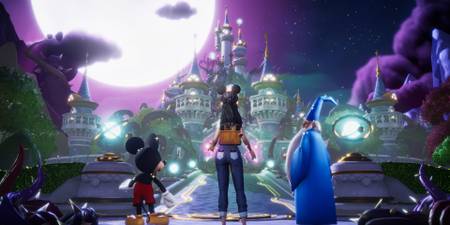
Disney Dreamlight Valley offers an abundance of activities that engage players in both the established Valley and the newly introduced Eternity Isle area. Players rely on their Royal Tools which are essential for completing various tasks ranging from gathering crafting materials to enhancing the beauty of the Valley's diverse biomes.
While completing these everyday tasks, players have the chance to discover Memory Shards, a crucial element for unlocking Memories. These Shards manifest as glowing, colored orbs, which will appear on the ground for the player to collect. Upon interacting with the Memory Shard, a Memory Fragment is revealed and fills in a part of a shattered image featuring a moment from a Disney film. Here's how players can track down fragments and restore these iconic Disney scenes in Disney Dreamlight Valley.

How to Unlock Memories in Disney Dreamlight Valley

In Disney Dreamlight Valley, players have the opportunity to unlock 90 character universe memories across 18 categories, each depicting an iconic scene from its respective Disney movie. Each category contains 5 memories, and each memory consists of 10 fragments.
To collect the fragments needed to reassemble these memories, players must engage in unique activities assigned to each memory, such as Fishing, Gardening, or watering dried flowers. Every time the player completes one of these activities, they have a chance to receive a random Memory Fragment.
There are five colors of Memory Shards that players will encounter; each one simply corresponds to which memory the fragment belongs to and has no other significance.

The key to completing memories lies in performing the correct task assigned to each one. Players will unlock memories gradually through everyday activities in Disney Dreamlight Valley, but focusing on a specific memory can be challenging as objectives often overlap across multiple memories.
Upon interacting with a Memory Shard in Disney Dreamlight Valley, players will uncover a random Memory Fragment. If it's a fragment the player has previously collected, they receive 20 Star Coins as a reward. Conversely, if the fragment is new, it slots into its respective position in one of the memory collections.

Disney Dreamlight Valley: How to Unlock & Use DreamSnaps Feature (Complete Guide)
Players can participate in weekly photo challenges and earn items and Moonstones by learning how to use DreamSnaps in Disney Dreamlight Valley.
How to Unlock All Disney Universe Memories

Below is a table covering all collectible Memories from specific Disney universes in the game. Accompanying each memory is a column listing the specific task players need to undertake for a chance to collect the Memory Fragments required for its restoration. All fragments of a given memory are obtained by completing its respective task.
|
Character |
Memory #1 |
Memory #2 |
Memory #3 |
Memory #4 |
Memory 5 |
|---|---|---|---|---|---|
|
WALL-E |
Digging |
Gardening |
Fishing |
Cooking |
Removing Small Night Thorns |
|
Moana |
Fishing |
Digging |
Gardening |
Watering Flowers |
Removing Small Night Thorns |
|
Ratatouille |
Cooking |
Fishing |
Gardening |
Feeding Critters |
Watering Flowers |
|
The Nightmare Before Christmas |
Gardening |
Feeding Critters |
Fishing |
Mining |
Cooking |
|
Encanto |
Feeding Critters |
Gardening |
Cooking |
Mining |
Fishing |
|
Lilo & Stitch |
Fishing |
Feeding Critters |
Gardening |
Cooking |
Mining |
|
Aladdin |
Mining |
Fishing |
Feeding Critters |
Cooking |
Gardening |
|
Beauty and the Beast |
Feeding Critters |
Cooking |
Gardening |
Removing Small Night Thorns |
Watering Flowers |
|
The Princess and the Frog |
Mining |
Fishing |
Feeding Critters |
Gardening |
Cooking |
|
Wreck-It Ralph |
Removing Small Night Thorns |
Feeding Critters |
Digging |
Watering Flowers |
Gardening |
|
Cinderella |
Fishing |
Mining |
Feeding Critters |
Watering Flowers |
Cooking |
|
The Lion King |
Gardening |
Cooking |
Removing Small Night Thorns |
Watering Flowers |
Feeding Critters |
|
The Little Mermaid |
Fishing |
Digging |
Cooking |
Removing Small Night Thorns |
Gardening |
|
Frozen |
Mining |
Fishing |
Watering Flowers |
Feeding Critters |
Gardening |
|
Tangled |
Gardening |
Watering Flowers |
Cooking |
Removing Small Night Thorns |
Feeding Critters |
|
Monsters, Inc. |
Feeding Critters |
Gardening |
Mining |
Cooking |
Fishing |
|
Toy Story |
Mining |
Removing Small Night Thorns |
Watering Flowers |
Gardening |
Removing Small Night Thorns |
|
Mickey & Friends |
Fishing |
Watering Flowers |
Mining |
Feeding Critters |
Cooking |
|
The Sword in the Stone |
Cooking |
Removing Small Night Thorns |
Fishing |
Mining |
Feeding Critters |

Disney Dreamlight Valley: How to Farm Night Thorns for Dreamlight Duties
Maintain the beauty of Dreamlight Valley and earn rewards by routinely eliminating Night Thorns.
How to Display Memories in the Player's Home

Once a memory has been reassembled, players can showcase the scene in their home through the use of specific furniture. Interacting with these items after placement allows players to scroll through and select one of their completed memories for display. There are only a handful of items that offer this functionality, including:
- Memory Frame – The player starts with this furniture item unlocked.
- Memory Display Partition – Exclusive to The Wonder of Pixar Star Path. This event has concluded, and this item can no longer be obtained.
- Flat Screen TV – Purchased from Scrooge's Store, when available, for 1,079 Star Coins.
- Curved Screen TV – Purchased from Scrooge's Store, when available, for 1,079 Star Coins.
- Wall-Mounted TV – Purchased from Scrooge's Store, when available, for 2,880 Star Coins.

Disney Dreamlight Valley
- Released
- December 5, 2023


WHERE TO PLAY


- Developer(s)
- Gameloft
- Publisher(s)
- Gameloft
- Platform(s)
- PlayStation 5, PlayStation 4, Xbox Series X, Xbox Series S, Xbox One, Nintendo Switch, Nintendo Switch 2, PC, iOS
- Genre(s)
- Life Simulation, Casual