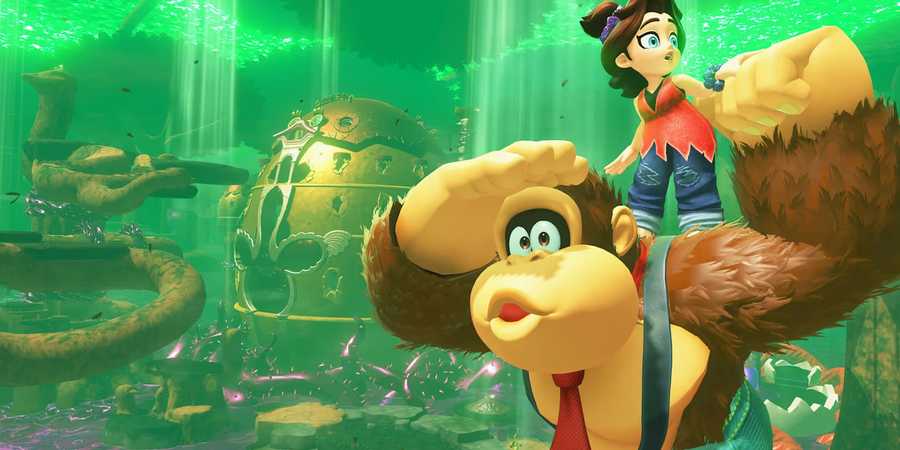
One of the most unexpected things included in Donkey Kong Bananza is the DK Artist game mode, which lets players mold, paint, and build 3D models. This Mario Paint-like game mode requires you to use the Switch 2 mouse controls and features numerous brushes, tools, and controls to create just about anything you can imagine.

Donkey Kong Bananza: Best Skills To Unlock First
Of the ten starting skills Donkey Kong Bananza players can unlock, these are the best skills to get first in DK Bananza (and which you should avoid).
This secret game mode cannot be found in-game, though, and must be launched separately from your main save file. Follow this guide to learn how to play DK Artist and to understand the game's control scheme with an easily referenceable list of all DK Artist controls.
How To Launch DK Artist In Donkey Kong Bananza
Open DK Bananza's DK Artist Mode From The Main Menu

To unlock DK Artist and play this secret creative game mode, you must go back to the main menu. Be sure to save your game before you Return To Title so you don't lose any progress. Either go back to the main menu via the Save Data settings or close, then re-open the game from the Switch 2 menu.
Instead of selecting an option on-screen, look to the top right of the DK Bananza logo, and you should see an option for DK Artist. Press the + button on the right Joy-Con, and you will be transported into this secret game mode.
All DK Artist Controls, Explained
How To Play DK Artist Like A Pro
DK Artist essentially turns the game's terrain destruction physics into a light sculpture simulation, like something between Mario Paint and the secret manipulation minigame in Super Mario 64. However, this secret game mode only works with the Switch 2 mouse controls.
After you start DK Artist, detach the Joy-Cons, find a flat surface for the right Joy-Con, and follow the on-screen prompts to calibrate it for mouse controls.
If successful, a small cursor should appear on-screen. Press the R button (on top of the right Joy-Con when used as a mouse) to break open the rock and reveal your base model and a suite of DK Artist controls.

How to Save, Load, & Erase Save Data in Donkey Kong Bananza
To save the game in Donkey Kong Bananza, you must navigate to the Save Data menu either in-game or in the main menu.
All Controls In DK Artist & What They Do
While playing the DK Artist game mode, the left Joy-Con is not used as a mouse. Instead, it is used for most DK Artist controls and customization options. While you apply tools and select areas on your model with the right Joy-Con, the left Joy-Con is used primarily for swapping tools, brushes, colors, and other settings:
|
Left Joy-Con Controls |
|
|---|---|
|
Left/Right on the d-pad (↔) |
Swap tool. Can select from four tools:
|
|
Up/Down on the d-pad (↑) |
Select a color to apply with the Paint Brush |
|
L |
Zoom in |
|
ZL |
Zoom out |
|
Rotate left analog stick |
Rotate camera |
|
Click in left analog stick |
Reset camera position |
|
Minus (-) |
Undo and Redo – can only Undo one action, then Redo it with the same input. |
|
Hold Minus (-) |
Swap base model, selected at random |
The right Joy-Con is used as a mouse in DK Artist, which should be calibrated and confirmed via an in-game menu before the game mode launches. Find a flat surface and place the right Joy-Con on its side to use its optical sensor, which controls the on-screen cursor with more precision than the analog sticks.
To apply your currently selected brush or tool, press the R button. Other DK Artist controls on the right Joy-Con include:
|
Right Joy-Con Controls |
|
|---|---|
|
R |
Apply the currently selected brush or tool |
|
ZR |
Move the canvas without rotating the camera |
|
X |
Turn off the UI for screenshots |
|
Y |
Adds a colored spotlight to the background |
|
B |
Adds rotating bananas in the background |
|
Plus (+) |
Opens the game menu to return to the title screen |

Donkey Kong Bananza
- Released
- July 17, 2025


WHERE TO PLAY


- ESRB
- Everyone 10+ / Fantasy Violence, In-Game Purchases
- Developer(s)
- Nintendo EPD
- Publisher(s)
- Nintendo
- Number of Players
- 1-2 players
- Platform(s)
- Nintendo Switch 2