


Elden Ring Nightreign puts a fast-paced, multiplayer spin on the Soulslike gameplay from the original Elden Ring back in 2022. With the same challenging boss fights but forgoing the slower leveling systems, Elden Ring Nightreign challenges you and your party to push back the night as you return to The Lands Between.
While it is possible to play the game solo, in our experience, we've found playing the game to be far more enjoyable (and less punishing) when you're playing with two other players in multiplayer. But what if your friends aren't Soulslike fans? This article is designed to help you connect with fellow fans, enabling you to have your best runs yet.
How to Find Somebody to Play Elden Ring Nightreign With

Those looking to find some more players to join their runs in Elden Ring Nightreign can use the comments section at the bottom of this page to share their details. To keep this simple, please follow the format outlined below, making sure you include your platform, your username on that platform (or Friend Code for Steam users), and your timezone.
With Nightreign not featuring crossplay, it's important to include your platform so you can actually find people to play with, and that you can actually add on your chosen platform. The timezones will also ensure that you're more likely to be able to find players who are going to be online and looking for a game at the same time as you.
It's a good idea, where platforms allow, to send a message with your friend request explaining that you found their information from this page, and you're looking to play Elden Ring Nightreign to avoid any confusion, too.

Elden Ring Nightreign Review
A near-perfect merging of FromSoftware game design and roguelike structure, Elden Ring Nightreign is a bold experiment and one of 2025's highlights.
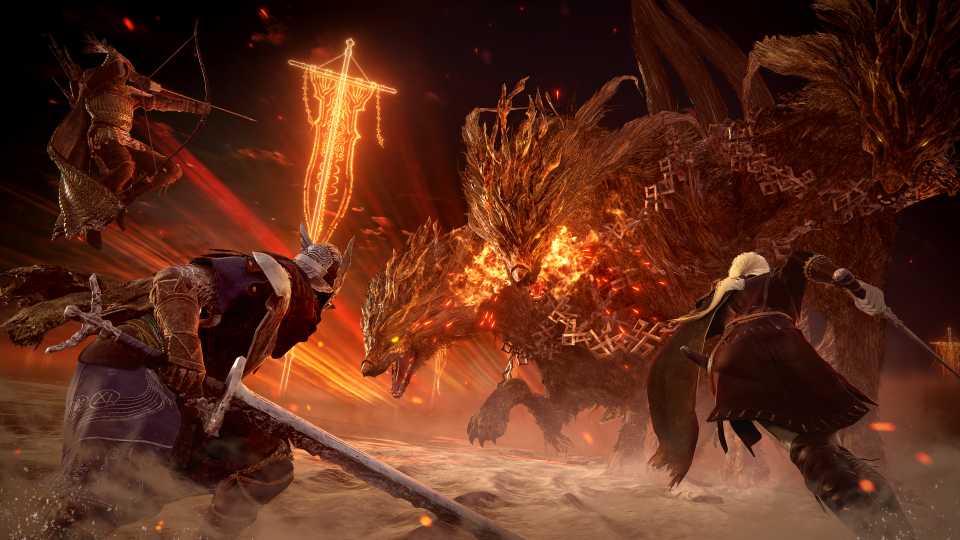
Keep in mind that Elden Ring Nightreign can only be played with a total of three players in a party. You can't play the game with just one other person at the time of writing.
Format Your Comment Like This
- Platform: PlayStation
- Username/ Friend Code: Crispyleeks
- Country and Timezone: UK (BST)
How to Add Friends on All Elden Ring Nightreign Platforms

There isn't a game-specific friends list in Elden Ring Nightreign. The game uses the same friends list you have on your Steam, Xbox, or PlayStation account. The steps for adding friends on each platform are outlined below.
Steam
- Go to the tab of your username at the top of the Steam app.
- Click on the 'Friends' option from the dropdown menu.
- Select 'Add a Friend'
- Enter a Friend Code or search for a player's profile name.
- Find the correct profile and click the 'Add as Friend' option.
Xbox
- Press the Xbox button on your controller.
- Navigate to the Friend tab.
- Go to the 'Find Someone' option.
- Enter the Gamertag of the person you want to add.
- Click on their profile from the list that appears.
- Select 'Add Friend.'
PlayStation
- Press the PlayStation button on your controller.
- Go to the 'Friends' tab, which is the one with the icon of two people.
- Select 'Search for Players'
- Enter the player's PSN ID.
- Select the profile picture from the list that appears.
- Click 'Add Friend' and wait for them to accept your friend request.
Finally, remember to be the kind of player that you'd want to be playing with online. Not everyone will have poured the same amount of time into Elden Ring Nightreign, so if you're playing with those less experienced, give them some pointers as you play. If you're a less experienced player, follow the lead of those who have already figured out some of the unique mechanics of Nightreign.


Elden Ring Nightreign



-
 OpenCritic Reviews
- Top Critic Avg: 80 /100 Critics Rec: 78%
- Released
- May 30, 2025
- Developer(s)
- From Software
- Publisher(s)
- Bandai Namco Entertainment, From Software









WHERE TO PLAY


- Genre(s)
- Action RPG, Soulslike, Roguelite
