Persona 5: The Phantom X brings back the exciting combat mechanics from the original, which is why it might feel familiar to the OG fans. However, the UI for some mechanics like inventory and equipment switching is a bit different, which may seem disorienting for returning players and newcomers. To make things easier, here's a complete guide on how to switch and upgrade your weapons in P5: Phantom X.

What Are the Best Banners to Pull in Persona 5: The Phantom X?
Players can use the Persona 5: The Phantom X in-game Gacha system to summon characters to add to their roster. Here are the best banners to pull from.
How to Switch Weapons in Persona 5: The Phantom X
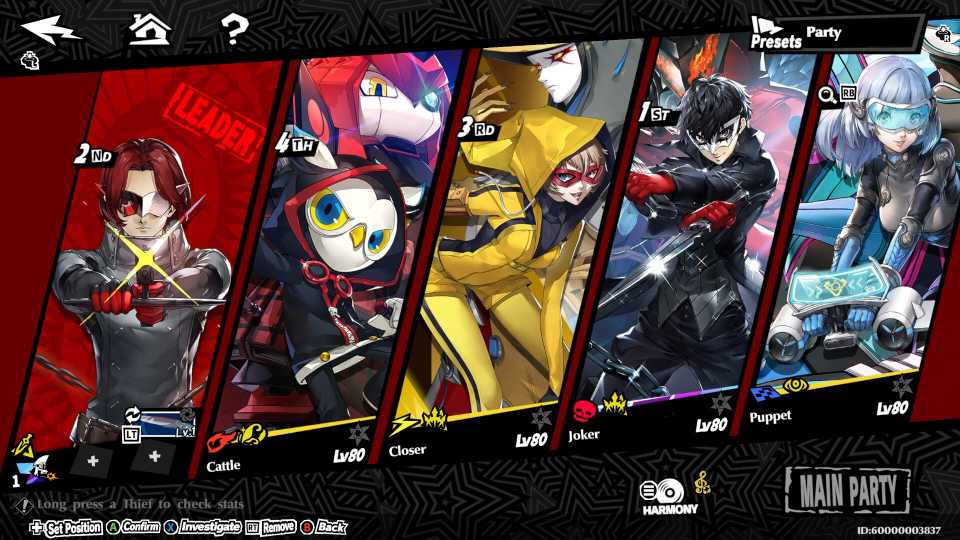
Throughout the journey, players will be receiving various weapons in P5X, either by completing in-game challenges or using the Gacha pull system. Regardless of how you obtain the weapons, they'll be added to the compatible character's inventory. To access these weapons, you'll need to head inside the Thieves' menu through the phone.
Once inside, select the Phantom Thief that you want to change weapons for, then choose the Weapon icon on the right. Here, you'll need to select the Armory option to head inside the character's inventory of weapons. Here, you'll need to choose whichever weapon you need, and then confirm your selection to equip it. Players will also be able to scrap some unused weapons in the game.
How to Upgrade Weapons in P5: Phantom X

It's important to upgrade your weapons to their maximum level cap at the time as soon as possible to avoid falling short on damage in battles. To do that, you'll need to choose the Enhance option from the weapon's menu. Now, you'll have a wide array of consumable materials that you can use to upgrade the selected weapon. The primary materials required for upgrading will be metal, silver, and gold parts, which can be acquired in the Realm of Repression.
- Metal Parts add 100 XP to a weapon
- Silver Parts add 500 XP to a weapon
- Gold Parts add 2000 XP to a weapon
You'll need to carefully use parts on a weapon to avoid overspending XP. Even if you do end up spending more XP than the required amount for a level up, it'll be refunded to you in the form of parts (depending on how much XP was exceeded).
Once a weapon reaches one of its level caps, e.g., level 10 or 20, it will need to be overclocked, which will enhance the weapon's capability even further in Persona 5: Phantom X.



-
 OpenCritic Reviews
- Top Critic Avg: 75 /100 Critics Rec: 67%
- Released
- June 26, 2025
- Publisher(s)
- Perfect World Entertainment, Atlus