


Control is an extremely important concept in Europa Universalis 5, and players should constantly be working to increase the control they have over their locations. Indeed, not only does control determine the amount of tax that can be extracted from a location, it also impacts its local pop promotion and conversion speed, local crown power, and more. This guide explains how players can go about increasing control in Europa Universalis 5, and it will help them maximize the benefits they receive from locations.

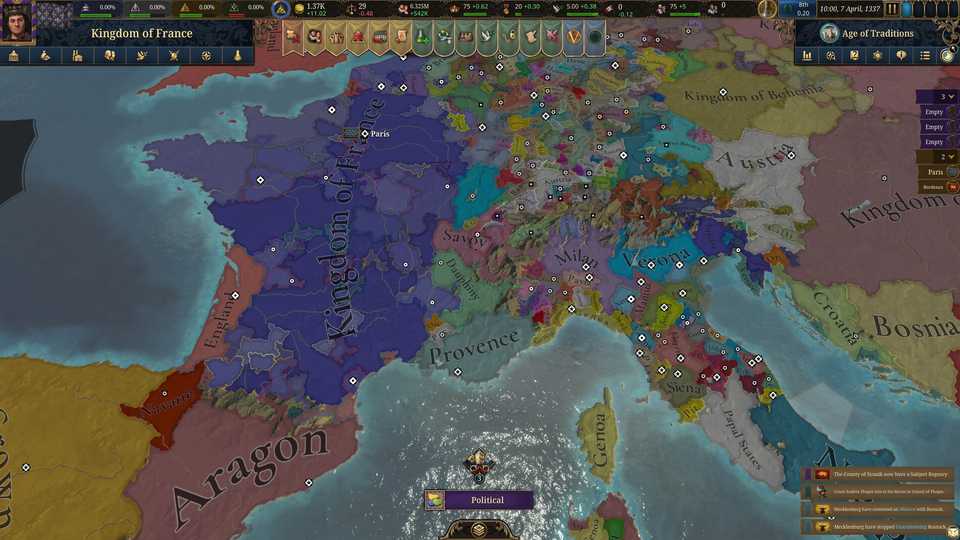
To note, players can always see the factors that are affecting their control over a location by clicking on the location, hovering over the key icon, and hovering over the percentage next to Maximum Control. Additionally, players should know that control radiates out from the capital, and this can be seen very clearly by activating the control map filter.
Proximity & Control in Europa Universalis 5

While there are a number of factors that determine control in EU5, a location's proximity to the proximity source (the capital) is the most complex. To put things simply, proximity is a measurement of how easy it is to travel between a location and the proximity source, and the higher a location's proximity is to the capital, the higher the control.
The goal then is to increase the proximity of locations, and that is done by reducing their proximity cost. To understand the concept of proximity cost, let us use a location within the Kingdom of Hungary as an example:

Gyor sits to the west of Buda (Hungary's capital), and there is one tile between those two locations: Tata. This means that a trip between Buda and Gyor has two movements: moving from Buda to Tata and then moving from Tata to Gyor. Each of those steps has a proximity cost, which is determined by factors like topography and vegetation.

Players can see details on exactly how a location's proximity cost is determined by hovering over the star and sign icon in its information pane and then hovering over the numbers associated with the movements.
To bring those proximity costs down, players will need to make the movements between the location and the proximity source easier. Here are three ways to do that:
Roads

If the movements from the location to the proximity source occur over land, players can build a road between them to reduce proximity costs. Indeed, the first type of roads to which players will have access, gravel roads, reduce proximity costs by 20 for each movement along them, and they will gain access to better roads through advances. This guide to building roads in Europa Universalis 5 will be helpful to players who have never performed the action, and here is a brief summary:
- Select the capital.
- Click on Roads on the left side of the location pane.
- Click on the location that you want to connect with a road.
Harbor Capacity & Maritime Presence
For movements that will occur across seazones, players can decrease proximity costs by increasing harbor capacity and maritime presence. To start with harbor capacity, every coastal location has this stat, and it impacts the proximity cost of moving from the location to the adjacent seazone tile. Let us use an example from Denmark to understand this idea:

There are three steps in a movement from Roskilde (the proximity source) to Odense: from Roskilde to Oresund (seazone), from Oresund (seazone) to Storebaelt (seazone), and from Storebaelt (seazone) to Odense. The first movement's proximity cost is affected by Roskilde's harbor capacity, and the third movement is affected by Odense's harbor capacity.

Players can check the harbor capacity of a location by clicking on it, and then hovering over the anchor icon at the bottom of the image in the information pane.
While much of a location's harbor capacity depends on its natural harbor suitability, players can increase it by creating port-related buildings like Wharfs. Not only will these buildings reduce the proximity cost associated with moving into the adjacent seazone, they will also produce sailors, units who play an important role in increasing maritime presence.
Wharfs can only be built in towns, and players can convert a rural settlement into a town by clicking on the target icon on the left side of its information pane. That said, players who want to create towns that will have strong harbor capacities should make sure to target rural settlements with high natural harbor suitability, and those locations can be easily identified with the natural harbor suitability map filter.
Indeed, once players have accumulated some sailors, they will have the ability to build ships that increase the maritime presence in the provinces into which they are deployed. Indeed, seazone tiles are grouped into provinces, just like land tiles, and players can use the province map filter to see those groupings. Increasing the maritime presence in a seazone tile reduces the proximity cost associated with moving into it from another seazone tile, and allows players to more easily spread control across water.

To continue with the previous example, the move from Oresund (seazone) to Storebaelt (seazone) is impacted by the maritime presence in those locations, and deploying ships into the Danish Sea (the province that they are part of) will increase that presence and decrease the proximity cost of that movement.
Development
The development of a location impacts the proximity cost associated with moving through it. Development is a representation of how cultivated the land is, and players can enact a cabinet action to immediately start increasing the development of a province. Specifically, the Develop Province cabinet action is of interest, and here is how to initiate it:
- Navigate to the Government tab.
- Select the Cabinet tab.
- Assign Develop Province to one of the cabinet action slots.
- Select a province you want to target.
- Appoint a cabinet member to the action (preferably one with a high administrative ability stat).
Other Ways to Increase Control in Europa Universalis 5
There are other ways to increase control over a location that are not connected to proximity. Here are two of them:
Increase Province Control Cabinet Action

Players can directly increase the control they have over their locations by using the Increase Province Control cabinet action. This action is initiated in the same way as the aforementioned Develop Province cabinet action, and it is a great way to take control of several locations.
Provinces are made up of multiple locations, all of which are affected by the Increase Province Control action. Players will see the specific locations that are within a province when selecting one during the initiation of the action, and they can also see the map organized by provinces by setting the provinces map filter.
Average Satisfaction

The average satisfaction of the pop at a location has an effect on control, and EU5 players should keep their populations satisfied by doing things like having high estate satisfaction and making sure their needs are addressed. Players can see the average satisfaction of a location, and how it is being determined, by taking these actions:
- Click on a location.
- Hover over the green mask near the top-left corner of the information pane. This will bring up a tooltip that shows all the different pops in the location, the satisfaction of those individual pops, and the overall average satisfaction.
- Hover over the percentage associated with one of the pops. This will give you a look at the factors that are influencing their satisfaction, allowing you to understand their needs.


-
 OpenCritic Reviews
- Top Critic Avg: 87 /100 Critics Rec: 100%
- Released
- November 4, 2025
- Developer(s)
- Paradox Tinto
- Publisher(s)
- Paradox Interactive






WHERE TO PLAY


- Genre(s)
- Grand Strategy, Strategy, Simulation, Real-Time Strategy, War & Military
