Farming Simulator 25 provides players with a wide range of customization options, allowing them to personalize nearly every aspect of the game. From modifying or repairing vehicles, designing the layout of buildings on your farm, or even tweaking your character's appearance, the game ensures that you have complete creative freedom to shape your simulation experience just the way you like.
At the start of each new save file, you'll have the chance to set up and customize your character's appearance. However, if you later decide to refresh your look or try a new style, the process is simple and easy to follow.

Farming Simulator 25: Trophy and Achievement Guide
Farming Simulator 25 has a pretty big list of trophies and achievements, so here is how you can get all of them.
How to Change Appearance

Changing your appearance in Farming Simulator 25 is a simple and hassle-free process that can be done right on your farm. You have the freedom to update your look as often as you like without any restrictions or costs. Customizing your appearance in the game is completely free, this means you can experiment with different outfits and styles to become the most stylish farmer on the server.
There are two simple methods to adjust your character's appearance. The first method involves visiting your farmhouse. If you're unsure which building on your farm is your house, keep an eye out for your grandfather standing by the main entrance - he’ll be your guide.
Once you've located your house, go around to the back entrance. On the stairway, you’ll spot a clothes basket. Approach the door and press the 'R' key on your keyboard to access the Wardrobe. This will take you to the customization menu, from where you will be able to change all of the following:
- Characters
- Hair Styles
- Beards
- Outfits
- Tops
- Bottoms
- Footwear
- Headgear
- Gloves
- Glasses
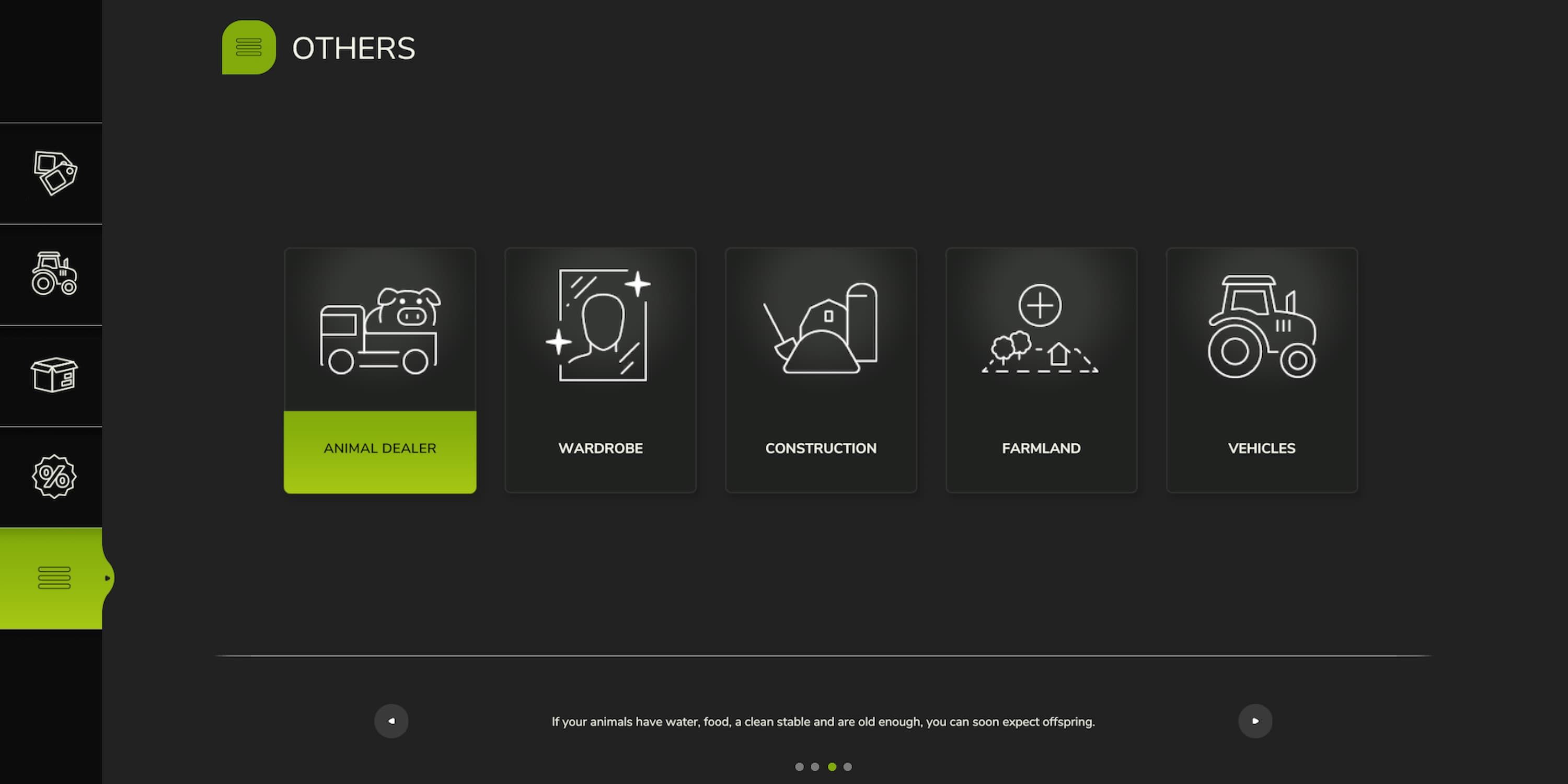
The second method to change your appearance in Farming Simulator 25 is by using the Shop menu. Simply press the 'P' key on your keyboard to open the menu. Once you're in, navigate to the "Others" option, where you'll find the "Wardrobe" feature. Clicking on it will give you access to the customization options, allowing you to modify all the visual aspects of your character's appearance.
While the game offers extensive customization options for your simulated persona, there is one limitation: your in-game name cannot be changed after the save file has been created. You’ll have a single opportunity to select your name during the initial setup of the save file, and once confirmed, it becomes permanent for that file. So, it is highly recommended to choose your name carefully before starting your farming journey.

Farming Simulator 25
- Released
- November 12, 2024



WHERE TO PLAY




- ESRB
- E For Everyone
- Developer(s)
- Giants Software
- Publisher(s)
- Giants Software
- Engine
- GIANTS Engine 10
- Multiplayer
- Online Co-Op
- Cross-Platform Play
- Yes, all platforms
- Franchise
- Farming Simulator
- Number of Players
- 1-16
- Steam Deck Compatibility
- Unknown
- PC Release Date
- November 12, 2024
- Xbox Series X|S Release Date
- November 12, 2024
- PS5 Release Date
- November 12, 2024
- Platform(s)
- PlayStation 5, Xbox Series X, Xbox Series S, PC
- Genre(s)
- Farming, Simulation, Immersive Sim
- File Size Xbox Series
- 45 GB
- OpenCritic Rating
- Strong