


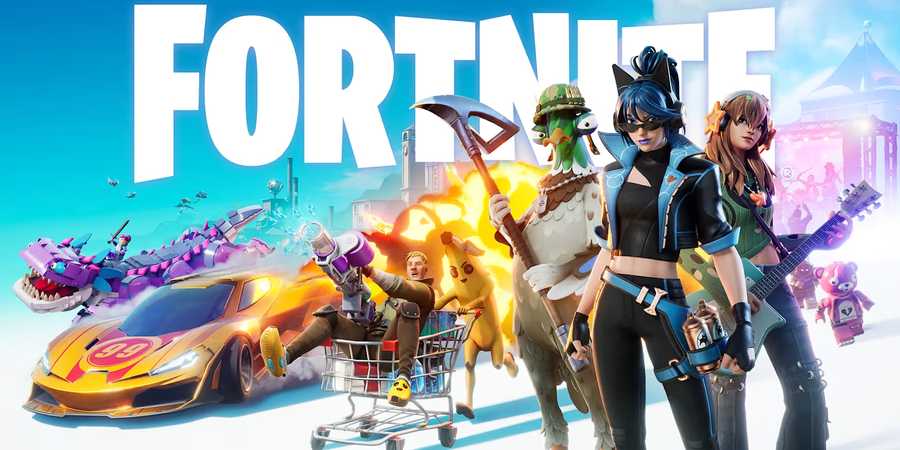
Fortnite is free to play, but gamers can purchase packs and V-Bucks to fill their accounts with awesome cosmetic items. Players can buy packs and in-game currency in the Item Shop and the Epic Games store, but they can also get them at physical retailers through gift cards.

Where to Find Crackshot's Cabin in Fortnite OG Season 7
Crackshot's Cabin is filled with holiday cheer - here's its location in Fortnite OG Season 7.
Once players have obtained a Fortnite gift card, they have to redeem it so it can be exchanged for whatever is inside, whether it's V-Bucks, a pack, or an exclusive bundle.
How to Redeem Fortnite Gift Cards
How to Claim V-Bucks Cards on PC, Switch, and Mobile

Fortnite gift cards have a hidden code that players will have to scratch in order to claim - this is the first step to redeeming it. Once they've uncovered the code, they must head to fortnite.com/redeem and log into their Epic Games account if they aren't in already.
They must insert the code into the text bar that says Enter Access Code and then hit Redeem. Then, they check if the code is right and proceed.
If it's a V-Bucks card, the game will ask them where they plan to use the V-Bucks:
- Mobile
- Nintendo Switch
- PC/Mac
- PlayStation
- Xbox
Players must make sure that they visit the Connections page on their Epic Games profile so they can seamlessly select their platform.
This is relevant because some platforms don't support the Fortnite Shared Wallet system, and the methods for claiming V-Bucks can be slightly different.
Switch players will not be able to access their purchased V-Bucks on any platform other than Switch and Switch 2. So, if they exclusively play on Switch, they must be sure to set it as their platform. After filling out the information, players have to verify it and confirm once again to continue.
On Switch, PC, and mobile devices, players won't have to follow any additional steps. However, for Xbox and PlayStation, this will generate a new code that they must insert into a text box on the platform's store Redeem page.
How to Claim V-Bucks Cards on PlayStation
On PlayStation, players will receive a 12-character PlayStation code for their V-Bucks. They can redeem it by visiting the PlayStation Store page and inputting it into the Redeem Code text box.
How to Claim V-Bucks Cards on Xbox
If players want a code for their Xbox account, they will also receive a 25-character code that they must insert here: microsoft.com/redeem or in the Microsoft Store on console.
How to Redeem the Fortnite Flowering Chaos Bundle

Many players received the special Fortnite Playstation bundle this holiday, which includes the Fortnite Flowering Chaos set. Since this may be players' first contact with Fortnite and its codes, it's important that they understand how to claim it. Once they've redeemed it, however, they can pick its cosmetics when playing on other platforms.
- First, players must log in to the PlayStation Store on console or PC using their personal PlayStation Network account.
- Next, they must select the Redeem code option. On console, this can be found by clicking the three dots on the upper right corner of the screen. On PC, it's on the player's profile drop-down menu.
- They have to input the code provided on the voucher that came with the PlayStation 5.
- Once the code has been inserted, it will display the Flowering Chaos Bundle, and players can simply hit Redeem to add it to their account.
The next time they log into Fortnite, all of the items included in the Flowering Chaos Bundle will appear on the Claim screen, permanently adding them to the player's account.






-
 OpenCritic Reviews
- Top Critic Avg: 84 /100 Critics Rec: 94%
- Released
- September 26, 2017
- ESRB
- T for Teen - Diverse Content: Discretion Advised, In-Game Purchases, Users Interact
- Developer(s)
- Epic Games
- Publisher(s)
- Epic Games




WHERE TO PLAY






- Multiplayer
- Online Multiplayer, Online Co-Op
- Cross-Platform Play
- All platforms (except iOS/Mac)
- Cross Save
- Via Epic Account
- Number of Players
- 1-4 players (online)
- PC Release Date
- September 26, 2017
- Xbox Series X|S Release Date
- November 10, 2020
- PS5 Release Date
- November 12, 2020
- Nintendo Switch Release Date
- June 12, 2018
- Nintendo Switch 2 Release Date
- June 5, 2025
- Platform(s)
- PlayStation 5, PlayStation 4, Xbox Series X, Xbox Series S, Xbox One, Nintendo Switch 2, Nintendo Switch, PC, Android, iOS
- OpenCritic Rating
- Mighty
- Local Co-Op Support
- 1-4 players (certain modes)
- How Long To Beat
- 64 hours
- X|S Optimized
- YES
- File Size Xbox Series
- 89.89 GB
