


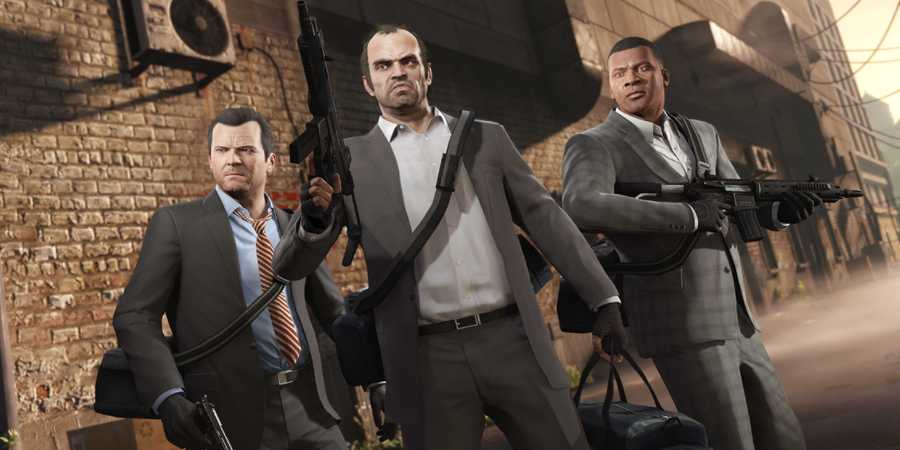
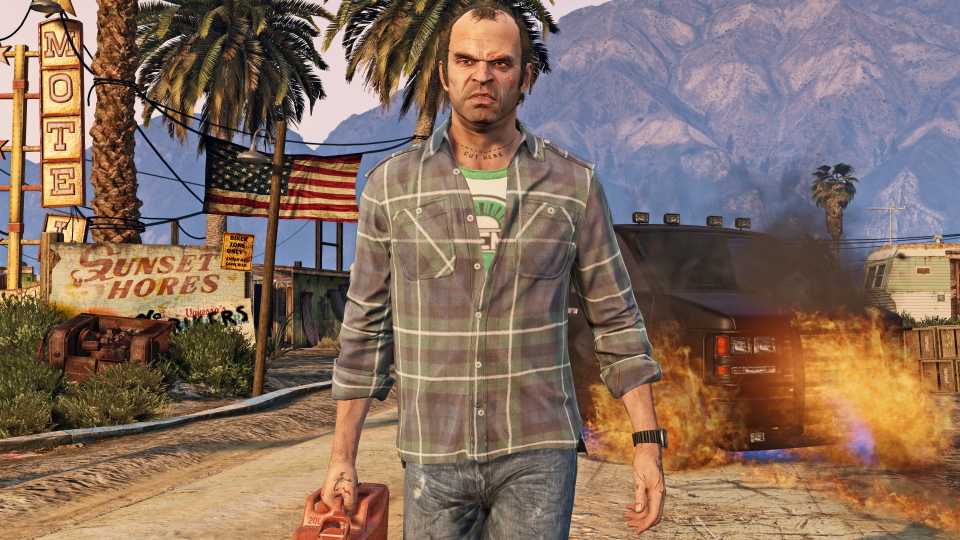
More than a decade later, and with GTA 6 near the horizon, its highly successful predecessor, GTA 5, has received yet another coat of paint — this time on PC. The latest version enhances the game with ray tracing technology, a feature previously exclusive to the PS5 and Xbox Series X|S.
With these graphical improvements come higher system requirements, making the game more demanding than before. If you're planning to revisit GTA 5, you may need to adjust the graphics settings to find the optimal balance between the upgraded visuals and performance.

Differences Between GTA 5 Legacy and Enhanced on PC
Here's a rundown on the key differences between GTA 5 Legacy and Enhanced on PC, including graphics upgrades, performance changes, and new features.
Best Video Settings For GTA 5

You won’t see a significant framerate boost with these settings, but choosing the right ones is still crucial. A single poorly selected setting can leave your game looking like a blurry mess or running with severe lag.
|
Graphical Option |
Description |
Recommended Setting |
|---|---|---|
|
Ignore Suggested Limits |
This setting determines whether the game can exceed your GPU's VRAM limit. Going over the limit can cause severe stability issues, so it's best to keep it off. |
Off |
|
Screen Type |
This setting controls whether the game uses your entire monitor screen or only a portion of it. Borderless Fullscreen makes Alt+Tabbing quicker and more convenient. |
Borderless Fullscreen |
|
Resolution |
This setting determines the final resolution of the game. Choosing anything below Native will cause blurriness. |
Native |
|
Refresh Rate |
This setting determines the refresh rate of the monitor. Only available if Screen Type is selected to Fullscreen. |
Native |
|
Frame Limit |
This setting applies a custom framerate cap to the game. Choosing a cap below your average FPS can help smooth out the frametime graph. Only enable this if you consistently achieve more than 60 FPS. |
Personal Choice |
|
VSync |
This setting synchronizes the game's framerate with your monitor's refresh rate, reducing screen tearing at the cost of added input lag. Enable it if you have a 144Hz or higher monitor. |
On |
|
NVIDIA Reflex |
This setting enables NVIDIA Reflex technology to reduce input lag. However, it can sometimes cause framerate spikes, so it's best to keep it off. |
Off |

How to Save in GTA 5 & GTA Online
Players who want to make a manual save or a forced autosave in Grand Theft Auto 5 or GTA Online can find the information that they need here.
Best Ray Tracing and Frame Scaling Settings For GTA 5

These are some of the most important graphical settings in the enhanced version of GTA 5, as they include all ray-tracing features and upscaling technology. While these settings can make the game look stunning, they also come with a significant performance cost. Maxing out all ray tracing options will severely impact your framerate, so use the recommended settings below instead.
|
Graphical Option |
Description |
Recommended Setting |
|---|---|---|
|
Enable Ray Tracing |
This setting enables ray-tracing features in the enhanced version of GTA 5. |
On |
|
Ray Traced Shadows |
Creates soft shadows from sunlight and moonlight. Determines the quality of RT shadows. Increasing this setting applies shadows to more objects. |
High |
|
Ray Traced Reflections |
This setting controls the quality of RT reflections and the distance at which objects appear in reflections. |
High |
|
Ray Traced Global Illumination |
This setting adds RT global illumination. Higher settings increase the distance at which global illumination is applied. |
Off (High if you have extra performance) |
|
Ray Traced Ambient Occlusion |
This setting adds RT ambient occlusion. Increasing this setting extends the distance at which ambient occlusion is applied. |
Off |
|
Ray Traced Scene BVH Quality |
Adjusts the quality of objects included in the RT scene. Higher settings enhance all RT features by adding more objects into reflections, shadows, and lighting. |
High |
|
Frame Scaling |
Determines which upscaling technology to use. Nvidia RTX users should select DLSS, while others should opt for FSR 3. |
AMD FSR 3 (DLSS for RTX GPU) |
|
AMD FSR 3 Quality |
Controls the quality of the upscaling technology. For 1440p, avoid going below Balanced. Choose Native AA if you prefer no upscaling but still want the scaler's anti-aliasing method. |
Native AA (Quality/Balanced for 1440p) |
|
Anti-Aliasing |
Selects the type of anti-aliasing used. If upscaling is disabled, the game will default to TAA. |
FSR 3 AA (DLSS for RTX GPU) |
|
Sharpness |
Adjusts the strength of the sharpness filter. This is a personal preference, but a setting of 3/4 is often recommended. |
75% |

GTA 5 Actor Steven Ogg Reveals Whether or Not He 'Hates' Trevor
Grand Theft Auto 5 actor Steven Ogg finally puts years of speculation to rest and reveals whether or not he 'hates' Trevor.
Best Graphics Settings For GTA 5

You should be able to optimize the ray tracing and upscaling settings enough to push your performance above the highly sought-after 60 FPS mark. However, if you're still not satisfied and want to achieve an even higher framerate, such as 120 FPS, adjust the following settings.
|
Graphical Option |
Description |
Recommended Setting |
|---|---|---|
|
Shader Quality |
This setting controls the quality of various rendering features, including lighting, shadows, and particles. |
Very High |
|
Texture Quality |
This setting determines the quality of textures and affects the level of detail (LOD) on various objects. |
Very High |
|
Anisotropic Filtering |
This setting adjusts the quality of textures when viewed at an angle. |
X16 |
|
Particles Quality |
This setting controls the quality and quantity of particle effects, as well as their visibility at a distance. |
High |
|
Tessellation |
This setting affects the quality of certain surfaces, such as trees. |
Very High |
|
Water Quality |
This setting adjusts the quality of water effects, including reflections, refraction, and physics. |
Normal |
|
Grass Quality |
This setting controls the density and draw distance of foliage. On Ultra, grass also receives shadows. |
Very High |
|
Lighting Quality |
This setting adjusts the quality of lighting from the sun, moon, and local light sources. |
Ultra |
|
Reflection Quality |
This setting determines the quality of non-RT reflections. |
Normal |
|
Shadow Quality |
This setting controls the quality of shadows and which objects can cast them. |
Very High |
|
Soft Shadows |
This setting adjusts the quality of soft shadows. This option is unavailable if RT Shadows are enabled. |
Sharp |
|
Long Shadows |
This setting enables long shadows during sunrise and sunset. |
On |
|
High Resolution Shadows |
This setting increases shadow resolution beyond the recommended levels. |
Off |
|
Extended Shadow Distance |
This setting extends the draw distance of shadows beyond the default settings. |
0 |
|
Post FX |
This setting controls the quality of various post-processing effects, including bloom, motion blur, and depth of field. |
Normal |
|
In-Game Depth of Field Effects |
This setting adjusts the quality of the depth of field effect. |
Personal Choice |
|
Motion Blur Strength |
This setting determines the strength of the motion blur effect. Recommended only if running below 60 FPS. |
0 |
|
Ambient Occlusion |
This setting determines the ambient occlusion technique used. This option is unavailable if RT AO is enabled. |
HBAO |
|
Population Density |
This setting controls the population density of NPCs and vehicles in the open world. |
5 |
|
Population Variety |
This setting adjusts the variety of NPCs and vehicles in the open world. |
5 |
|
Distance Scaling |
This setting determines the level of detail (LOD) for distant objects. |
0 |
|
High Detail Streaming While Flying |
This setting increases LOD for objects while flying. |
Off |
|
Extended Distance Scaling |
This setting enhances LOD for distant objects beyond the recommended limits. |
0 |


Grand Theft Auto 5



-
 OpenCritic Reviews
- Top Critic Avg: 92 /100 Critics Rec: 92%
- Released
- September 17, 2013
- ESRB
- M For Mature 17+ due to Blood and Gore, Intense Violence, Mature Humor, Nudity, Strong Language, Strong Sexual Content, Use of Drugs and Alcohol
- Developer(s)
- Rockstar North
- Publisher(s)
- Rockstar Games






WHERE TO PLAY






- Engine
- Rockstar Advanced Game Engine
- Multiplayer
- Online Multiplayer
- Cross-Platform Play
- no
- Cross Save
- yes
- Franchise
- Grand Theft Auto
- Steam Deck Compatibility
- yes
- PC Release Date
- April 14, 2015
- Xbox Series X|S Release Date
- March 15, 2022
- PS5 Release Date
- March 15, 2022
- Platform(s)
- Xbox Series X, Xbox Series S, Xbox One, Xbox 360, PC, PlayStation 3, PlayStation 4, PlayStation 5
- Genre(s)
- Open-World, Action
- How Long To Beat
- 32 Hours
- X|S Optimized
- Yes
- PS Plus Availability
- Extra & Premium
- File Size Xbox Series
- 84 GB (July 2023)
- OpenCritic Rating
- Mighty
