


The Nintendo Switch 2 comes with two Joy-Cons, which are practically a part of the main console. While there are other controller options, your best and go-to options will usually be the Joy-Cons since they can connect easily to your Switch 2, and only one of them is needed to play most games.
The Joy-Cons for the Switch 2 also come with the new mouse feature, letting you do more with them than even a Pro Controller. Here's how to charge your Switch 2 Joy-Con controllers and also check their battery life whenever needed, which you may want to do after transferring data from your Switch 1.

How To Download Mario Kart World Switch 2 Bundle Virtual Game Card
To activate a Mario Kart World Switch 2 bundle, you must find the MKW download location in your Nintendo Switch Online settings.
How To Charge Your Switch 2 Joy-Con Controllers

Your Switch 2 Joy-Cons will come separated from your Switch 2 in the box, though they will spend a lot of time being attached to your Switch. While they have their own independent batteries, they are charged simply by connecting them to your Switch 2 while it is connected to a power source. They are magnetically attached, so just gently line them up with the opening on the sides of the Switch, and the magnets will fit them into place and onto the charger.
Both Joy-Cons are color-coded, and while you can magnetically connect them to either end of your Switch, they will only charge when placed on the correct side. Your Switch 2 must be connected to a power source, either just the AC cord or when docked. It doesn't matter if your Switch 2 is turned on or off, as long as the Joy-Cons are connected to the Switch 2, and it's connected to power, they will also charge.
How To Check Joy-Con Battery On Switch 2
To check your Joy-Con battery, go back to the main menu of your Switch 2 and scroll along the bottom of the list of options over to the, "Controllers" option, with the Joy-Con icon. You can keep going along this menu to find the storage of your Switch 2. As long as your Joy-Con is on and connected to your Switch 2, you'll see a small battery icon under the Joy-Con indicating how much battery it has left. If your Switch 2 is plugged into a power source and the Joy-Cons are attached, a lightning bolt icon will appear indicating they are charging.

6 Most Surprising Ports For The Nintendo Switch 2
Nintendo proved all the doubters wrong with these surprising ports which are available for the Switch 2.
How To Ping Lost Switch 2 Joy-Cons
Also in the Controllers menu is the ability to ping your Joy-Cons. In the, "Search for Controllers" option, you select any controller currently linked to your Switch 2. Pressing A once over a controller will make it vibrate, while holding down A will cause the Joy-Con to make a noise, helping you track it down, which is great to check while a game is downloading.
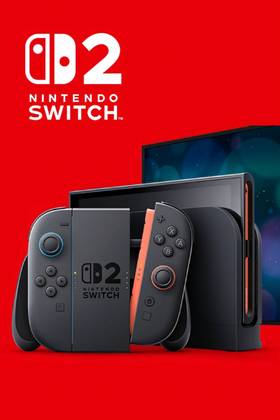
- Brand
- Nintendo
- Operating System
- Proprietary
- Storage
- 256GB internal / MicroSD
- Resolution
- 1080p (handheld) / 4K (docked)
- App Store
- Nintendo eShop
- Wi-Fi
- Yes