


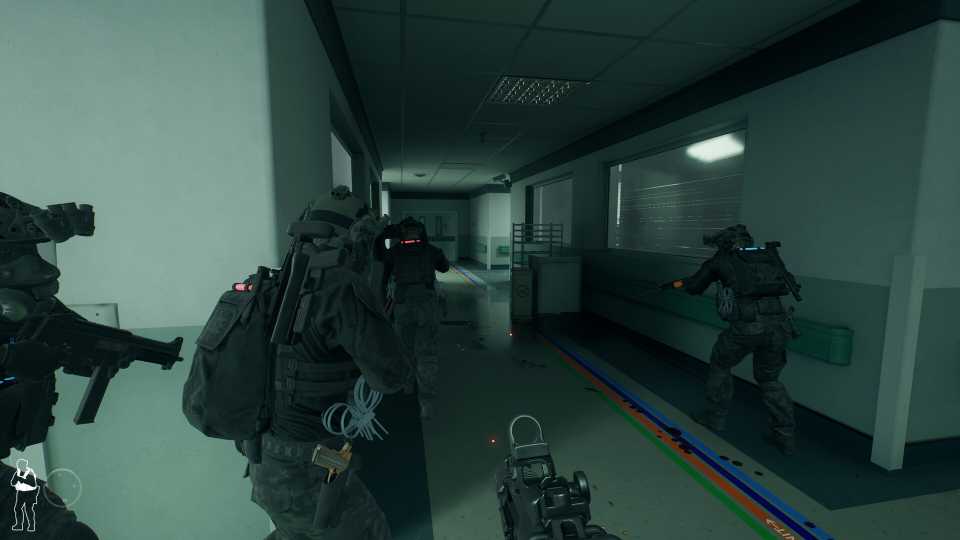
Ready or Not is a methodical and tactical first-person squad shooter, where planning and quick thinking work hand-in-hand to complete the mission. In Commander Mode, effectively balancing quick decision-making with careful consideration is essential for survival. Players must make split-second choices that can significantly impact the outcome of the game, yet it is equally important to take moments to strategize and assess the situation. Quick thinking and taking your time can be the key to taking down hostiles and securing the hostages.
However, the movement speed in Ready or Not is much slower than what many FPS fans might be used to. Characters cannot run in combat mode in the game. However, there is a workaround to increase your movement speed in Ready or Not. This guide will show you how .

Ready Or Not: Best Weapons, Ranked
The best weapons in Ready or Not range from all categories of guns, but which of them will see players survive the challenging hostile encounters?
How To Move Faster In Ready Or Not

When you first dive into Ready or Not, your character appears to have two movement options: walk and walk slowly. The slower pace allows you to approach dangerous situations with stealth and caution, but there are times when you'll want to get around a bit faster, especially in rooms you've already cleared. Thankfully, there is a way to make your character move a bit faster while exploring and clearing rooms in Ready or Not's missions, but you'll need to use the Low Ready Stance to do it.
How To Use The Low Ready Stance
To use the Low Ready Stance in Ready or Not using a controller, you must click the d-pad down. This will lower your gun by pointing it towards the ground or up high, allowing your character to move at a much quicker pace. If you're using a keyboard, the space bar is the default option to activate the Low Ready Stance.
Using the Low Ready Stance makes your character more vulnerable in hostile situations. Only use it when you've cleared a room, but be aware that hostiles can and will run and hide in different rooms.
How To Change Your Low Ready Style
You can also change the Low Ready Stance if you prefer to point the gun high or low when it's active. Use the following steps to change the position of your gun using the Low Ready Stance:
- Open the Options menu.
- Then, under Gameplay highlight Low Ready Style.
- You can then change this to high or low.
This feature changes whether or not you prefer your character to point their gun up or down when moving. The Low Ready feature also makes you less threatening to civilians, who are more likely to comply with your orders instead of running away in fear.


Ready or Not



-
 OpenCritic Reviews
- Top Critic Avg: 82 /100 Critics Rec: 82%
- Released
- December 13, 2023
- ESRB
- Mature 17+ / Blood and Gore, Drug Reference, Intense Violence, Sexual Themes, Strong Language, Users Interact
- Developer(s)
- Void Interactive
- Publisher(s)
- Void Interactive





WHERE TO PLAY





- Engine
- Unreal Engine 4
- Genre(s)
- Tactical, FPS
