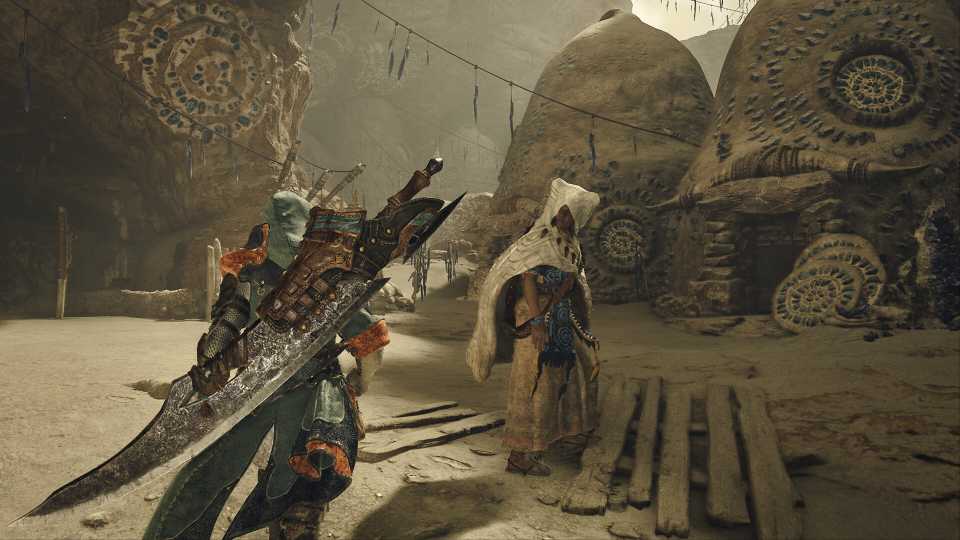
Every story mission in Monster Hunter Wilds has a cutscene to help give more story outside of the conversations had while riding your Seikret. Depending on how much time you have to play or if you're just trying to rush through the base game to unlock High Rank grinding, some players may want to just outright skip the cutscenes to save time.
If you do skip some cutscenes or just want to go back and watch your favorite ones again, you'll always have the option to. Here's how to rewatch old cutscenes and also skip through them if you just want to get on to the fighting.

Monster Hunter Wilds: How To Get Money (Zenny) Fast
Monster Hunter Wilds allows players to have many different things players can purchase for themselves. Here is how to make money.
How To Rewatch Old Cutscenes In Monster Hunter Wilds
You can rewatch any cutscene you've already seen during the story anytime, but you'll first need to save and exit the game. Return to the main menu either by using the Title Screen option in the main menu or closing out of the game and starting it back up again. After clicking through the title screen, you'll see the main menu, with the second option from the top being, "Gallery".
Select whatever save file you want to watch the cutscenes from to get a list of all the cutscenes available to be watched. There is no chapter list or quest names linked to the cutscenes, but each will have a name and description that can help give you an idea of what you're about to watch.
Your character will also appear however they currently look with your current weapon and armor equipped.

All Apex Predators In Monster Hunter Wilds
The Top Of The Food Chain requires players to kill 50 Apex Predators in Monster Hunter Wilds; here's every monster that's an Apex Predator.
How To Pause & Skip Cutscenes In Monster Hunter Wilds

During any cutscene, being watched during the game or in the Gallery, you can choose to pause or even skip the cutscene. To do this, press any button to give you both options in the top right corner of the screen.
|
Console |
Pause |
Skip |
|---|---|---|
|
PlayStation |
R3 |
Hold Touchpad |
|
PC |
Control |
Hold Tab |
|
Xbox |
LT |
Hold Share |
Some cutscenes will have back-to-back scenes, and skipping will only skip the current scene. While you may have to skip a few scenes to get back to the next gameplay section, knowing what button to hold will speed up the process and quickly get you through the cutscene. With the ability to go back and watch the story in the Gallery later, skipping cutscenes will only leave you slightly confused as to where the current monster you're fighting came from temporarily if you want to go back and get caught up later.




-
 OpenCritic Reviews
- Top Critic Avg: 89 /100 Critics Rec: 95%