


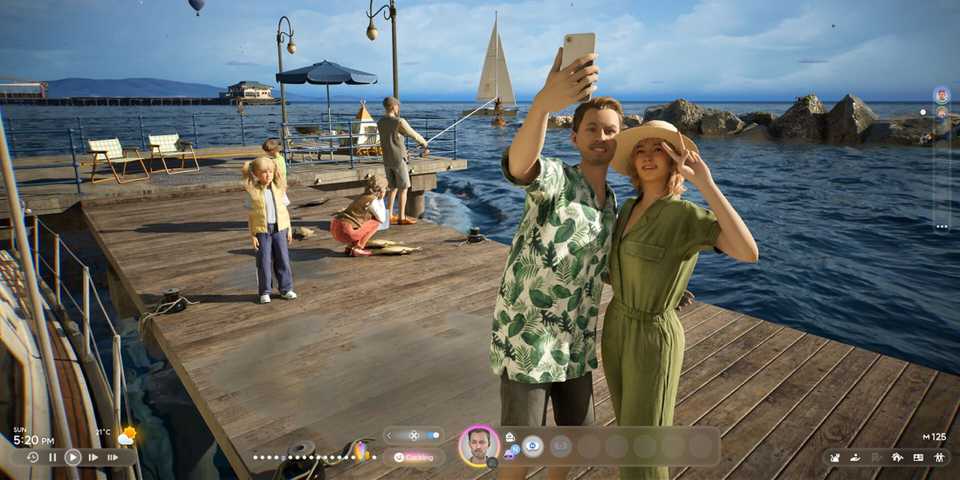
InZOI is an immersive life-simulation game, enabling players to create customized characters known as Zoi and then shape every moment and decision of their day-to-day lives. Players can have their Zoi develop key skills and ambitions or hobbies, which may lead them down one of several different career paths available in each in-game city.
From becoming a professional football player to a programmer, esports pro, or university professor, there are many different career routes available in InZOI. However, sometime throughout their life, you may wish for your Zoi to have a change in career, therefore needing to find a way to end their job. This can be achieved through resigning or being fired, with both methods being outlined in the guide below.

InZOI: How to Invite Someone Over
To help your InZOI characters maintain a solid social life, they can invite other Zois over. Find out how in this guide.
How to End Your Career By Resigning or Getting Fired in InZOI

Ending your career in InZOI may need to be done for one of many reasons. Perhaps you fancy a change in career path and want to head in a new direction, or maybe your Zoi has come into enough money to call in retirement. Either way, knowing how to resign or get fired from your job will be a useful method that you can use throughout your gameplay experience.
In the case that your Zoi resigns or gets fired from their job, they may be eligible to reapply for the same position at a later date.
How to Get Fired in InZOI
To get fired from your job in InZOI, you must accumulate a total of three unexcused absences from your company. In other words, the easiest way to achieve this is by simply not showing up for your day of work multiple times in a row. Once your Zoi has been fired, they will receive a text message on their phone notifying them of their termination due to absence.
How to Resign From Your Job in InZOI
Zois can resign from their current job by opening their phone and going into the Career App. This is the purple app at the bottom of the screen on your taskbar, indicated with a symbol of a little magnifying glass. Once you've opened the app, head over to the My Career tab and press the bottom icon on the top left of your job description - the symbol that looks like a little briefcase or calendar with an X through it. After selecting this, your Zoi will then receive confirmation of their job termination.
After your Zoi automatically reaches the life stage that exceeds the recommended age group of their role, they will automatically retire. In most circumstances, this will occur when they become a Senior. However, for Idol Trainees, this will occur when they reach adulthood.


InZOI

-
 OpenCritic Reviews
- Top Critic Avg: 77 /100 Critics Rec: 80%









WHERE TO PLAY


- Engine
- Unreal Engine 5
- Multiplayer
- Online Multiplayer
- Number of Players
- Single-player
- Steam Deck Compatibility
- Unsupported
- Genre(s)
- Life Simulation
- Platform(s)
- PC
- OpenCritic Rating
- Strong
