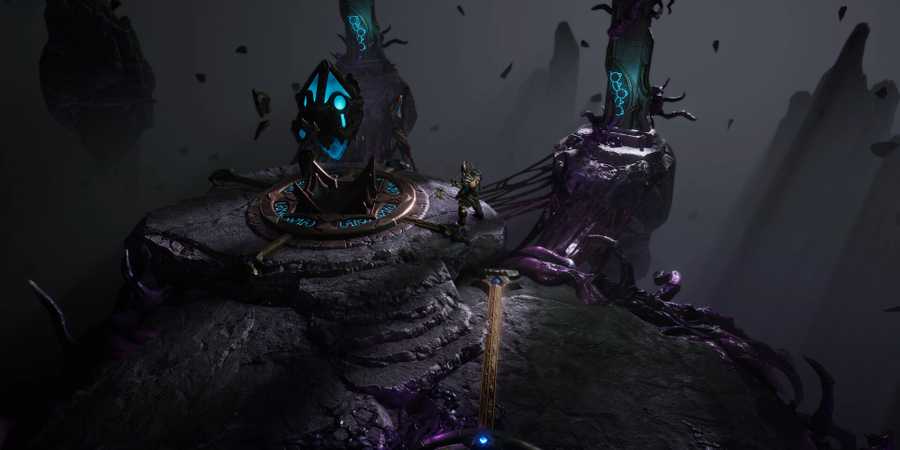
Crafting is one of the things that make Last Epoch stand out from other ARPGs. Here, players can fine-tune the gear they get or even make actual god rolls from scratch, greatly alleviating the grind for best-in-slot equipment. It's a simple system that everyone can use, though it may seem daunting to players who are completely new to the game or even the genre itself.
There are a few things that players should know about Last Epoch's crafting system, and if you want to make the most out of it, you'll need to know all the nuances it has. In this guide, we'll be going over the basics of how to craft an item and all the other important parts of the crafting system in Last Epoch.

How Does Crafting Work in Last Epoch?

Players don't craft gear here like one would in a survival-crafting game. You don't make weapons, you only modify them to fit your build's needs. This is done by opening the Crafting Window (F by default) and placing the item you want to mod in the slot that appears.
Once you place an item there, you'll see some small circles to its sides and a big one below (more on this later). The side circles represent the item's affixes, with prefixes on the left, and suffixes on the right By clicking these circles, you'll be able to insert Affix Shards, which will imbue your items with varying stats, such as Melee Fire Damage, Chance to Ignite, or Critical Strike Chance.
The very basic procedure of crafting items is as follows:
- Open the Crafting Window.
- Insert an item to be crafted.
- Select a vacant Affix Shard slot or an existing Affix Shard.
- Insert a new Affix Shard or upgrade an existing one.
- Click the big purple button below your item to lock in your changes.
Affix Shards

Affix Shards are consumable materials that can be inserted to gear for stats. They can drop from enemies and other loot sources, though they can also be obtained by dismantling unwanted equipment. Every time you upgrade or add an Affix Shard to an item, some of that item's Forging Potential is consumed.
Forging Potential

Forging Potential represents how many times an item can be modified via crafting. Almost every act of crafting eats a chunk of your item's Forging Potential, which means it will eventually reach a point where it cannot be modified anymore.
Unique weapons do not have Forging Potential. Instead, they have a chance to drop with Legendary Potential, which will turn them into Legendary items when used up. However, this process is different from the standard crafting procedure for every other item in the game.
Runes and Glyphs

The big circle below the Crafting Window's item slot is reserved for Runes, which are consumable materials that can drastically affect your items when used. Depending on the Rune you use, you can either dismantle gear for their Affix Shards, add random affixes without using any shards, or turn your item into a Unique item of the same base type.
Glyphs, on the other hand, serve as modifiers that affect the outcome of crafting. Like Runes, they have a variety of effects based on the type of Glyph. One has a chance to preserve your item's Forging Potential, while another can change an upgraded affix into a completely different one.
Runes and Glyphs are meant for min-maxing your gear. If you have a near-perfect item and you want to craft it to absolute perfection, then you can use Runes and Glyphs for a chance at setting things right. This tends to be risky, however, as most Rune and Glyph effects are heavily RNG-based.

Last Epoch
- Released
- February 21, 2024



WHERE TO PLAY


- ESRB
- Rating Pending
- Developer(s)
- Eleventh Hour Games
- Publisher(s)
- Eleventh Hour Games
- Engine
- Unity
- Multiplayer
- Online Multiplayer
- Genre(s)
- Action RPG
- Platform(s)
- PC
- OpenCritic Rating
- Strong
- How Long To Beat
- 18 Hours