


Summary
- MelGeek Made68 has magnetic, mechanical switches for customizable travel and is ideal for gaming and daily use.
- Sleek, minimalist keyboard with RGB lighting, customizable side panels, extra keycaps, and keycap puller.
- Made68's Hornet Magnetic Switches offer great gaming and typing, with easy customization through Hive software.
Are Magnetic Keyboard Switches The Future of Gaming?
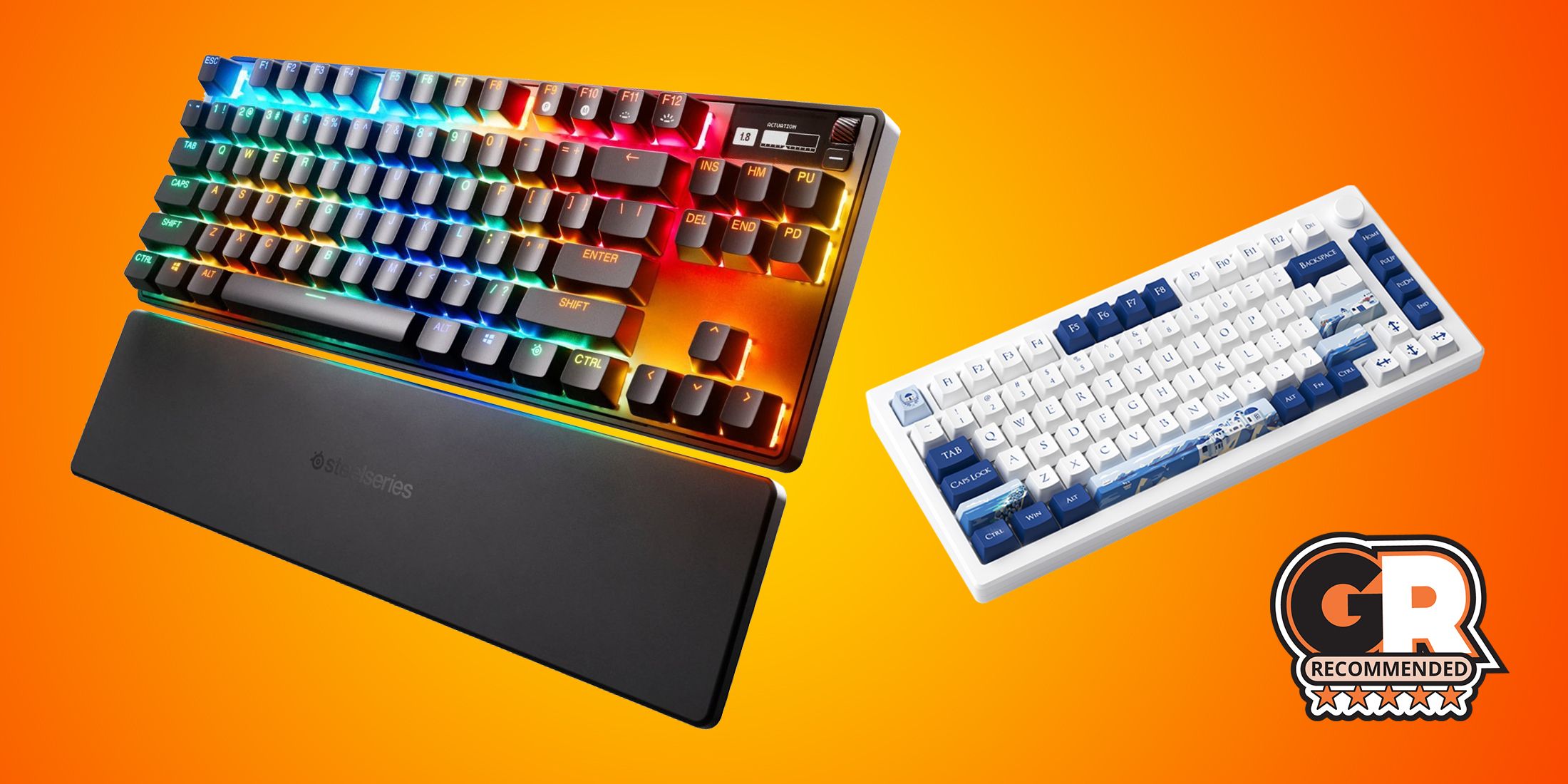

MelGeek Made68
- Form factor
- 60%
- Switch options
- Green Horne Magnetic, Magnetic Jade, Magnetic White
- Backlight
- Per-Key RGB
- Dampening
- Yes
- Keycaps
- ABS
- Supported operating systems
- Mac/Windows/Linux
Unlike many other MelGeek keyboards, the Made68 has a minimalist design. However, it still offers the excellent performance and build quality you have come to expect from a MelGee keyboard. The magnetic switches give you incredible control over how this keyboard feels when typing and playing. But the customization options don't stop there; the side panels and rear panels can be customized to fit your looks.
Checkbox: control the expandable behavior of the extra info- Hot-swappable
- Yes
- Connectivity
- Wired
- Number of Keys
- 68
- Num Pad
- No
- Incredible typing experience
- Easily customizable
- Excellent magnetic switches
- Lovely design that would fit in most setups
- 60% form factor can be a bit small for some users
- The cable included doesn't match the colorway
Box Contents and Setup Process
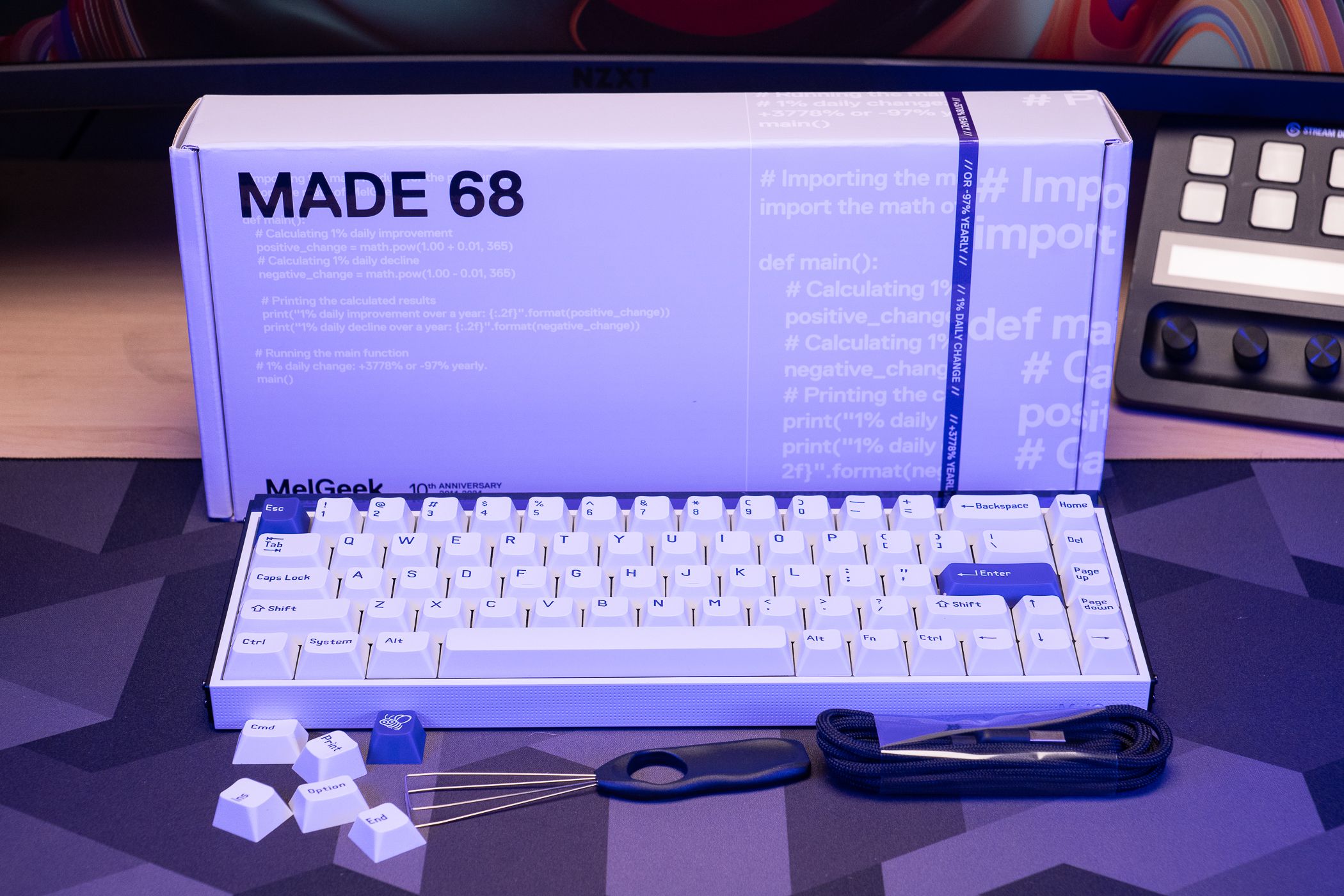
- MelGeek Made68 Keyboard
- Keycap Puller
- USB-C cable
- Extra Keycaps
The Made68 comes with a fair amount of accessories for a keyboard within its price range, including a keycap puller and a couple of extra keycaps, which are always lovely to see, especially for a keyboard that sells itself as customizable. That being said, it would have been nice for MelGeek to include a switch puller as well, but unless this is your first mechanical keyboard, there is a good chance you already have one.
After getting everything out of the box, the setup process is straightforward: plug in the keyboard, and you are ready to go. However, if you want to get the most out of this keyboard, The Best War Games highly recommends downloading the Hive software from MelGeek to access all those fantastic customization options. We will cover the software in more depth later, but it is a lightweight piece of software that stays out of your way and will only enhance your keyboard experience.
Design and Features

MelGeek has made some pretty wild keyboard designs in the past; just look at the Cyber01, for example. While those are super fun if they match your aesthetic, they are not always the easiest to fit into every setup. The Made68, on the other hand, has a very sleek and minimalist design that can easily fit into most setups, but has enough character to make it stand out from the rest.
While giving off a very clean and sophisticated look, the exposed screws on the side panels and the RGB LED back panel, with gorgeous diffusion, really make the Made68 stand out in the crowd when compared to other minimalist design keyboards. These design elements also lend themselves to easy customization options. For example, you can take the side panels and etch something into them for those crafty types.
The keycaps are not particularly special, but they feel excellent. The matte finish does not pick up shine from grease or sweat, and even though it does not shine through, the RGB lighting still looks terrific. Extra keycaps are nothing special in the mechanical keyboard space, but MelGeek's bee logo escape key is a perfect touch to start your DIY keyboard journey with.
Underneath those keycaps, we find Made68's most significant selling point: MelGeek's new, exclusive Hornet Magnetic Switches. We will dive more into their performance later, but to pique your interest, these switches feel absolutely incredible to game and type with. Because they are magnetic, you get all the control you can ever want with them, from shorter keystroke distance to assigning up to four actions with a single tap.
Comfort

As someone who is not typically a fan of 60% keyboards, the Made68 makes up for it with a very comfortable design that is easy to use all day long and for those extended gaming sessions. If you have larger hands or use the function row pretty regularly, this might not be the keyboard for you, but if you mainly plan to game and type as we do with most keyboards, the Made68 feels incredible.
If you are looking for ideal ergonomics, the Made68 pretty much nails it compared to other 60% form factors, but it is by no means an ergonomic keyboard. For all-day use, a keyboard should allow you to rest your shoulders at their natural position instead of having to hunch or tighten them to get your hands to rest on the keyboard comfortably. The Made68's smaller size does make you bunch up your shoulders a bit more than other form factors, like TKL and full-size, but this is more a fault of the 60% form factor than the Made68 itself.
That said, if you are a fan of the 60% form factor, it will be hard to go wrong with the Made68.
Performance

We sang praises for the gaming performance of the Cyber01, and the Made68 backed it up with equally impressive performance, if not a little better, because of the newer Hornet Magnetic Switches. These switches feel incredibly responsive and tactile, whether typing or gaming.
In fast-paced titles like RoboQuest or Helldivers II, the Made68 never left me wanting more performance or responsiveness. This keyboard makes it easy to make fast reactionary movements, which can be a real difference-maker in those games. That being said, this keyboard and the magnetic switches will not make you a better gamer instantly, but you will feel more confident with the Made68 in your setup when playing those games.
The ability to program multiple inputs to just one key is super helpful if you can reliably hit the same actuation point. Otherwise, trying to nail the press every time can be a bit overwhelming. The one exception, at least in our testing, your mileage may vary, is using multiple points on the "W" key to change from walking to running without having to press shift. This feels very intuitive and just makes sense once you start using it.
For work primarily consisting of typing here at The Best War Games, the Made68 also excels. The Hornet switches may be a bit too clicky for some office environments, but if you like the sound of a clicky keyboard, the Made68 delivers a very satisfying sound with each key press. Unlike some clicky keyboards, which get into the pingy territory, the Made68 provides a nice short click with every keypress, giving excellent audio feedback that the key has been actuated. That being said, if you work in a shared environment, make sure your neighbors are not annoyed by the clicky sounds before you start hammering away emails.
Software

With a keyboard like Made68 that heavily relies on its customization options for its value, having companion software that enhances the experience is critical. Thankfully, MelGeek's Hive software does just that. This software doesn't come with any unnecessary bulk or annoying notifications; it is there when you need it but not in your way when you are done with it.
Whether changing the sensitivity of a key or adding extra controls to a key depending on the travel distance, everything is very well laid out and explained, so even if you are new to keyboard terminology; there is very little to get confused about. However, if you want to make sensitive changes to all the keys at once, at the time of writing, you have to select all the keys you want to change and then change their sensitivity. MelGeek has keyboard profile options in development, which will make this change a bit easier, and for now, it is not too bad, especially for the Made68; you only have 68 keys to select.
At the time of writing, the Hive software is still relatively new, so there are still some things under development, like the keyboard profiles and the odd bug here and there, but even when compared to established brands like Asus and their TUF software, Hive runs circles around that and is much less straining on most PCs.
Is The MelGeek Made68 Right For You?
At the end of the day, there is very little to gripe about with the Made68. This keyboard delivers nearly flawlessly on every point it sets out to. From gaming and typing performance to overall design and software customization, the Made68 is an excellent option if you are looking for an incredibly solid 60% keyboard with magnetic switches. Even if magnetic switches are not a must for you, the Made68 is a fantastic 60% keyboard, regardless.
The only major gripe we encountered while testing was the form factor, which is more a matter of personal preference than anything else. If MelGeek offered a keyboard with the Made68 aesthetic and performance but in a TKL form factor, we would have nothing to complain about with this keyboard: hint, hint, MelGeek.
MelGeek Made68
- Form factor
- 60%
- Switch options
- Green Horne Magnetic, Magnetic Jade, Magnetic White
- Backlight
- Per-Key RGB
- Dampening
- Yes
- Keycaps
- ABS
- Supported operating systems
- Mac/Windows/Linux
Unlike many other MelGeek keyboards, the Made68 has a minimalist design. However, it still offers the excellent performance and build quality you have come to expect from a MelGee keyboard. The magnetic switches give you incredible control over how this keyboard feels when typing and playing. But the customization options don't stop there; the side panels and rear panels can be customized to fit your looks.
Checkbox: control the expandable behavior of the extra info- Hot-swappable
- Yes
- Connectivity
- Wired
- Number of Keys
- 68
- Num Pad
- No
- Incredible typing experience
- Easily customizable
- Excellent magnetic switches
- Lovely design that would fit in most setups
- 60% form factor can be a bit small for some users
- The cable included doesn't match the colorway
Related Products
|
TKL Keyboard With The Same Switches |
MelGeek Cyber01 |
|
|
Wireless Magnetic Switch Keyboard |
Akko MOD007B-PC Keyboard |
|
|
More Traditional Gaming Keyboard With Magnetic Switches |
SteelSeries Apex Pro TKL Wireless |
FAQ
Q: Are MelGeek keyboards good for gaming?
MelGeek keyboards are excellent for gaming across their lineup. Their keyboards deliver solid, reliable performance and are built to last, so you can easily game on a MelGeek keyboard for years to come.
Q: Are magnetic keyboard switches better?
When it comes to raw performance, it is hard to say that magnetic switches are outright better than traditional ones. However, they are more durable because no physical contact needs to be made for the keypress to actuate.