


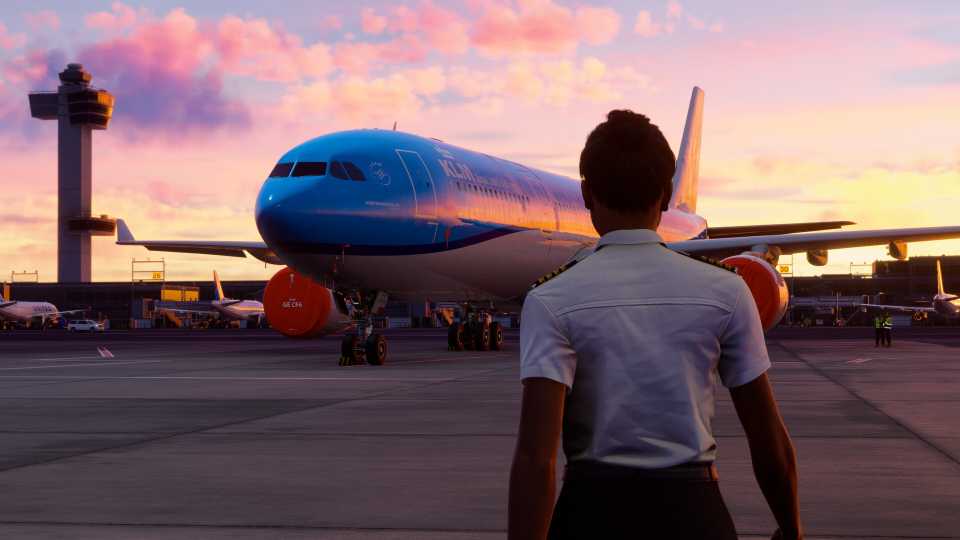
Microsoft Flight Simulator 2024 allows players to create unique avatars and enter the game as a customized pilot. For the first time in the franchise's history, MSFS 2024 also lets pilots leave the cockpit and walk around. Naturally, players want to know if they can see their customized avatar in walk-around mode. The good news is yes, you can use MSFS 2024’s third-person view mode to see your character in the world. However, there's a catch: this feature is still experimental and available only to a select group of players. Read on for more details.

Microsoft Flight Simulator 2024: How to Change Weather & Time of Day
Want to experience flying during a thunderstorm or a nighttime flight? You can do so by changing the weather/time in Microsoft Flight Simulator 2024.
How to Activate the Third-Person Mode on PC

- Exit the airplane by pressing Shift + C.
- Press the Backspace button to enter third-person mode.
- Press Backspace again to switch back to first-person view.
On PC, the default key for changing views is Backspace. This is the same button used while flying to switch the cockpit view. In the inputs menu, it’s labeled as “Cockpit / External View Mode,” which can be a confusing term.
Entering photo mode after activating third-person view allows you to take a picture of your avatar.
3rd Person View Not Working on PC

If the Backspace key doesn’t activate third-person view, follow these steps:
- Go to Settings.
- Open the General Options tab.
- Navigate to the ‘Experimental’ section.
- Toggle on ‘Third-Person View Camera.’
As the title of the settings suggests, the third-person view is an experimental feature and is prone to bugs, glitches, and performance issues. If your game is already unstable, you are recommended not to turn this feature on.
Can You Activate the Thrid-Person Mode on Xbox?

Currently, the third-person view on Xbox works only for airplanes. You cannot switch to the external view while walking around. This is because third-person mode is an experimental feature for PC players and may be released for Xbox in future updates.
On Xbox, you can use third-person mode while piloting an airplane. To do this, press the View button.
How to Change the Key Binding for Third-Person Mode

- Open ‘Settings.’
- Go to ‘Controls.’
- Select your keyboard or Xbox controller.
- Search for “Cockpit / External View Mode.”
- Change this input to your desired key or button.
Before changing key binds, duplicate the 2024 keyboard preset. This allows you to modify all inputs without needing to create a new preset save file for each adjustment.




-
 OpenCritic Reviews
- Top Critic Avg: 76 /100 Critics Rec: 68%
- Released
- November 19, 2024
- ESRB
- Everyone / Users Interact, In-Game Purchases
- Developer(s)
- Asobo Studio
- Publisher(s)
- Xbox Game Studios












WHERE TO PLAY





- Engine
- Asobo's
- Franchise
- Microsoft Flight Simulator
- Platform(s)
- Xbox Series X, Xbox Series S, PlayStation 5, PlayStation VR2, PC
- Genre(s)
- Flight Simulator
