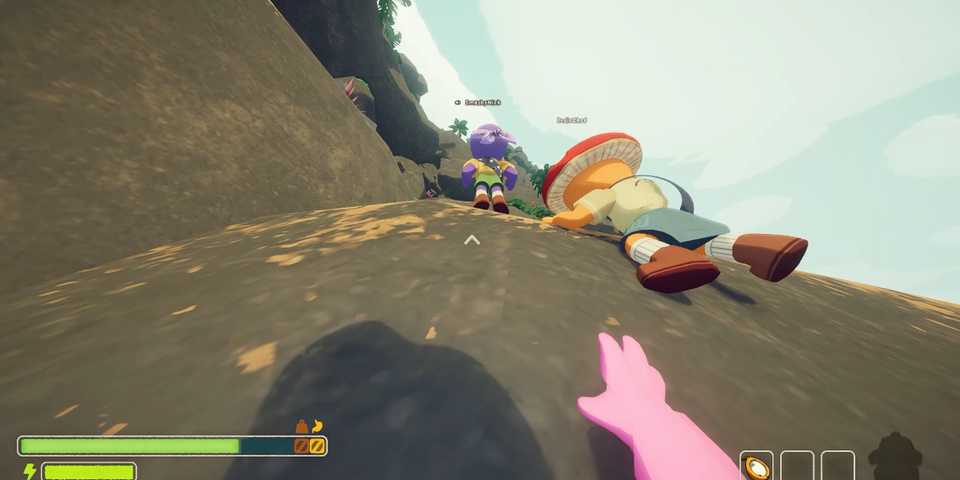
PEAK blew up right after its release, and it’s not hard to see why. The game’s silly mechanics and chaotic moments make it way more fun when you are playing with friends (unless they start shooting you with the Blowgun).
Having said that, there’s nothing more annoying than getting disconnected or accidentally leaving a match halfway through a climb. Thankfully, the devs have added a new feature that lets you rejoin your friends mid-game if that happens. So, even if your game crashes or your internet drops, you don’t have to start over. Keep reading to learn how to jump back in and keep climbing with your squad in PEAK.

PEAK: All Items & What They Do
Most items in PEAK will make climbing rocks easier or cure status effects; here's a look at all the items in the game and what they do.
How to Rejoin Your Friends Mid-Game in PEAK

Losing connection halfway through your climb in PEAK can be annoying—not just for you, but for your whole team. The mountains can be brutal, from the icy winds in Alpine to the burning heat in Mesa, and every teammate matters out there. If you suddenly get kicked out of the game or lose connection, don’t worry.
First things first, make sure your lobby is open to friends. To do that, players will need to head to the game’s main menu, go into Settings, and open the General tab. There, fans will see an option called Lobby Mode. Choose ‘Open to Friends,’ so your friends can easily invite you back into the match.

Of course, your friend needs to be on your Steam friends list. Once you are in the lobby, ask them to invite you to the game. They just have to press ESC, click on Invite Friends, and select you. You’ll get a pop-up. Accept it, and you are back in the match. You can invite your friends the same way too.
When you join, you will spawn at the last campfire your friend visited. Campfires are the spots you reach after finishing a biome. Scouts can rest there, loot from statues, and cook food to get their stamina back. If you follow all this and still can’t join, it’s probably a glitch. Just restart the game or try changing your Lobby Mode, and you should be good.
How to Play PEAK With Friends

If you want to invite friends to play together in PEAK, first make sure that you are friends on Steam. Then, from your lobby, choose Host Game. This will take you to an elevator. Exit the elevator and walk up to the Invite Kiosk. Interact with it, and you will be able to send invites to any friends who are online.


-
 OpenCritic Reviews
- Top Critic Avg: 83 /100 Critics Rec: 100%
- Released
- June 16, 2025
- Developer(s)
- Landcrab
- Publisher(s)
- Aggro Crab, Landfall