


While PEAK is a huge indie success, there are still some quality-of-life features missing, such as the ability to save the game. If players leave the game, they are not able to return; instead, they have to start their journey again from scratch.
Although some may enjoy this challenge in PEAK, not everyone can game uninterrupted for the entire time it takes to climb the summit, especially as it often takes over an hour. Thankfully, until a proper saving system is hopefully incorporated into the base game, players have the option of two mods to save their progress in PEAK.

How to Install the Best PEAK Mods
Mods can add new features to your game, as well as improve existing ones. Here's how to install the best mods for PEAK.
How To Install Mods For PEAK

While the mods for saving can be installed manually from Thunderstore by unpacking them into the correct files, the easiest way to use mods for PEAK is to download the Thunderstore Mod Manager app.
The BepInExPack PEAK mod is also required, but it will either install itself or be downloaded when players download their first PEAK mod.
Once open, players can search for PEAK and then browse mods for the game. By searching for 'save', players will see the SavePoint and PEAK Save Manager mods, which are currently the only options for saving progress.
Download one of these from the app, and it will appear in the My Mods tab. In this tab, mods can be enabled or disabled. Don't use both of these mods at the same time to avoid complications.
Make sure to launch the game via the Thunderstore Mod Manager.
SavePoint - By Smokes
Save A Checkpoint Location To Return To

Out of the two options, the SavePoint mod by Smokes is the simpler, and at the time of writing, it arguably works the best.
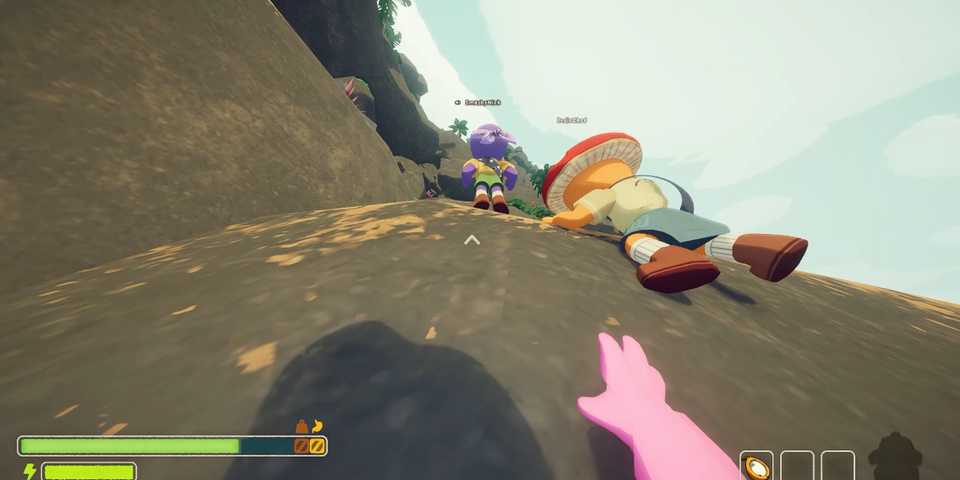
After spawning on the island, players can press F5 to create a checkpoint location. By pressing F6, they will teleport back to this location. There is also the option to press F7 to return to the pre-teleportation location. Teleportation is indicated by yellow dust and a sound.
One use of this would be if players have made good progress up the mountain, but they have to come off for a bit. They can return to the main menu, and then later load a new game, and teleport back to their previous location.
Limitations
- This 'quick save' will not remember what items or status the player had at the time of saving. Whatever they have before teleporting, they will have upon landing.
- Players can exit to the main menu, load up a new game, and teleport back to their checkpoint with F6 after returning to the island.
- However, they cannot fully exit the game and do so.
- Don't try to save or teleport while in the airport.
- Likely won't teleport other players.
PEAK Save Manager - By M4cs
Create Different Saves To Load - With Friends!

The PEAK Save Manager mod is more complicated to use and, in its current state, feels fairly buggy. However, it can also do much more!
- It remembers saves, even after fully exiting the game.
- Users can have multiple saves to choose from.
- It is capable of remembering items and status effects.
- It can be used with friends by the host.
All of this means players can make progress up the mountain, take a break, and then load the game later in the day and carry on from where they left off.
How To Use The Save Manager
To open the Save Manager, press F10 while on the island. Players can then create a Quick Save, or they can type in the box at the top to create a Save with Name.
Underneath, players should then see their saved games, which can be loaded or deleted. These state the number of players and the time/date of the save.

PEAK: Tips For Picking The Best Routes
A big part of succeeding in Peak is finding the best route to the top. Here are some tips to keep in mind for doing just that.
Limitations
- It will sometimes drop players in from high after loading. Just reload until it works.
- Sometimes it takes MANY reload attempts to get the correct status and location. Exiting and reloading can help.
- The process of loading is visibly janky.
- Don't try to save or load at the airport.
- Each time it reloads, more items are made at the crash site.
- Opening the Save Manager does not pause the game, even in singleplayer.
- Won't work with new islands that change each day.
Use the MorePeak mod to remove the daily island system. Players can then save and load progress on different days, as long as they note down and use the same map seed.
Look out for updates to this mod, which will hopefully remove some of these bugs.


-
 OpenCritic Reviews
- Top Critic Avg: 83 /100 Critics Rec: 100%
- Released
- June 16, 2025
- Developer(s)
- Landcrab
- Publisher(s)
- Aggro Crab, Landfall





WHERE TO PLAY


- Engine
- Unity
- Genre(s)
- Adventure, Exploration, First-Person
