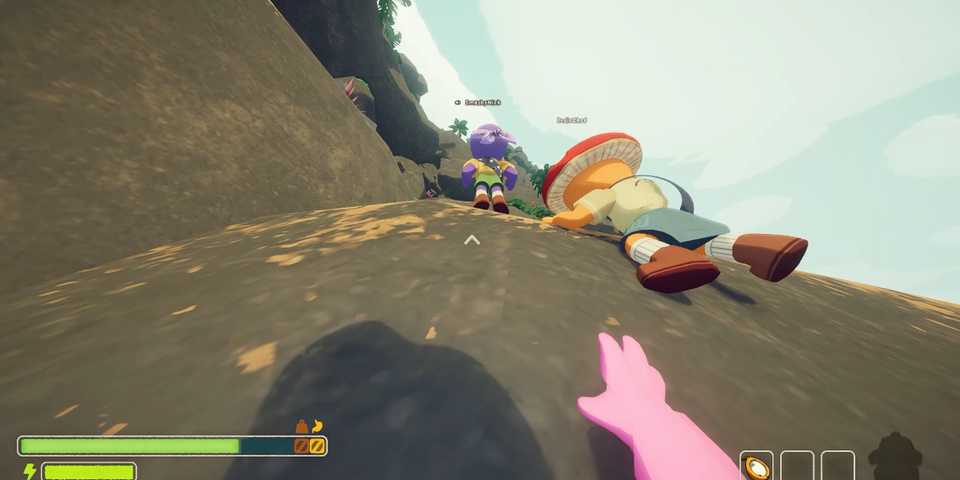
PEAK is fun to play alone, but it’s even better with friends. Climbing gets a little easier when you work as a team. The game is built for teams of four players, and while voice chat can help a lot, you might not want to talk if you are playing with strangers. That’s where the ping system comes in.
The island in PEAK has lots of useful items that can help you during your climb. But since you can’t grab everything on your own, it’s a good idea to let your teammates know when you find something good. Thankfully, you can easily ping the location, so your friends can check it out. Not sure how to do that? This guide will explain how to ping a location in PEAK — and also how to use emotes.

PEAK: How to Get the Survivalist Badge
Survivalist is one of the toughest badges to earn in PEAK. Here’s what you need to know to complete it.
How to Ping a Location in PEAK

Pinging something is very simple. Here’s how to do it:
- Aim your crosshair at whatever you want to highlight. Maybe it’s a luggage box, a shortcut, or a food item.
- Once you are aiming at it, click the scroll wheel of your mouse (the middle button).
You can ping anytime and as many times as you want in PEAK. It’s a quick way to get your teammates’ attention, so use it whenever something catches your eye. The island is huge, and with so much going on, it’s easy to miss helpful items.
Pinging is a great way to share without needing to talk. If you find something useful but don’t have space in your backpack, you can ping it, so your teammates can grab it instead.
How to Emote in PEAK

As you climb tough PEAK mountains, you can also light things up a bit and have fun with your teammates by doing emotes. To emote, fans can follow these simple steps:
- Hold down the ‘R’ key on your keyboard. This opens the emote wheel.
- Move your mouse to select the emote you want to perform.
- Let go of the ‘R’ key, and your character will instantly perform the emote you picked.
At the time of writing, PEAK has a total of eight emotes. Players don’t need to unlock them — they are all available from the start. Having said that, there’s no option yet to earn or unlock more emotes like you can with cosmetics, which are tied to achievements.
- Play Dead
- Shrug
- Crossed Arms
- Dance
- Thumbs Up
- Salute
- Think
- No No.


-
 OpenCritic Reviews
- Top Critic Avg: 83 /100 Critics Rec: 100%
- Released
- June 16, 2025
- Developer(s)
- Landcrab
- Publisher(s)
- Aggro Crab, Landfall