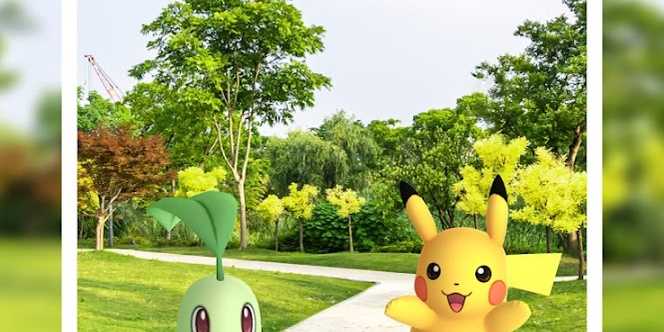
Pokemon GO has been around for quite some time, and there is always more to learn about the beloved game. There is a lot that goes into the game, whether that be the season, the event, or even the weather that will give into effect how the experience will go for the player. When catching Pokemon, there is a lot to consider with each catch.
Some of those things are, making sure the player has Pokeballs stocked up, or berries. Or if a player wants to catch a certain Pokemon, they will want to make sure it is the correct season for it or that there is an event happening for it. However, there is something else players will also want to take note of as well; the weather. The weather can impact a Pokemon's moves and even boost it. Here is everything to know about how the weather boost works in Pokemon GO.

Pokemon GO: Can Roselia Be Shiny? (How To Get Shiny Roselia)
Pokemon GO has so many lovely Pokemon that players can collect, including Shiny variants. Here is how to get a Shiny Roselia.
How Does Weather Bonuses Work?

As many players know, Pokemon GO likes to play in real-time and real-world weather conditions, even having backgrounds that reflect what is actually around the player. These change based on where the player is and what weather the player is currently around. Each weather boost provides a different reward as well as which Pokemon are affected by this weather.
With these weather boosts, certain Pokemon might appear more often, moves within battle might deal more damage, or give extra stardust when a Pokemon is caught. The best way to see this Weather Boost and current weather is to open Pokemon GO and look in the top right corner of the screen where the player stands above the compass. There, players will find a weather moodle to show the current weather conditions that the player is currently in. Players can also see which Pokemon are boosted within these weather conditions.
These weather boosts might also increase the spawn rate of certain Pokemon. An example of this is Squirtle and Magikarp during occasional rainfall. While the weather might be wrong at times, it is not a reason to uninstall any other weather apps because Pokemon GO weather features might not always be correct. In the event that it is wrong, there is a way to submit a ticket for it to fix the wrong weather conditions.
To do this, the player should click the weather icon in the top right to view the current weather conditions. Next, in the same position, click “Report Weather Issue." The player will next click an option that says “The Weather is not accurate at all!” Or another option is “The Weather seems about, just not up to date.” Both options tell Niantic about servers that there is an issue, and while there is no definitive answer, at least Niantic knows of the issue.
Below you will also find the chart of weather and Pokemon boosted by these weather conditions.
|
Sunny / Clear |
Grass, Fire, Ground |
|
Rainy |
Water, Electric, Bug |
|
Partly Cloudy |
Normal, Rock |
|
Cloudy |
Fairy, Fighting, Poison |
|
Windy |
Flying, Dragon, Psychic |
|
Snow |
Ice, Steel |
|
Fog |
Dark, Ghost |
When the player encounters a Pokemon with the Weather Boost, they will see a weather icon above the Pokemon’s head. These stats also show when a Pokemon is selected how much the weather boosts the attack the Pokemon has, which can be viewed within the Pokemon’s summary. However, after capturing the Pokemon within these conditions will give the player boosted Stardust as well.
With weather boosts, most Pokemon are given a huge advantage, and players have the ability to battle and have the upper hand against stronger Pokemon, Grunts, Bosses, or even Raids. That is everything to know about Weather Boosts within Pokemon GO.

Pokémon GO
- Released
- July 6, 2016



WHERE TO PLAY