


Sound is a contentious topic for gamers, but a new PlayStation 5 feature called Audio Focus aims to fix some of the problems that players are having with footsteps and other crucial audio cues when playing shooters. The PlayStation 5's Audio Focus feature isn't just for multiplayer games, though, which means that all players can use it to tweak their system's sound settings to their liking.
The PlayStation 5 already has quite a few audio enhancements under the hood, including 3D audio for headphones and certain speakers, and Audio Focus is another way for players to fine tune sounds to their preference. This is especially helpful for games like Call of Duty: Warzone, where the ability to hear an approaching player can mean the difference between life and death. A nice pair of headphones can only do so much; the system-level audio processing has to be up to par as well. That's where the PS5's Audio Focus feature comes into play.

Best Free-To-Play Games On The PlayStation 5 (April 2025)
There are quite a few free-to-play PS5 games available, and here's a look at some of the absolute best.
How to Enable Audio Focus on PS5

To set up Audio Focus on PlayStation 5, go to the system settings menu. Then, select Sound > Volume > Audio Focus. This will bring players to the Audio Focus screen where they can choose what types of audio to boost and adjust the strength of the effects.
Audio Focus is rolling out slowly in multiple phases beginning on April 24, so some PS5 owners may have to wait a bit before they can download the necessary system update.
Once Audio Focus is enabled, players can choose between four focus type presets.
- Boost Low Pitch
- Boost Voices
- Boost High Pitch
- Boost Quiet Sounds
After selecting a preset, the intensity of the effects can be set to either weak, medium, or strong. Players can also adjust the level of support for the left and right audio channels independently of one another in case their audio setup has some quirks.
Audio Focus can only be used with headphones connected via USB or plugged into the DualSense controller's audio jack, so it can't be used with TV speakers, soundbars, or surround sound setups.
How to Boost Footstep Audio With PS5 Audio Focus

While there are multiple use cases for Audio Focus, one of the most popular things players are using it for is boosting footstep audio in competitive shooters like Warzone and Fortnite. To get the clearest footstep audio with PS5's Audio Focus, players should choose the preset that boosts high-pitch noises; this is the one that is explicitly designed for footsteps and similar noise frequencies. Selecting the boost quiet sounds preset is also a solid choice since it makes everything easier to hear across the board.
Audio Focus can be found on the PS5's control center menu, so players can tweak their settings at any time during a game if they wish to. The settings themselves are located with the other volume settings on the PS5 control center menu, marked with a speaker icon.
It's a good idea to jump into a game and then slowly tweak Audio Focus settings until everything sounds just right. That way, it'll be easier to hear footsteps in titles like Apex Legends, Black Ops 6, or any other competitive games.
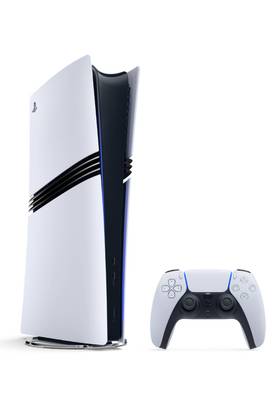
- Brand
- Sony PlayStation
- Storage
- 2TB SSD
- VR Support
- PlayStation VR2
- Resolution
- Up to 8K
- App Store
- PlayStation Store
- Wi-Fi
- Wi-Fi 7