


Commonly known as PUBG, PlayerUnknown’s Battlegrounds is a popular battle royale that puts players into a shrinking game zone where they land with no weapons or armor, and must fight to be the last player standing. While it’s possible to play solo in PUBG, most players want to play with their friends to beat the opponent squads. The title, just like any other multiplayer game, allows players to team up with their pals.
Of course, teamwork and cooperation are crucial for securing a Winner Winner Chicken Dinner, so players may prefer recruiting their friends. Luckily, teaming up with friends in PUBG is fairly straightforward. This guide will detail how to add friends and invite them to team up in PUBG.
How to Add Friends in PUBG/BGMI
 PUBG Mobile
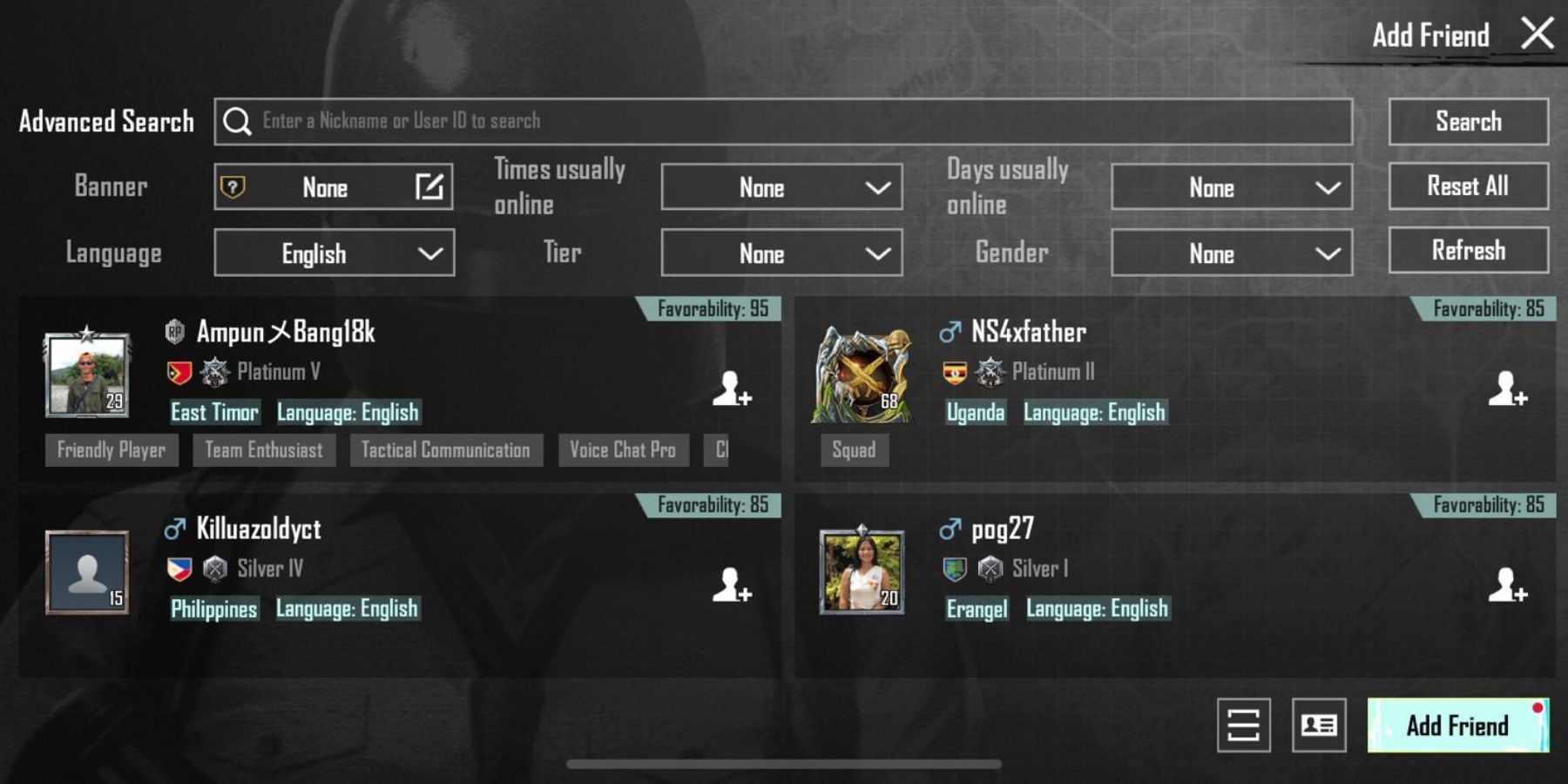
- To add friends in PUBG Mobile, launch the game and head over to the top left side of the screen.
- Below the profile icon, go to the 'Friends' section above the ‘Find Teammates’ option.
- Look at the top of the menu and find the ‘Bell’ icon. Click it to view friend requests. Players can also view the profile of those accounts by clicking their profile picture.
- To search a player by their name or User ID, click the ‘Plus’ icon next to the ‘Bell’ icon. Here, players can enter their friend’s nickname or User ID and send a friend request.
PUBG PC
- To add friends in PUBG on PC, click the ‘Friends’ icon at the bottom right corner of the screen.
- If players want to accept a friend request, click ‘Friend Requests’ next to the ‘Friends’ option in the menu. Here, they can also view the profiles they sent friend requests to.
- To search for a friend by their name, click the search bar at the top right corner and enter the player’s name.
- After adding a friend, gamers will see their profile in the 'Friends Section.' To invite them to team up, click the ‘Plus’ icon next to their in-game name. They can also see the interaction record with a friend by clicking the ‘Arrow’ above the ‘Message’ icon.
How to Send Gifts to a Friend in PUBG

Players can also send a variety of gifts to their friends in PUBG to increase their popularity score. For this purpose, go to the friend’s profile and click the ‘Chicken’ icon at the bottom left corner. Next, simply choose the desired gift and click ‘Give’ to send that gift item.
Players Unknown Battlegrounds is available now on Xbox Series X/S, Xbox One, PS5, PS4, PC, Stadia, iOS, and Android.