


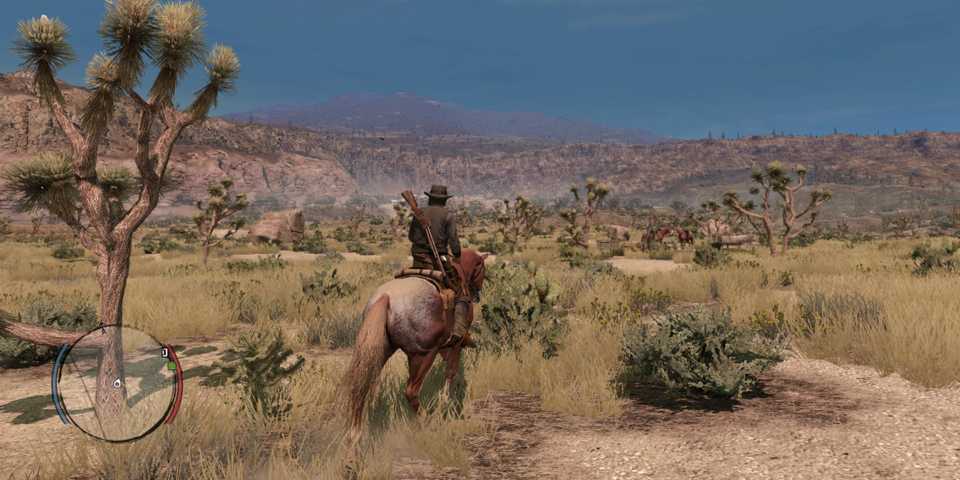
Red Dead Redemption on PC introduces a wide selection of graphical options, providing you with the freedom to customize the gameplay experience for better framerates or enhanced visual fidelity. However, those running the game on monitors higher than 144hz will immediately notice that the game is hard locked at 144 FPS, and there isn’t an option in the settings menu to increase this number.
Fortunately, the PC platform opens the doors to the modding scene, and there’s already a mod available that allows you to uncap the FPS in Red Dead Redemption. If you’re interested in experiencing the legendary Wild West journey at the highest framerates that your computer can achieve, check out the guide below to download and install the FPS unlock mod.
Before installing any mods, ensure you back up the game. It only takes a few minutes of work but saves unnecessary reinstallation if something breaks during the modding process. In our test of the FPS Unlock mod, we experienced no crashes or strange artifacts in four hours of modded playtime.

Red Dead Redemption: How Long to Beat (& Main Mission List)
There are 57 main missions in Red Dead Redemption, and it will take players at least a few dozen hours to finish the story.
How To Download & Install FPS Unlock Mod For Red Dead Redemption
You can find the FPS unlock mod for Red Dead Redemption on NexusMods website. Alternatively, you can also click here to land directly on the mod page. The FPS unlock mod is called ClipTweaks, developed by Clippy95, and you can download and install it by following these steps:
- While you're viewing the ClipTweaks mod page, navigate to the "Files" tab and look for the "Main Files" section.
- Here, you have two ways of downloading the mod: manually or via the Nexus Mod Manager. To keep things simple, just download the mod file manually.
- Once downloaded, extract the mod using a file extraction software like 7Zip or PeaZip.
- Open the ClipTweaks mod folder and copy the content over to Red Dead Redemption's installation folder.
- Depending on whether you downloaded the game via Steam or Epic Games Store, the installation directory may differ. Steam users can quickly locate the installation directory by right-clicking Red Dead Redemption in their Steam library, then selecting Properties, followed by Installed Files, and browse.
- Once you've installed the mod, launch the game and navigate to the graphics menu.
- Ensure that the max FPS is set to 144, and then save changes.
If you were already running the game at 144 FPS, you should now be seeing higher FPS. However, if you had previously limited the FPS to 120FPS or lower, you'll need to set the FPS limit to 144 in the graphics menu to get the mod working. Additionally, if you'd like to limit the FPS to anything above 144, you can use a third-party tool like the Riva Tuner Statistics Server.

Red Dead Redemption Or RDR2: Which Is Better & Why?
I grew up with the original Red Dead Redemption and am really looking forward to its re-release on PC this week. But it's hard to deny just how impressive Red Dead Redemption 2 is, especially for when it released. It's arguably one of the best western simulation games with all of its survival and gameplay mechanics, with some of the best graphics of all time and a movie-quality story to boot. Red Dead Redemption is a great game, but it ultimately laid the foundation for its superior sequel.
In addition to unlocking the FPS limit in Red Dead Redemption, the ClipTweaks mod also disables certain post-processing effects like depth of field, bloom, and heatwaves. If you prefer having these options enabled, but only wish to uncap the FPS, consider downloading the older variant of the mod. The installation process is exactly the same.
Unlocking the FPS in Red Dead Redemption will not only offer a smoother gameplay experience, but also mitigate any input lag induced by the game engine's frame capping, resulting in improved responsiveness as well.


Red Dead Redemption




-
 OpenCritic Reviews
- Top Critic Avg: 79 /100 Critics Rec: 73%
- Released
- May 18, 2010
- ESRB
- M For Mature 17+ Due To Blood, Intense Violence, Nudity, Strong Language, Strong Sexual Content, Use of Drugs
- Developer(s)
- Rockstar San Diego
- Publisher(s)
- Rockstar Games


WHERE TO PLAY


- Engine
- rockstar advanced game engine
- Multiplayer
- Online Multiplayer
- Franchise
- Red Dead Redemption
- PC Release Date
- October 29, 2024
- Nintendo Switch Release Date
- August 17, 2023
- Platform(s)
- Nintendo Switch, PC, PlayStation 3, PlayStation 4, Xbox 360, PlayStation 5, Nintendo Switch 2, Xbox Series X, Xbox Series S, Android, iOS
- Genre(s)
- Open-World, Adventure
- How Long To Beat
- 18 Hours
- OpenCritic Rating
- Strong
