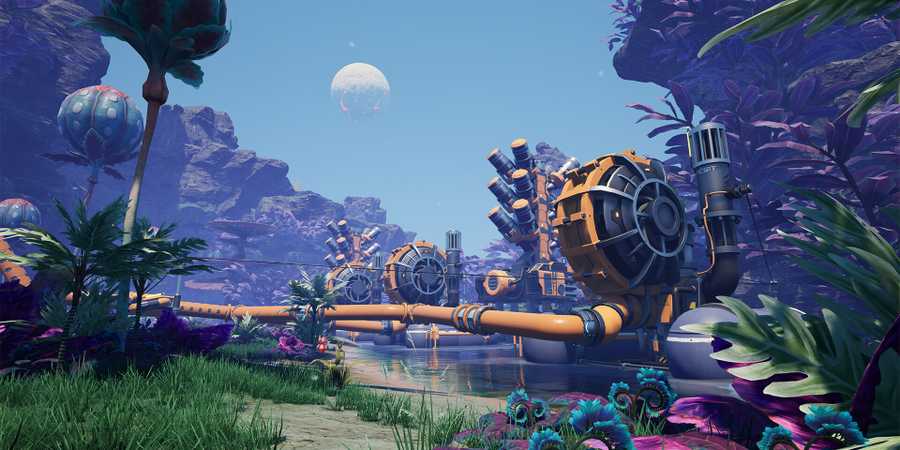
Satisfactory can be an overwhelming game at times, bombarding players with things to learn, structures to build, and resources to collect at every conceivable turn. The sheer wealth of information that needs to be digested and implemented can be daunting for beginners, making mistakes in the early game much more common.

How to Make and Use Conveyor Belts in Satisfactory
Conveyor Belts are key structures for transporting materials from one location to another in Satisfactory. Here is how to unlock them.
A bad start won’t necessarily destroy a run, but it will surely slow it down. Players hoping to hit the ground running will want to know what they can do to overcome the initial hurdles without a hitch. The following are some helpful tips to get started.
7 Committing To A Base Too Early
The First Base Is Often The First To Go

Creating multiple bases is very much encouraged in Satisfactory . With things like the Hypertube and trains being things that players can use to connect multiple bases, there is little point in worrying about making too much. What does end up being a bad idea, however, is committing to the very first base that players build. Inherently, there are no downsides to this, but in reality, what often ends up happening is that the first base is located near the first iron deposit players happen upon at the start of the game.
The sheer scale of what’s possible in Satisfactory can be hard to grasp when players are placing down the HUB terminal during the tutorial, which, inevitably, means that once higher tiers of unlocks become available, starting bases become untenable. For efficiency, players should aim to unlock Tier 3 upgrades as soon as possible by manually crafting whatever they need to build the Space Elevator. Only after Coal Power unlocks in Phase 2 should they aim to build a ‘proper’ base that can last them until the end game.
6 Setting Up The Power Grid Haphazardly
Figure Out A System Early

Power poles are used to transport electricity from fuel generators like the Biomass Burner and Coal Generator to any building that needs it. In the very early game, it’s very easy to keep track of which power source is powering which part of the base, but as bases expand and the operation gets bigger, the convoluted web of wires hanging overhead starts to make less and less sense.
It’s always a good idea to develop a coherent system for the power grid, so that scaling the base to the next level isn’t a chore and a half. Build all power generators in a single space so that feeding them fuel—the only part of Satisfactory that cannot be completely automated—only requires a single trip.
5 Not Collecting Leaves And Wood
Spam The Interact Button While Adventuring

The biggest limiter in the early game of Satisfactory is the lack of fuel to provide power to the machines that players build. Fortunately, this is a solvable problem that can be addressed by adopting good habits early.

Satisfactory: How to Tame a Lizard Doggo
Lizard Doggos aren't exactly cuddly, but they certainly are cute. Here's a complete breakdown of how to tame a Lizard Doggo in Satisfactory.
Every time a player ventures out into the world on an adventure, keep an eye out for bushes and wood sticks lying on the ground. Always pick up these easy resources during regular runs so that there is never a need for dedicated trips just to collect more fuel. Convert these pickups into biomass, and later solid biofuel, to ensure the base is never out of power.
4 Building Bases On The Ground
Always Build On Foundations

While Satisfactory doesn’t have any limitations on building bases on the ground, players can do what they like; for maximum efficiency, it’s always a good idea to use foundations. The main reason to do this is uniformity.
The landscape structure of the map is uneven, meaning after a certain point players will run into obstacles like large stones and sudden dips in the surrounding area to halt their expansion outward. Foundations allow for perfectly optimized base building, snap build mode (CTRL) ensuring that every structure is perfectly aligned with the grid and everything looks neat and tidy. Admittedly, there is a certain charm to building directly on the ground, but it can become very convoluted, very quickly.
3 Not Leaving The Starting Area
Map Out Surroundings Quickly

Most players in Satisfactory will start out in the Grass Fields biome and spend their first few hours there. It can be tempting to stay in this area for as long as possible because everything seems abundantly available at the start.
However, after building the Space Elevator, players will find that more and more of the resources they need to progress are not found in the area they started in. This is by design and meant to incentivize exploring the map. Getting started on this key task early will allow players to get a jump start on their exploration during the mid-game, allowing them to progress quickly and not flounder around wandering aimlessly.
2 Not Using Zoop Mode For Base Construction
Zoop And Vertical Build Mode Are Customized For Base Building

Base construction is a huge part of Satisfactory, and something players will spend a good portion of their time doing in the game. Over the course of a typical run, players will create multiple bases across the entire map, harvesting local resources and creating self-sustaining industrial ecosystems to continue their expansion.

Satisfactory: How To Make Reinforced Iron Plates
Making a Reinforced Iron Plate production line in Satisfactory can be tricky. Here's a guide on how to make a basic, space-efficient layout for one.
The best way to build bases is by constructing them on top of Foundations. To make this process easier, Satisfactory allows players to use Zoop mode, a customized base build mode that allows for multiple Foundations to be placed next to each other with a single click instead of placing each section of the Foundation individually. Vertical build mode is another option to stack multiple buildables on top of each other. Build modes can be toggled by pressing R.
1 Not Using Spacebar To Autocraft
Make Manual Crafting Automatic

Satisfactoy’s biggest strength is the number of quality of life features it offers to make base building, storage, and exploration easier. Unfortunately, due to the game’s expansive nature, it is very easy for players to forget or overlook shortcuts that would make their life easier in the long run.
Possibly the most important shortcut to remember in Satisfactory is the alternate crafting option that allows them to craft multiples of any item on the crafting bench with a single press of a button rather than pressing and holding one. By default, holding LMB (Left Mouse Button) crafts a single instance of one item, whereas pressing the Spacebar once triggers an autocrafting mode that puts the bench on autopilot, forcing it to run continuously without any further input until either the materials run out or the player manually stops production.

Satisfactory
- Released
- September 10, 2024



WHERE TO PLAY





- Developer(s)
- Coffee Stain Studios
- Platform(s)
- PC, PlayStation 5, Xbox Series X, Xbox Series S
- Genre(s)
- Simulation, Sandbox, Base Building, Open-World, Management