


Early-access games are often full of bugs and kinks that make them feel a lot less polished compared to full releases, and Schedule 1 is no different. Despite the multiple bugs that plague the game, it has a lot of charm that continues to capture the interest of more than a hundred thousand players.
One bug that has been cropping up quite often in many players' playthroughs involves the Cauldron, a tool that players need to process Coca leaves. The player can encounter an issue where they cannot interact with the Cauldron in certain situations.

Schedule 1: The Best Mixing Ingredients, Ranked
For players looking to experiment with ingredients in Schedule 1, these are some of the best items to try.
How to Get & Use the Cauldron in Schedule 1
You unlock the Cauldron once you reach Enforcer 1 in Schedule 1. After it's unlocked, you can purchase it for $3,000 from Oscar in the Warehouse. Like with other items, you can select it in your inventory and place it anywhere in your base with sufficient space.
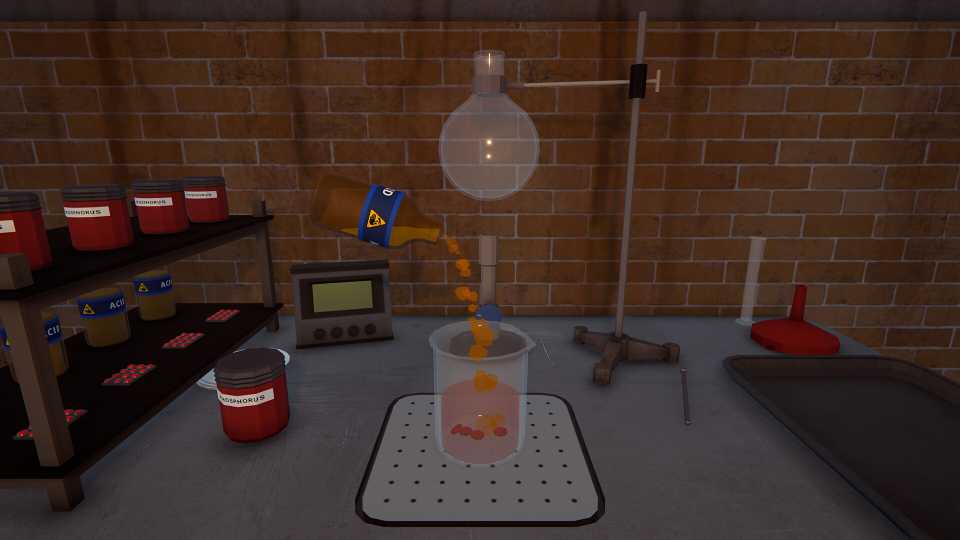
You can put two ingredients in the cauldron: Coca Leaves and Gasoline. There are four slots of Coca Leaves, meaning you can have a total of x80 Coca Leaves in it at a time, and one slot for Gasoline, letting you put in x20 Gasoline. To use the cauldron, pour the leaves and gasoline inside and click Begin to start the cooking process.

Schedule 1: Best Customers for All Dealers
Optimize your cash flow in Schedule 1 by assigning the right customers to all your dealers.
How to Fix Cauldron Bug in Schedule 1
When players assign Chemists to automate the coke-making process, there's a good chance they will encounter an annoying bug in which their Cauldron will become inaccessible, meaning you and your chemist won't be able to interact with it or use it. There are two things that you can do to fix this issue:
- Unassign and Reload: It is quite easy to fix the bug if it comes up under your watch, though it is a temporary fix and the bug can pop up again afterward. Unassign the glitching cauldron from the Chemist it's under. Save and exit the game. After you restart, the issue should be resolved.
- Single Assignments: The issue only arises if the player assigns multiple cauldrons to the same Chemist. To prevent the bug from occurring, players need to make sure they only assign a single cauldron to each chemist. Although it is quite inefficient and resource-intensive, it's the only way to prevent this bug from popping up in the first place.


- Developer(s)
- TVGS
- Publisher(s)
- TVGS
- Engine
- Unity
- Multiplayer
- Online Co-Op
- Number of Players
- Single-player









WHERE TO PLAY


- Genre(s)
- Simulation, Crime, Action, Management, Strategy
