


The Outer Worlds 2 is a great game for new players to jump into. Even though they had an ample amount of time to play the original 2019 game, players may have skipped it. That’s okay because the two games feature completely different characters and campaigns, although old fans will be rewarded with some familiar subjects.

Best Outer Worlds 2 Tips and Tricks
These beginner tips for Outer Worlds 2 will help both new and returning fans confidently tackle the challenges of the Arcadian system.
The Outer Worlds 2 follows an agent of the Earth Directorate who is sent to investigate an organization known as The Protectorate. Evil politicians, corrupt businesses, and daring gunfights should be enough to draw in any new fan. The launch has been good so far, and the sequel improves a lot thanks to Obsidian Entertainment’s dedication, but there are still some fixes that the game could use.
Add A Photo Mode
Is It Or Is It Not 2025?

The first game did not have a photo mode, and as much as the sequel improves itself over the original, it too lacks a photo mode. It’s wild to see a game ship without a photo mode now, as the feature has become as ubiquitous as having a pause button. One strange thing The Outer Worlds 2 includes, which the first game also has, is an option to make the camera idle around the player.
Obsidian Entertainment could adjust this mode so that players could control the camera freely, which would be a fix of some sort, as touching any button while in this mode will end it at the moment. A photo mode would be a better addition in a patch, though.
Remove Text From Dialogue Options
A Good Way To Look At Characters

There are a lot of options in the menu to adjust the HUD in several ways. For example, players could keep dialogue-based subtitles while removing cinematic ones. They can also remove substitutes while an NPC is talking, but dialogue choices will return along with the last line delivered. While talking to an NPC, players can add or remove subtitles at any time. Going back and forth between cumbersome menus is not ideal, though, especially in a lengthy RPG that can already last upwards of forty hours.

Outer Worlds 2: All Backgrounds, Traits, & Skills
In the Outer Worlds 2 character creator, players must choose from six Backgrounds, nine Traits, and 12 Skills.
Players don’t want to waste time going back and forth, so Obsidian Entertainment should add a feature that most visual novel games have. With the press of a button in most visual novels, text will go away, effectively pausing the game until players activate it again. Most The Outer Worlds 2 players probably won’t care about this feature getting added, but it would be nice for some.
Swap Between First And Third-Person Perspectives
Add A Quick Button
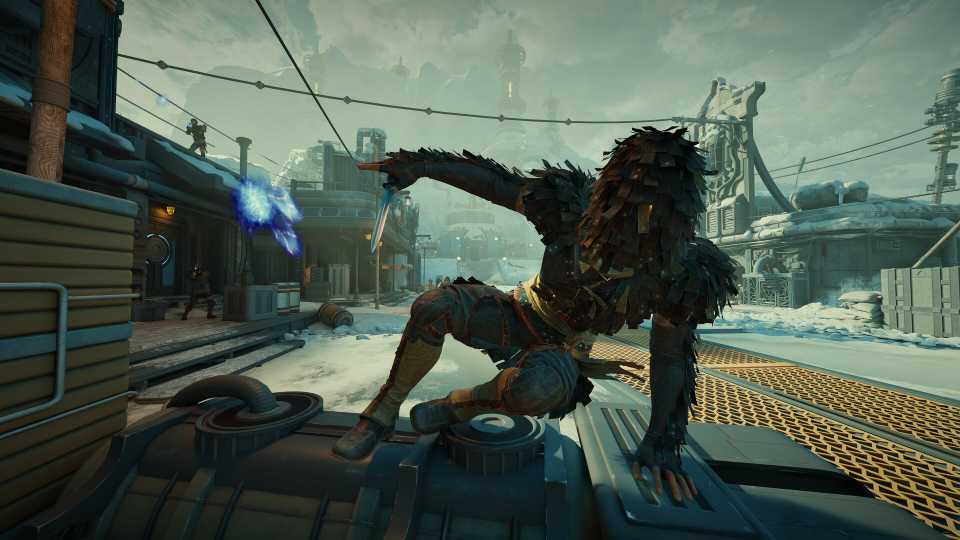
The sequel adds a feature that a lot of players wanted in the first game: third-person support. In the menu, players can select whether they want their character to appear in first-person, third-person near the camera, or third-person away from the camera. For either third-person mode, players can also adjust which shoulder the camera appears on. This feature is customary in a lot of games, which can help left and right-handed players.
Like the text-based argument, it is unfortunate that players have to go into the menu every time they want to switch perspectives. In The Elder Scrolls 5: Skyrim, a game that is over a decade old, players can switch perspectives with a button press. The Outer Worlds 2 should also have this quick option, or a faster adjustment prompt in the menu, like right below the full settings selection in the pause menu.
Unarmed Combat
Time For Fisticuffs
The weapon wheel is another great adjustment in the sequel, which makes it easier to switch between weapons or to use some other power. In the inventory menu, players can equip two weapons at a time, but there is an odd quirk about this system. Players will get a prompt to remove one weapon from the menu, but they cannot remove both.
That’s because players must always have at least one weapon equipped at a time. There is no unarmed combat, which is wild to see in a game that is primarily targeted as a first-person RPG. Players can find lots of melee weapons, and they can hit enemies with their guns, but there is no dedicated unarmed combat, which is a shame, and this should be adjusted in the future.
Pick Up Every Weapon
Where Do They Go?

One thing that doesn’t make sense in The Outer Worlds 2 is what happens to weapons after enemies die. When players examine a corpse, sometimes the weapon will be in their inventory. Sometimes it will be lying next to them, and players have to pick it up separately from the rest of the item menu, which is fine.
The weirder scenario is when an enemy falls, and then the weapon disappears. When an enemy falls in combat, players should be able to steal that weapon to use it, dismantle it, or sell it as they will. This could be a glitch, or Obsidian Entertainment could have adjusted the drop rate of weapons for some reason. Whatever the case may be, all enemy weapons, within reason, should be acquirable.
A Cover System
Pull A Deus Ex

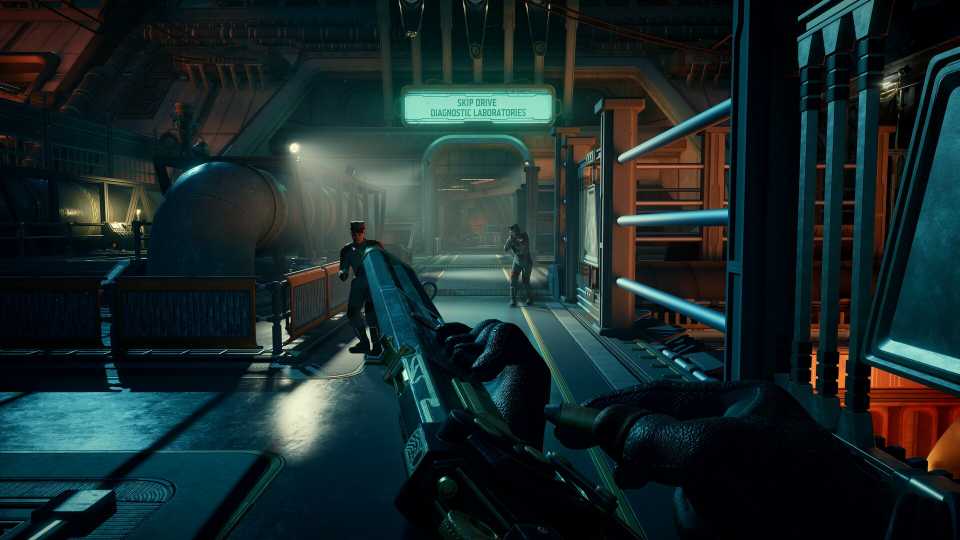
If players aren’t careful, they can die easily, even with a full party of Companions in The Outer Worlds 2. That’s why a cover system would be great to add in the game, as plenty of first-person and third-person games have cover systems.

Outer Worlds 2: Best Things to Do First
Prioritize these things to do first in Outer Worlds 2 to get started on the right foot on Paradise Island and beyond.
A good fellow RPG example includes Deus Ex: Human Revolution, which switches the camera to third-person when hiding behind a wall or something. There are plenty of things to duck behind in The Outer Worlds 2, but without a proper cover system, things can feel a bit clunky.
Select Flaws At The Game’s Start
Build A Character YOUR Way
The Flaws in The Outer Worlds 2 are great, and like the first game, they unlock randomly by doing stuff. Consumerism, for example, will unlock if players spend a lot in shops. Easily Distracted will pop up if players take on too many quests and take a long time doing them.
Finally, Overprepared will appear if players reload a lot. These are just a fraction of the examples, and it would be great if players could see them all from the start of the game, or at least a handful. Being able to choose a Flaw during the character creator would be a fun way for players to customize their experience further from minute one.


The Outer Worlds 2



-
 OpenCritic Reviews
- Top Critic Avg: 82 /100 Critics Rec: 87%
- Released
- October 29, 2025
- ESRB
- Mature 17+ / Intense Violence, Blood and Gore, Strong Language
- Developer(s)
- Obsidian Entertainment
- Publisher(s)
- Xbox Game Studios



WHERE TO PLAY





- Platform(s)
- PlayStation 5, Xbox Series X, Xbox Series S, PC
- OpenCritic Rating
- Strong
