


WWE 2K25 allows players to create their own fantasy matchups, select the champions they desire, and even develop a wrestler capable of holding two belts simultaneously. As a double champion, players can choose to defend one belt at a time or both titles during Play Mode and Classic Universe Mode.
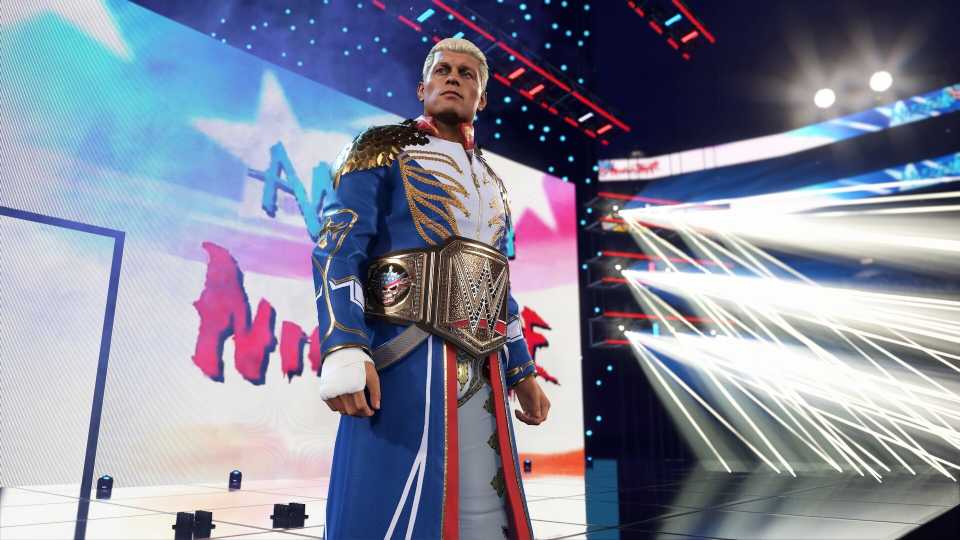
Your double champion in WWE 2K25 will also make their grand entrance to the ring carrying both belts at the same time, making for a satisfying entrance. For those looking to experience this, here's a rundown on how to assign and defend the belts as a double champion in WWE 2K25.

Advanced Pinning & Difficulty Sliders In WWE 2K25
Learn how the sliders work for longer and more competitive matches in WWE 2K25.
Assigning Two Championships To A Wrestler In WWE 2K25
Thankfully, WWE 2K25 has put the power in your hands when it comes to selecting the champions you want. You can either wrestle for them or manually change titleholders yourself.
- Press the R1/RB button to open the Extras screen.
- Then, select the Roster tab.
- Now, open the Title Management tab.
- Select one of the championship belts.
- Then, assign it to your favorite WWE Superstar.
- Repeat the steps for the second belt and assign it to the same wrestler so that they hold two. Upon doing so, your chosen wrestler will make their way to the ring with two belts.
Defend Or Fight For The Belts In Play Mode
- Switch back to the Home screen.
- Select Play.
- Select your match type and arena.
- Set your rules for the match.
- Select Play again to select your wrestlers.
- In the wrestler select screen, press the R3/RS button to switch Title Match: On.

- After selecting your champion and challenger, select championship.
- Press the Square/X button to switch on Double Title Match.
- Select your double champion as your playable character or opponent.
- Select two belts from the Championships screen.
- With all competitors and belts selected, click on Start Title Match.
Titles changing hands can transfer into your Universe Mode, and the title can change hands in player-versus-player matches.
Assigning A Double Champ In WWE 2K25's Universe Mode
- On the Home screen, select Universe.
- Continue your Classic Universe Mode save.
- Then, on the Universe Home screen, select Championships.
- You can now assign or replace titleholders and give one wrestler or a tag team two championships at the same time.
After assigning your double champion, you can switch back to Superstar Mode, select that champion as your main character, and defend the belts. However, it's not possible to defend two belts at once in Superstar Mode; you'd need to switch back to Classic Mode for this, which can be done by selecting Options and changing the current Playstyle to Classic.


WWE 2K25



-
 OpenCritic Reviews
- Top Critic Avg: 80 /100 Critics Rec: 87%
- Released
- March 14, 2025
- ESRB
- Teen // Blood, Language, Suggestive Themes, Use of Alcohol, Violence
- Developer(s)
- Visual Concepts
- Publisher(s)
- 2K Sports





WHERE TO PLAY




- Platform(s)
- PlayStation 5, PlayStation 4, Xbox Series X, Xbox Series S, Xbox One, PC
- Genre(s)
- Wrestling, Sports
